


If you want to make money online, YouTube is one of the best places to do it. The platform is one of the most visited websites in the world, and billions of people watch videos on it every month.
With so many people watching so much content, you can tap into a massive potential audience.
This is why many businesses, influencers, and individuals use the platform to generate revenue.
The great thing about YouTube is that there isn’t a specific formula that you need to follow to get money out of the site. In fact, there are tons of ways you can use your YouTube channel to make money online.
When you think of making money with YouTube, your first thought likely goes to advertisements.
While this is a popular way to monetize a channel, video creators can also earn revenue from channel memberships and other fan funding, selling products, receiving sponsorships, engaging in affiliate marketing, or using YouTube to drive people to their websites or other external platforms.
This guide will show you the best ways to make money with YouTube, including examples of successful YouTube videos.

Best Ways to Make Money From YouTube
- Make Money From YouTube Ads
- Earn From Memberships and Fan Funding
- Make Money From Affiliate Marketing
- Sell Your Own Products
- Make Money From Sponsorships
- Direct YouTube Traffic to Your Website
1. Make Money From YouTube Ads
First on our list of how to earn money as a YouTuber is to use YouTube Ads.
YouTube allows advertisers to create video ads shown before, during, and after videos, and between Shorts in the Shorts feed. Advertisers pay for the service, and YouTube gives you, the video creator, a part of the proceeds. According to YouTube, creators receive 55% of the net ad revenue from their long-form videos and 45% of the revenue allocated to them from Shorts. You also earn a share of YouTube Premium subscription fees when Premium members watch your videos.
How to enable ads on your YouTube videos
The YouTube Partner Program (YPP) is how you’ll enable and monetize ads on YouTube.
You must first meet the eligibility requirements to make money through the YouTube Partner Program. Beyond following the YouTube channel monetization policies and living in a country where the program is available, you need no active Community Guidelines strikes, 2-Step Verification turned on for your Google account, and an AdSense for YouTube account linked to your channel.
There are two levels of eligibility:
- To earn from ads: 1,000 subscribers and either 4,000 public watch hours in the last 12 months or 10 million public Shorts views in the last 90 days.
- To earn from fan funding and YouTube Shopping only: 500 subscribers, 3 public uploads in the last 90 days, and either 3,000 public watch hours in the last 12 months or 3 million public Shorts views in the last 90 days (see YouTube’s expanded Partner Program).
YouTube has announced updated Partner Program terms from February 1, 2027, so check the official requirements before you apply.
Once you meet these requirements, you can complete your Partner Program application from your YouTube Studio dashboard by going to the Monetization section. From there, you’ll accept the Partner Program terms and connect your AdSense for YouTube account.
After you finish the application, YouTube will review your account and make a decision about it in about a month.
How much money can you make from YouTube Ads?
There is no fixed rate per view. The number to watch is your RPM (revenue per mille): how much you earn per 1,000 views after YouTube’s share. You can find it in YouTube Studio under Analytics, Revenue.
RPM varies widely by niche, the country your viewers are in, the time of year, and whether a video is long-form or a Short. Finance, business, and technology videos usually earn far more per view than entertainment, and Shorts earn much less per view than long-form videos.
To estimate your ad income, multiply your views (in thousands) by your RPM. For example, a channel with an RPM of $5 would earn about $500 from 100,000 views. Your own RPM is the only reliable number, so check it once your channel is monetized.
How do you get paid?
Once you’re part of the program, you can go through your channel and turn on ads for individual or multiple videos at once.
As the ads start to run on your videos, you can track your earnings by going to YouTube Studio > Analytics > Revenue. There, you’ll see your estimated monthly revenue based on your current traffic and revenue share.
You can see your finalized earnings in your AdSense for YouTube account. The finalized amounts for a month are added to your balance between the 7th and 12th day of the following month.
The payments are then paid out between the 21st and 26th, as long as your balance has reached the payment threshold.
Enroll in our YouTube course and get step-by-step instructions on how to make money on YouTube, starting from scratch. A YouTube course aimed at beginners like you.
2. Earn From Memberships and Fan Funding
Once your channel reaches the lower Partner Program level (500 subscribers), you can let your viewers support you directly. These features don’t depend on ads, and YouTube pays creators 70% of the net revenue from them.
- Channel memberships: Viewers pay a monthly fee for perks such as badges, custom emojis, members-only videos, or early access.
- Super Chat and Super Stickers: Viewers pay to highlight their messages or send animated stickers during live streams and Premieres.
- Super Thanks: Viewers can tip you on individual videos and Shorts, and their comment is highlighted.
Fan funding works best when you have a loyal community, even a small one. Mention your membership perks in your videos, go live regularly, and thank supporters by name.
3. Make Money From Affiliate Marketing
The next way to make money with YouTube is through affiliate marketing.
This is a type of marketing where you promote another company’s products or services. In exchange, the company pays you a commission for the sales that you bring in.
The exact amount will vary depending on the merchant and product type. This can range anywhere from 5% to 100% of the sales proceeds.
As an affiliate, you get a unique URL to promote the merchant’s products. When a customer places an order after clicking the link, you are credited with the sale in the merchant’s tracking system.
Businesses across industries create affiliate programs to help increase sales. Partnering with a network of affiliates allows them to grow their audience and reach new customers.
So, no matter what subject you want to create content for, you’ll likely find plenty of high-paying affiliate offers in your niche.
Affiliate marketing is equally beneficial for affiliates as it lets you sell products without developing them yourself.
How to do affiliate marketing with YouTube
Affiliate marketing is a popular money-making strategy for website owners, but it works well for YouTube.
Like an affiliate website, you need to put your affiliate links where your YouTube viewers can see them and create content that encourages them to click the links.
You can also join the YouTube Shopping affiliate program once you’re in the Partner Program. It lets you tag products from participating brands in your videos and Shorts and earn a commission on sales, without adding links yourself.
Here are some of the ways you can use your video content to promote affiliate products:
Product reviews
Doing product reviews is one of the most common ways to make money on YouTube.
In the product reviews, you demonstrate a product and explain to viewers how they can benefit from it.
You then add an affiliate link to your video description and encourage people to click if they are interested.
Many affiliates offer a special discount through their link to generate more purchases.
Below, we can see this at work in a review of the Helium 10 platform for Amazon sellers. In the video, Darren reviews the platform’s key features and explains what he likes about the solution.
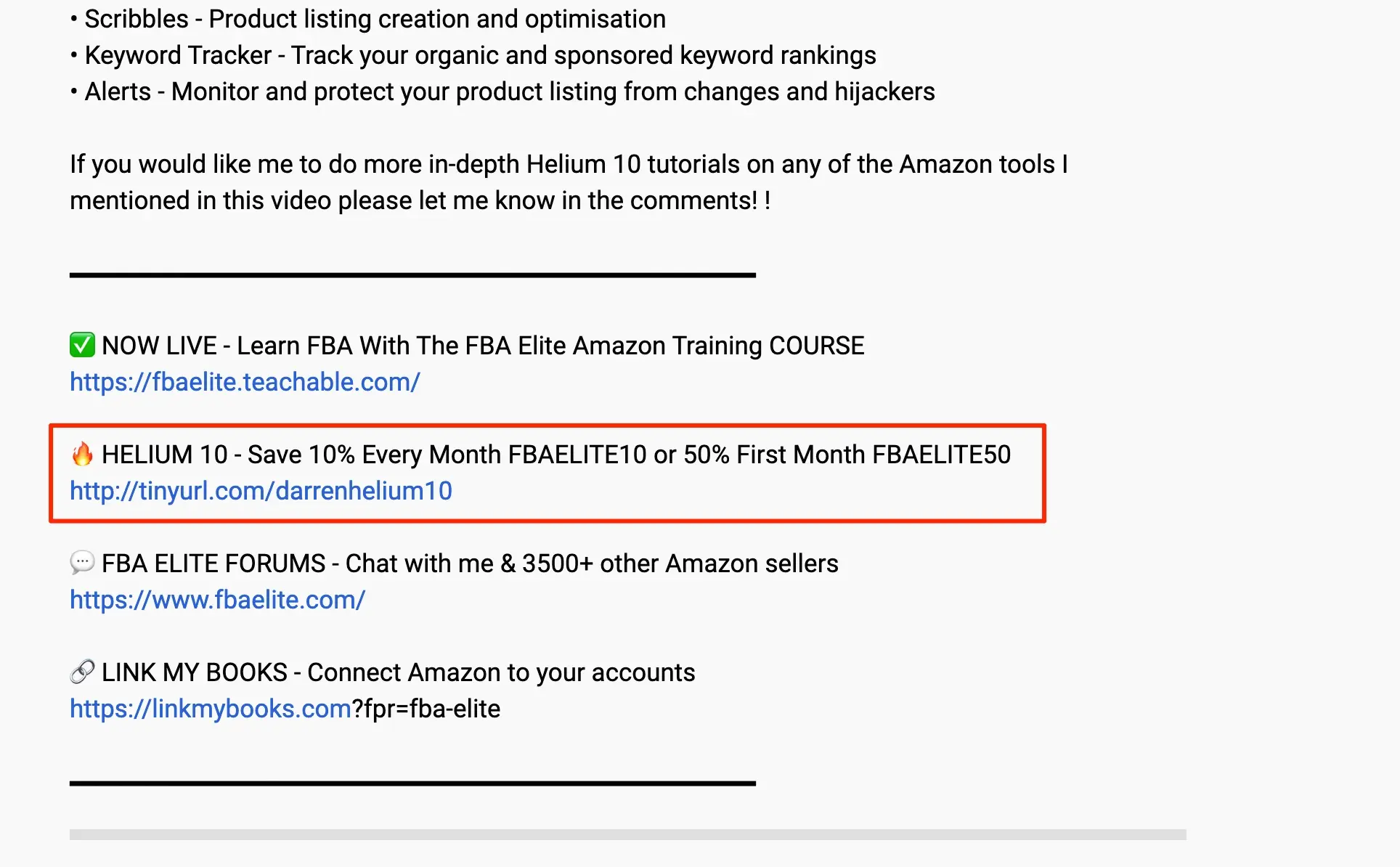
In the end, he includes a direct call to action (CTA) where he verbally tells viewers about his promo code and how much they can save.
You can also find an affiliate link to the merchant site in the description.
Best of videos
Another way to showcase affiliate offers is to create a “best of” or comparison video.
With this, you show viewers some of the top options for a specific product type, highlighting their key differences.
For example, the video below reviews the best headphones. Ali Abdaal mentions what he likes about the various products, and the video description includes multiple affiliate links.
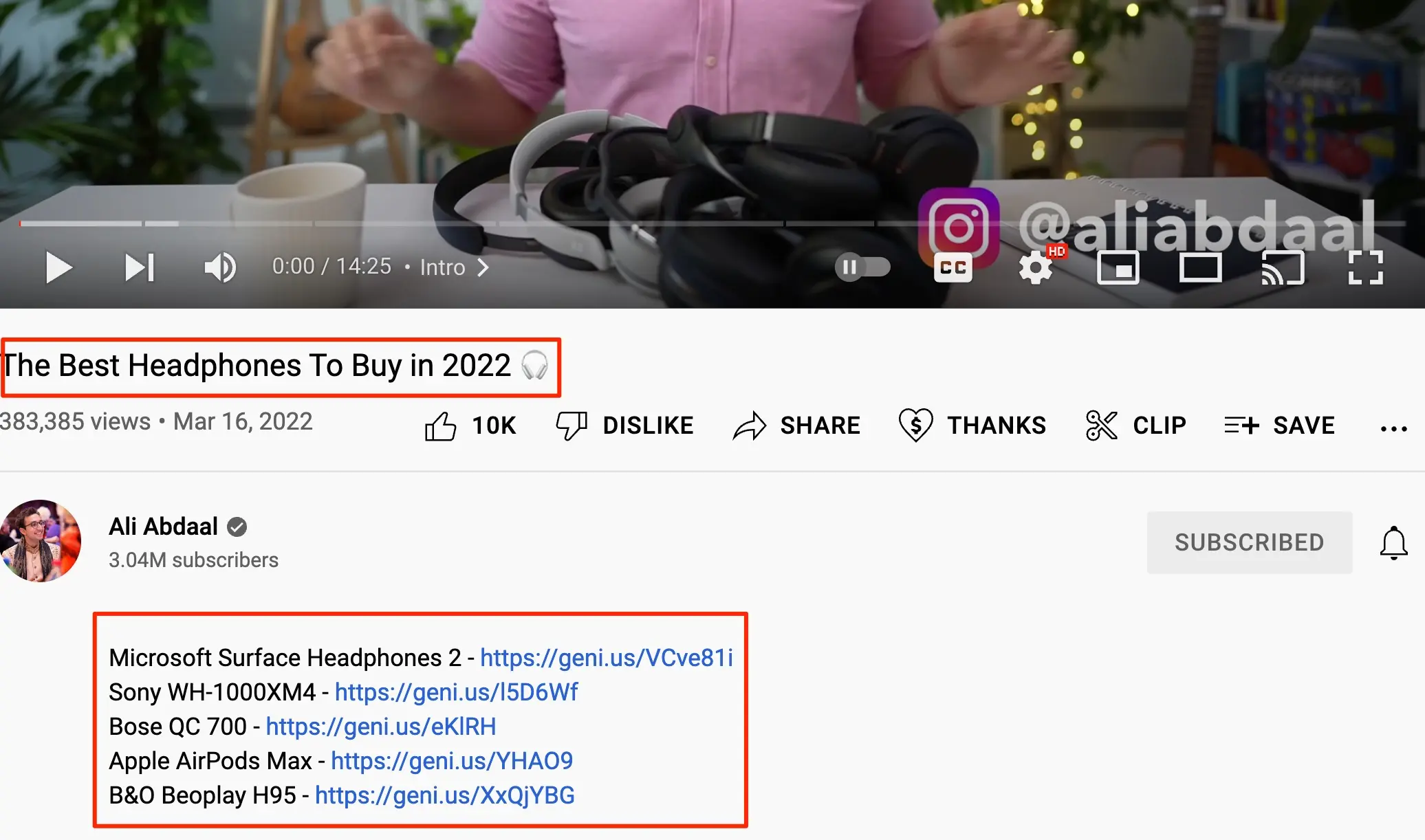
Keep in mind that you need your visitors to trust you if you want them to click your links. This is why it’s also important to create non-promotional content that provides value to your audience.
Over time, they’ll view you as a trusted resource and respond better to your affiliate links.
4. Sell Your Own Products
If you have your own products to sell, YouTube can be a great tool for finding new customers.
With your own channel, there are endless ways to create content that attracts interested parties and promotes your products.
For instance, you can create a video series that explains how to use your product or service.
The digital marketing software provider Semrush gives us a great example of this with their SEMRush Overview series.
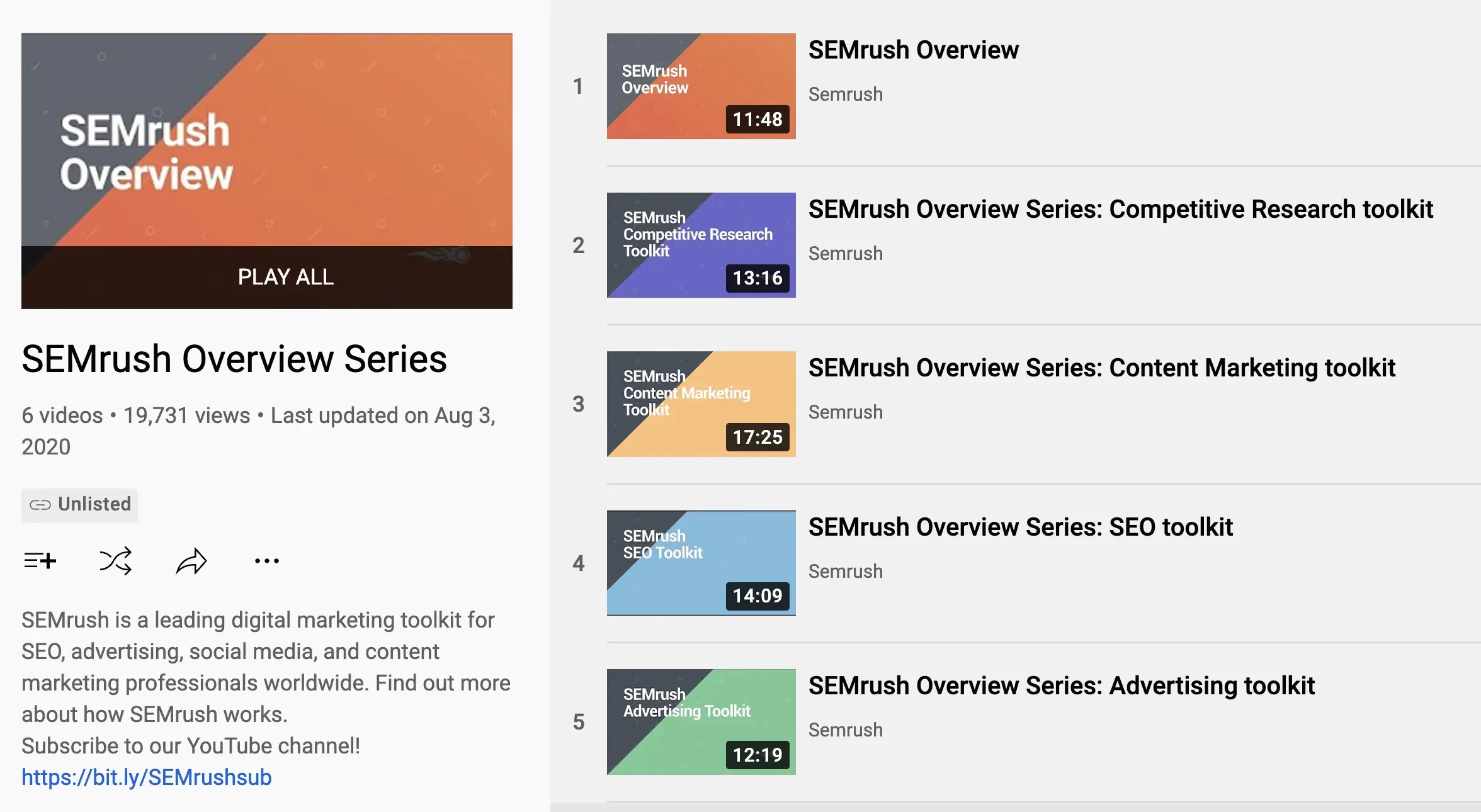
In the videos, different team members walk through the platform’s main features and how they can help users.
Alternatively, you can create videos that don’t go into your products but instead provide useful insights to your audience.
As you continue to provide content that helps them, many will naturally become interested in learning more about your products.
For example, nutrition and fitness company Onnit creates videos like this Basic Stretches You Should Do video to help teach their audience.
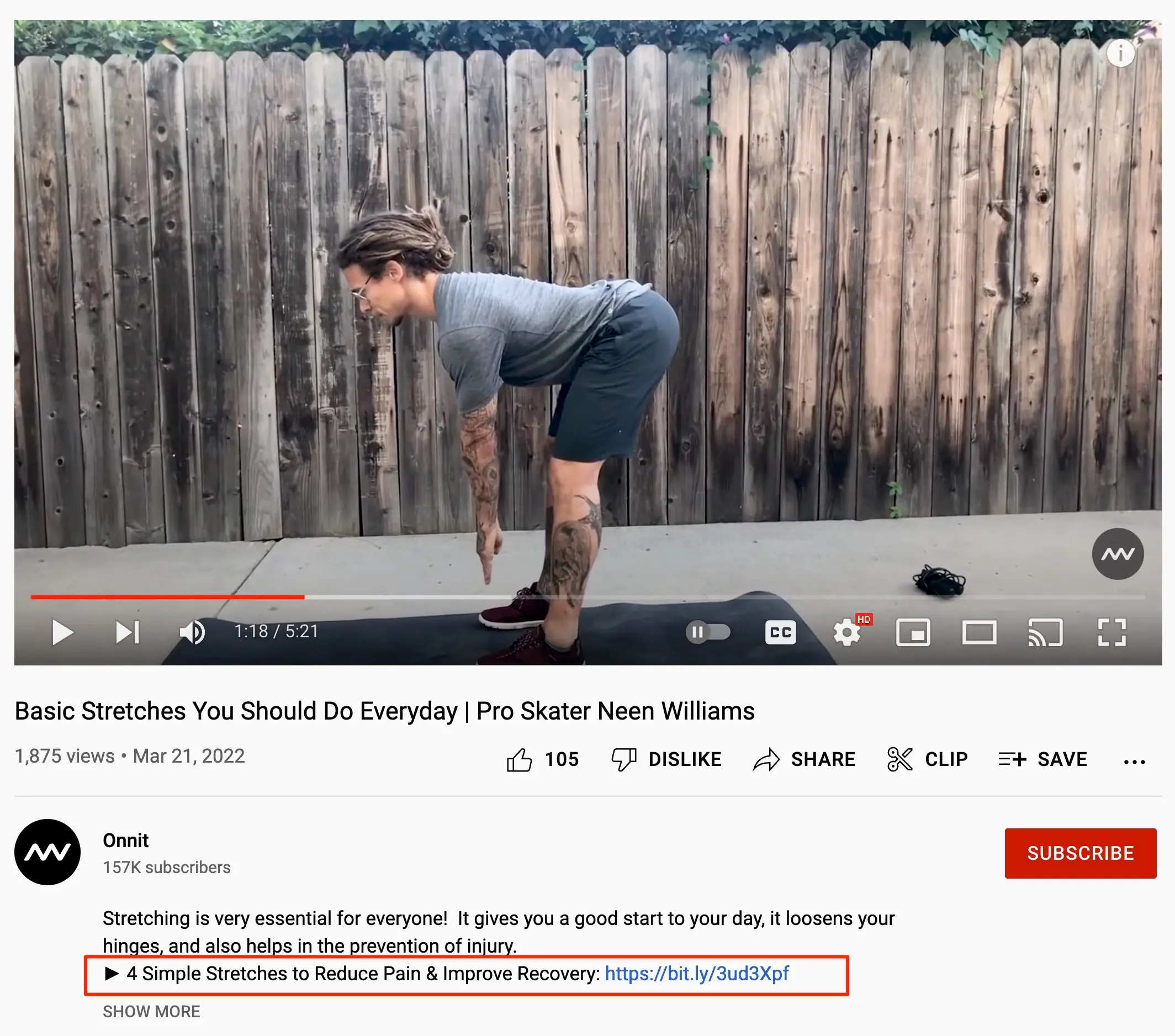
Selling merchandise
You don’t need a product or service-centered business to be able to sell through YouTube.
Many creators who have built a following use their audience to sell merchandise such as T-shirts, hats, and bags.
If you follow any popular YouTube gamers and vloggers, you’ve likely seen creators launching a line of apparel for their loyal fans to buy.
For example, famous gaming YouTuber VanossGaming includes a link to “Vanoss Merch” in the channel banner.
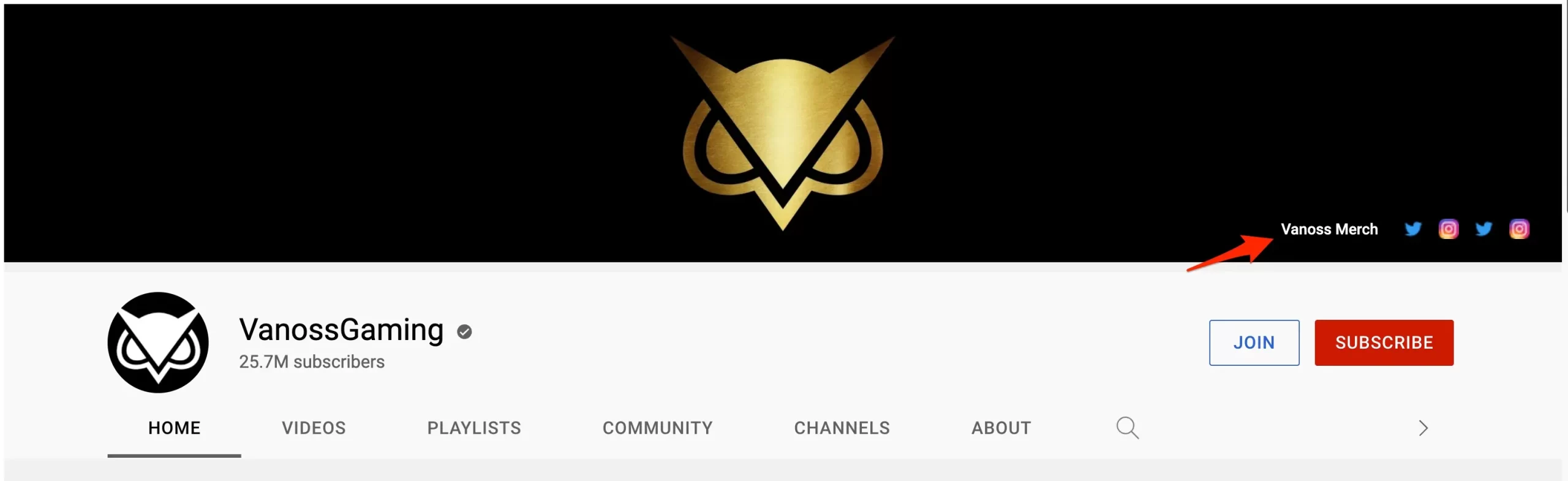
There is also a link to the merch site at the beginning of video descriptions, and the products are occasionally mentioned in some of the videos.
5. Make Money From Sponsorships
Sponsorships are one of the best ways to make money with YouTube.
A sponsorship is when a brand pays you to publish your video in exchange for you mentioning their products or services.
It is common for video creators to mention their sponsors at the beginning of the video. The format is similar to an advertisement, but it’s more natural and convincing as the video creators speak about the product.
This is often accompanied by some graphics and animation from the sponsor company.
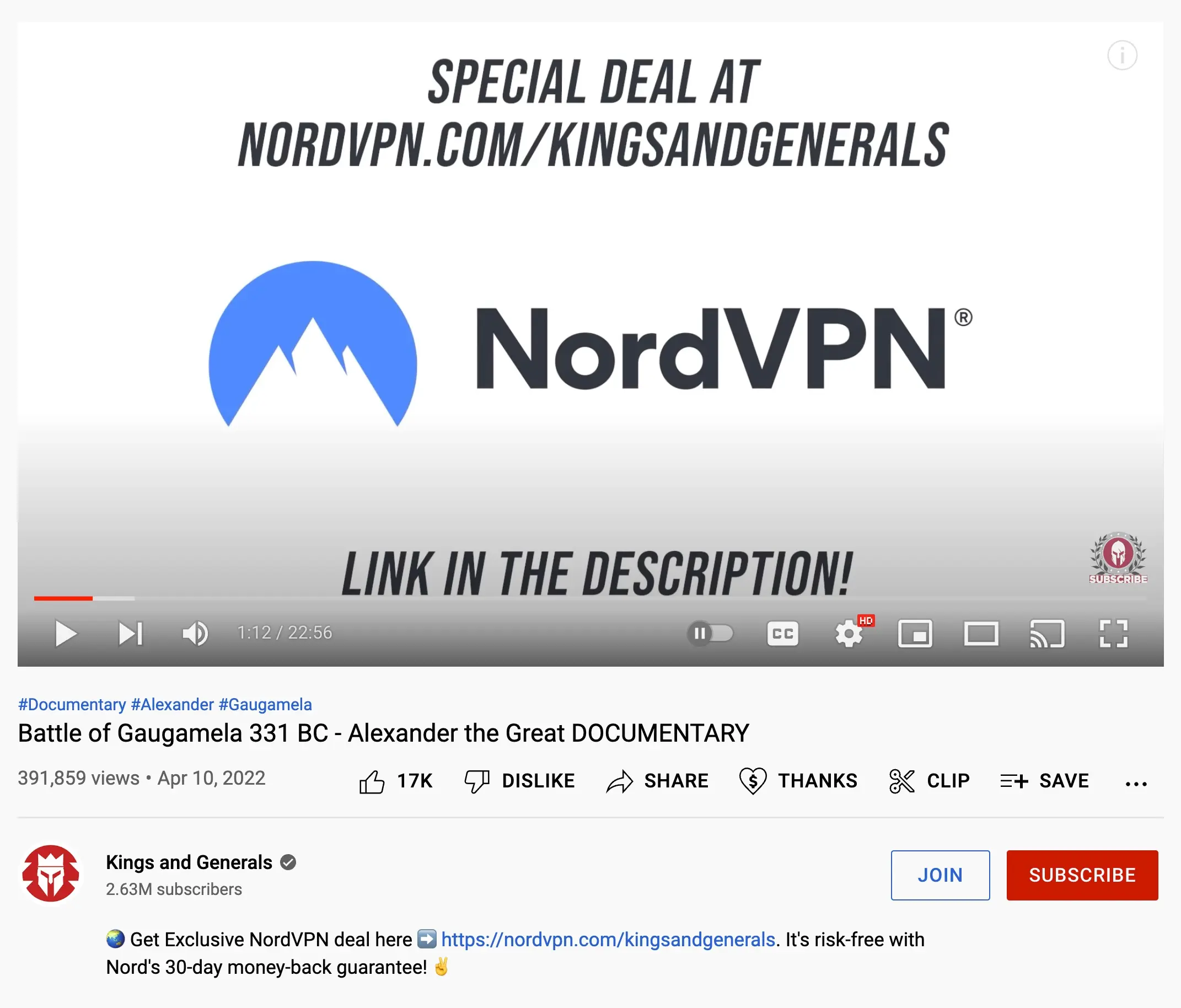
A good example of this can be seen in the history documentary channel Kings and Generals. Their videos are sponsored by various companies like NordVPN, Blinkist, and Skillshare.
In the video below, we can see one of these sponsorships one minute into the content. At that point, the narrator mentions the sponsor and highlights their product features.
On the screen, you can see visuals provided by the sponsor.
Because your audience trusts your recommendations, sponsorships can be much more lucrative for you and the sponsor as more of your viewers will convert to sales.
This is most notable when you have a sponsor related to the type of content you create.
A great example is the video below from Girl With the Dogs. The creator, a dog groomer, is sponsored by a company that makes waterproof shoes.

As she mentions the sponsor, you can see the product in action as she wears the shoes while washing a dog.
How to get YouTube sponsorships
Because brands don’t want to waste their time or money on a sponsorship that doesn’t pay off, many will only choose to sponsor YouTube channels with proven success and an established following.
That said, others will offer sponsorships to smaller channels in exchange for a free product.
Overall, your options for sponsorships will depend on the quality of your audience and the nature of your channel.
In terms of how much you can make, this too will vary wildly depending on your niche and the particular sponsor.
Sponsors usually don’t pay on a per-view basis. Instead, you’ll typically agree on a flat rate payment, based on your average views and how well your audience matches their customers, when you finalize how to incorporate your sponsorship in your content.
The Budget Girl has a great video breaking down some of her sponsorship deals and how the process works.
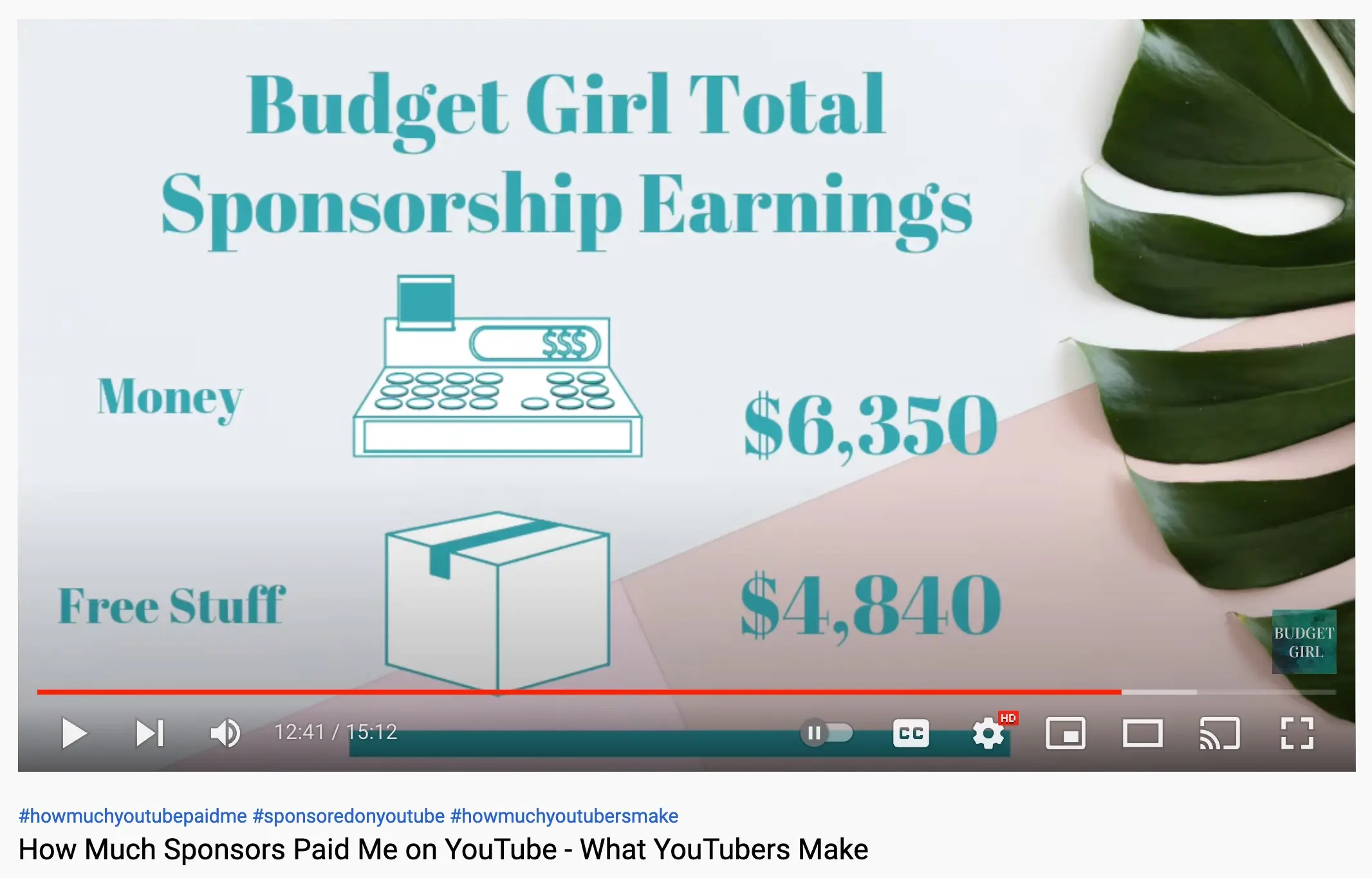
She explains how she priced her deals, what she received in free products versus cash, and how sponsorship income compared with her ad revenue, which is a useful reality check before you pitch your first brand.
6. Direct YouTube Traffic to Your Website
The last way to make money with YouTube is to drive viewers to your website.
Whether you provide a service or sell a physical product, your website is often the most valuable tool for making money.
When combined with YouTube’s massive reach, you can attract a large number of people to your site who will eventually become customers.
To turn YouTube into a profitable traffic source for your website, you need to optimize your videos to drive as many people as possible from YouTube to your site.
Here are some ways to do it:
Adding links to your channel
First, you can direct people to your website by adding it to the Links section of your channel (in YouTube Studio, go to Customization, Profile). Your first link appears in your channel header, under your channel name, with the rest one click away.
You can also include your website address in your banner image. That link won’t be clickable, but viewers can easily see how to get to your site.
Using YouTube cards
YouTube cards are small clickable notifications that appear during a video. You can add up to five per video, linking to another video, a playlist, or a channel, and, once you’re in the Partner Program, to your own website. End screens do a similar job in the last few seconds of a video.
In the video below, Thomas Frank uses cards to direct people to his site to learn more about the product discussed in the video.

Links in the description
Adding links to your video descriptions is an easy way to get more YouTube viewers to your website.
In our video on digital marketing certifications, you can see multiple links to different areas of our website.

Asking them to visit your website in the video
The next way to drive web traffic from YouTube is to use your videos to ask people to go to your site directly.
This is one of the most effective strategies, as it will immediately grab the attention of those watching your videos.
Offering them free stuff
You can get more web visitors by incentivizing viewers to visit your site. A great way to do this is to give something away for free.
Common examples are free trials, masterclasses, guides, and PDFs.
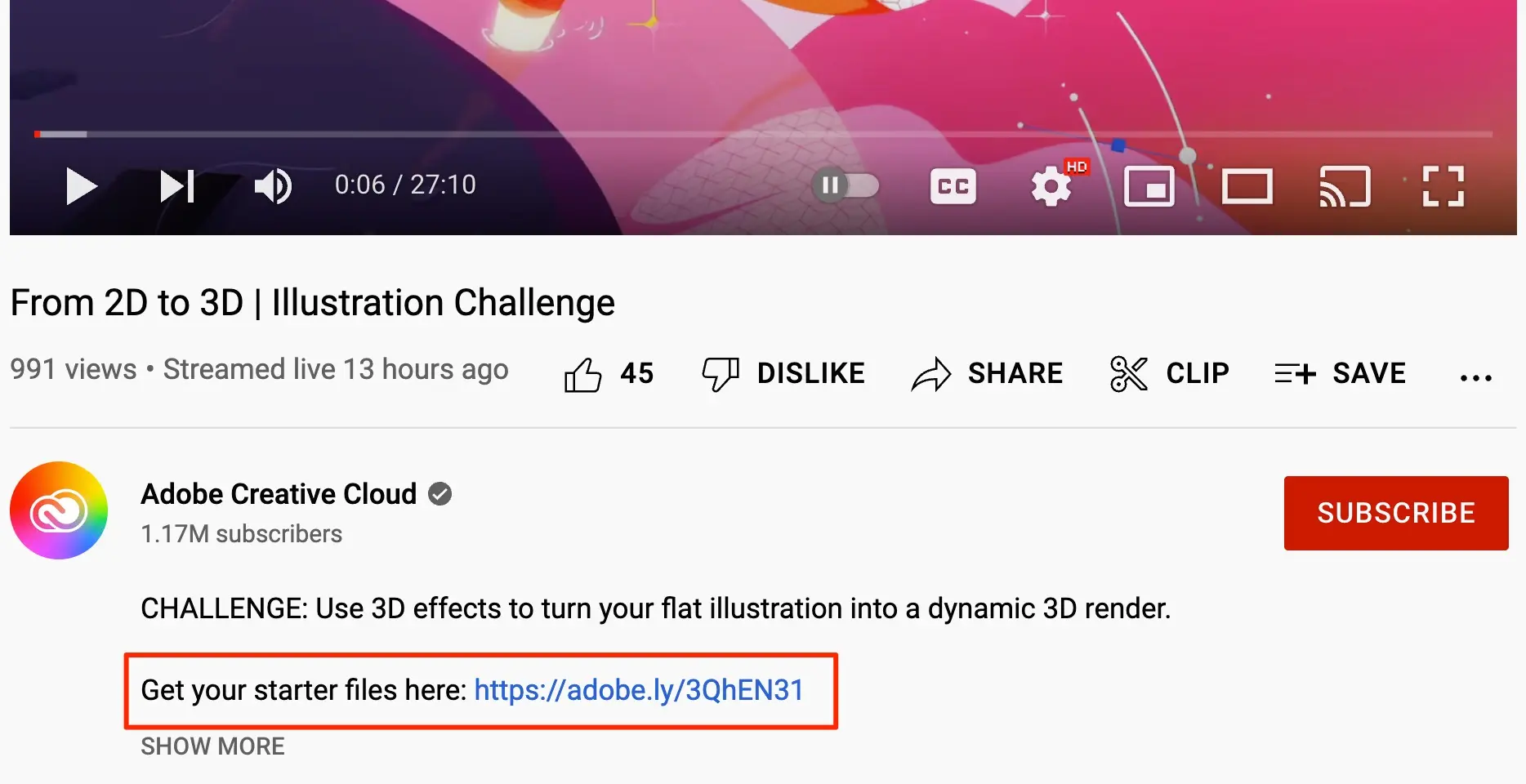
For example, in this guide on how to make 2D images 3-dimensional, Adobe includes links to free template files in the description.
Showing your website URL as a banner while the video is playing
Like verbally asking people to visit your site, simply showing your website URL during the YouTube video can help you get more visitors.
The Engineering Mindset does a great job of this in its content. Below, in the video on how electricity works, you can see the URL displayed at the bottom of the animation over the duration of the video.
How to Increase Your YouTube Revenue?
Now that you know the best ways to make money with YouTube, you might wonder how to optimize your channel to bring in the most revenue.
Whether you decide to run ads or go after sponsorships, there are several important variables that will determine how much you make with YouTube.
Below, we’ll look at the key factors impacting how much money you can make with YouTube.
The number of subscribers: When someone subscribes to your channel, they will get notified every time you release a video. This leads many subscribers to continue watching your new content.
Because of this, higher subscriber counts usually lead to more video views. Naturally, more views will lead to more YouTube revenue no matter how you choose to monetize your channel.
Video watch time: The more people engage with your videos, the better you’ll be able to turn their interest into revenue.
A good way to assess your engagement is video watch time. If you can increase the amount of time people spend watching your videos, more money will shortly follow.
Video length: Video length is important as the more content you have the more opportunities you’ll have to promote products or direct people back to your site.
Type of content: The type of content you create also matters. Videos around commercial and transactional topics will result in more customers than generic content.
For example, if your video is a product review, it will likely drive more revenue than a video with nothing but a news update.
Niche: Similar to the nature of your content, the market you’re in will play a big role in how much your channel makes. Some categories are more lucrative than others.
This is due to both differences in the value of products as well as how much-targeted traffic can be generated through YouTube.
Geo-location: Your location and the location of your viewers will also influence your YouTube revenue.
Certain locations are more valuable to businesses. As such, having viewers from these areas will lead to better payouts from ads and sponsors.
Similarly, if you promote affiliate offers or sell your own products, having an audience located in the same area as your products will lead to more revenue than if they lived elsewhere.
Adblockers: The last factor impacting how much you can make with YouTube is adblockers. If someone uses an ad-blocking platform, they won’t see any ads on your videos even if you have them enabled
This also means you won’t get any ad revenue from this person.
If a high number of your viewers use adblockers, it can seriously impact how much ad revenue you can generate.
Making Money on YouTube FAQ
How many views do you need to get paid on YouTube?
There is no minimum number of views per video. To earn from ads, your channel needs to join the Partner Program first (1,000 subscribers and 4,000 watch hours in 12 months, or 10 million Shorts views in 90 days). After that, you’re paid for every monetized view, and your earnings depend on your RPM.
Can a beginner make money on YouTube?
Yes. You can earn from affiliate links, sponsorships, and your own products before you qualify for the Partner Program, and fan funding opens up at 500 subscribers. Most beginners earn little in the first months, so treat it as a long-term project.
Do you need 1,000 subscribers to make money on YouTube?
Only for ad revenue. Affiliate marketing, sponsorships, and selling your own products or services have no subscriber requirement.
Can you make money on YouTube without showing your face?
Yes. Tutorials, screen recordings, animation, and voice-over channels can all be monetized. Just make sure your videos add something original, because YouTube’s monetization policies exclude reused and mass-produced content.
How do I learn to grow a YouTube channel?
Our YouTube Marketing Course shows you step by step how to create, optimize, and monetize a channel. You can also compare other options in our list of the best YouTube courses.
Other Ways to Make Money Online
Besides making money on YouTube, you can also consider these resources for making money online:
- How to Make Money Blogging: Find out the best ways to start a blog and make money from it.
- How to Make Money With Affiliate Marketing: Learn how to make real money with affiliate marketing.
- How to Make Money With Digital Marketing: A comprehensive guide on how to make money working as a digital marketing freelancer or starting your own business.
YouTube Resources
To learn more about YouTube and how to create a successful channel, visit these guides:
Best YouTube Courses: A list of high-quality courses for making money on YouTube (and marketing).
How to Make a YouTube Channel: Step-by-step instructions on creating a YouTube channel for your business.
YouTube SEO Guide: Learn how to use SEO to rank your videos on top of YouTube search results.


