Free AI Product Photography Maker
4.9 from 500+ users

How to Do Product Photography
With Reliablesoft AI
You don't need a studio, expensive AI tools, or photoshop. Just one photo of your product is all it takes to build a full marketing portfolio.
1. Upload Your Product Photo
The Struggle: Taking a professional photo usually requires a white box, three-point lighting, and a DSLR camera.
The Fix: Just take a photo with your phone. Our AI automatically identifies your product, removes the background with surgical precision, and prepares it for a new scene instantly.
2. Use Prompts or Templates
The Struggle: Thinking of creative concepts is hard, and hiring a designer is expensive.
The Fix: Use our Prompt Builder to generate ideas or simply click one of our pre-made Style Templates to place your product in a trending aesthetic immediately.
3. Turn Images Into Scroll-Stopping Ads
The Struggle: A pretty picture isn't enough; you need images that convert.
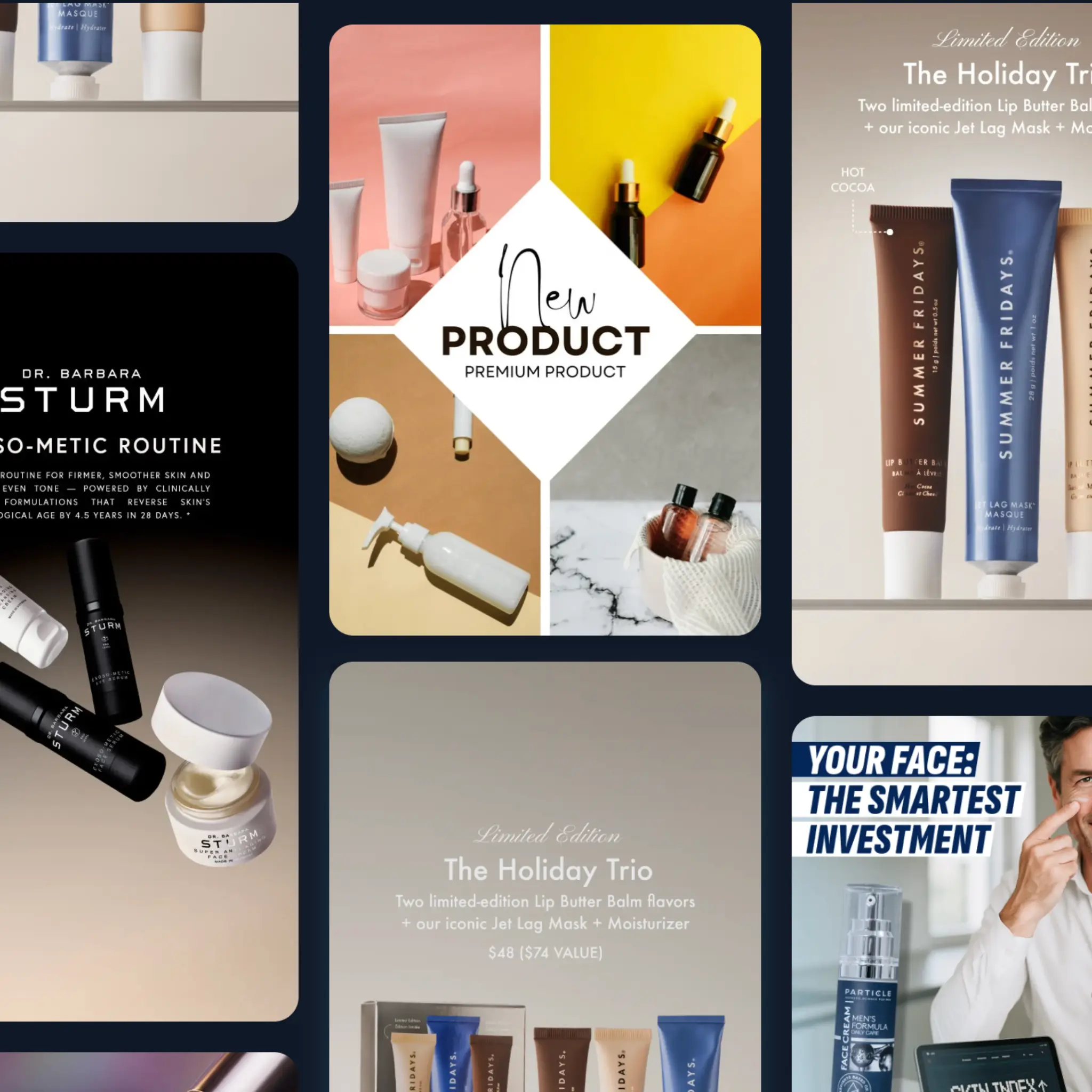
The Fix: Don't just stop at product photos. Use our AI to generate full lifestyle scenes including UGC-style ads or seasonal props. Export in multiple sizes for Instagram Stories, Facebook Ads, or Amazon listings.

4. Turn Photos Into Video Ads
The Struggle: Producing high-quality video ads usually requires a dedicated tool and hours of editing.
The Fix: Bring life into your still images. With one click, you can generate stunning video ads. Export as MP4 to create high-retention Reels and TikToks without shooting a single second of footage.
5. Cheaper Than Other AI Tools
The Struggle: Most AI tools lock you into expensive monthly subscriptions ($30-$50/mo) even if you only need a few images.
The Fix: We believe you should only pay for what you use. Start with 10 images completely free. After that, buy credits as you need them. There are no hidden fees, no recurring subscriptions, and no wasted money.
AI Product Photography Examples
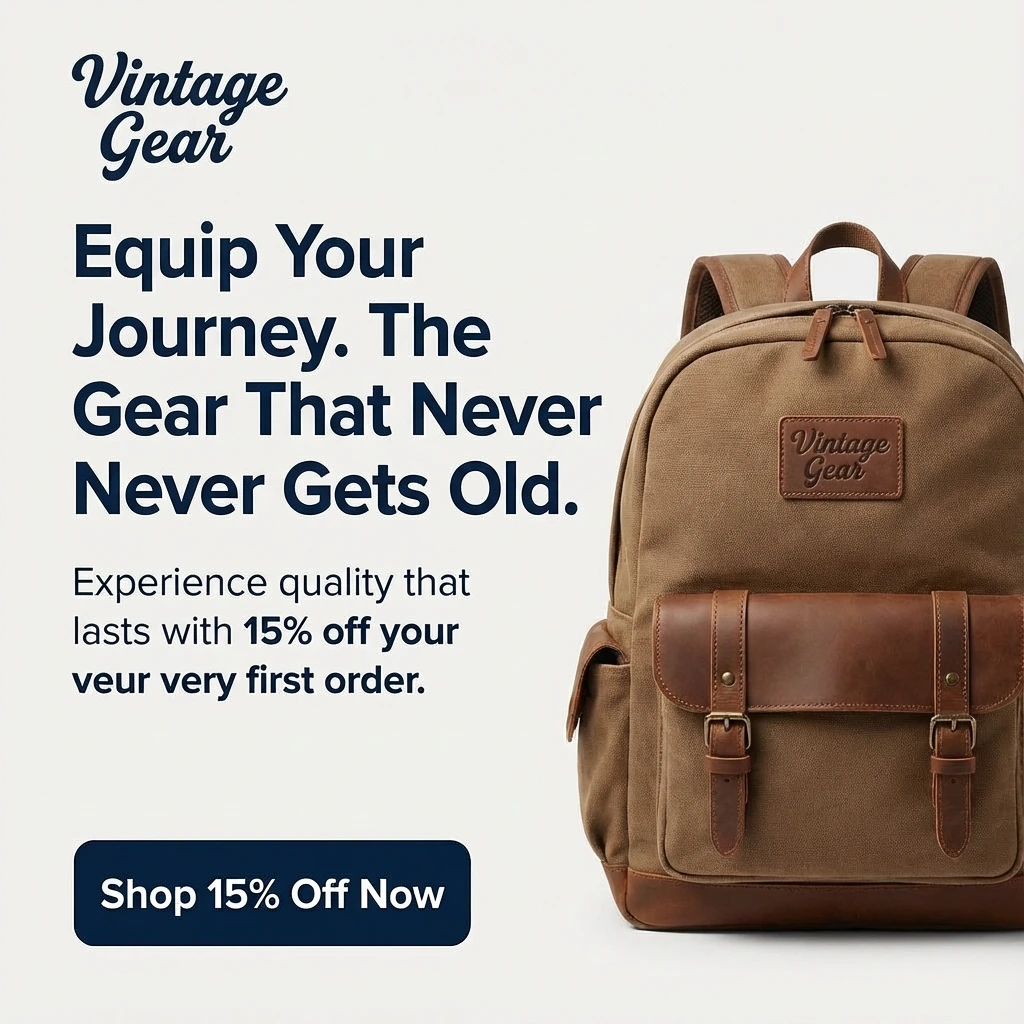
See what’s possible with a single input image. From cosmetics to electronics, visualize your product anywhere.


Why Choose Reliablesoft
AI Product Photo Generator?
Built for small businesses that need results fast. Turn plain product photos into beautiful visual assets with AI.
Mobile & Desktop Ready
Use our mobile version to snap and edit on the go, or use the desktop app for precision editing and batch workflows.
Pay As You Go
Don't get locked into a monthly subscription if you don't need it. Pay only for the product images you actually need.
10 Free Images
Try before you buy. Generate your first 10 product images completely free to see the magic for yourself.
UGC & Human Styles
It's not just product-on-table. Add human hands, models, or realistic lifestyle context to build trust.
Multiple Formats
One click resize. Get square for Instagram, portrait for Stories/TikTok, and landscape for your website banners.
Full Ad Portfolio
Create a consistent brand look across all your channels. Build a full month's worth of ad creatives in minutes.
Who Can Benefit From Our AI Product Photo Maker
Designed for anyone who sells online. Whether you are dropshipping or crafting handmade goods, elevate your brand visual identity instantly.
E-commerce Stores
Update your Shopify or WooCommerce catalog with seasonal backgrounds (Christmas, Summer, etc.) without reshooting inventory.
Dropshippers
Stand out from competitors selling the same items. Take the supplier's basic image and turn it into a unique branded asset.
Social Media Agencies
Generate high-volume content for clients. Create 20 variations of a product shot for A/B testing Facebook ads in minutes.
Food & Beverage
Place your drink or snack in a realistic kitchen, cafe, or outdoor setting. The AI handles shadows and reflections perfectly.
Etsy Sellers
Give your handmade crafts the premium look they deserve. Clean white backgrounds for the listing, lifestyle shots for the carousel.
Amazon Sellers
Meet strict marketplace requirements with instant white background removal, then create A+ content with creative scenes.
Frequently Asked Questions
Do I need a professional camera?
Not at all. Our AI is trained to enhance image quality. A photo taken with a standard smartphone is perfect. The AI will upscale it and blend it into the generated background.
Can I use my own background images?
Yes! You can either use text prompts to create a new background, select from our high-converting templates, or upload a reference image for the AI to mimic.
What file formats do I get?
You can export your images in JPG or PNG format. We also support multiple aspect ratios including 1:1 (Square), 9:16 (Story), and 16:9 (Landscape).