

I grew my instagram followers from 0 to 1000 in 3 weeks.
In this post, I’m going to walk you through exactly what I did, what worked, and what I would do again if I was starting from scratch.
This is written for beginners, so don’t worry if you’re new to Instagram, new to content, or you feel like you have “nothing to post.”
You can still grow. You just need a simple plan and enough consistency to let the algorithm do its thing.
Here’s my Instagram page. Follow me to see how the account grows from here, and I’ll also be sharing regular updates on the strategies I’m testing.
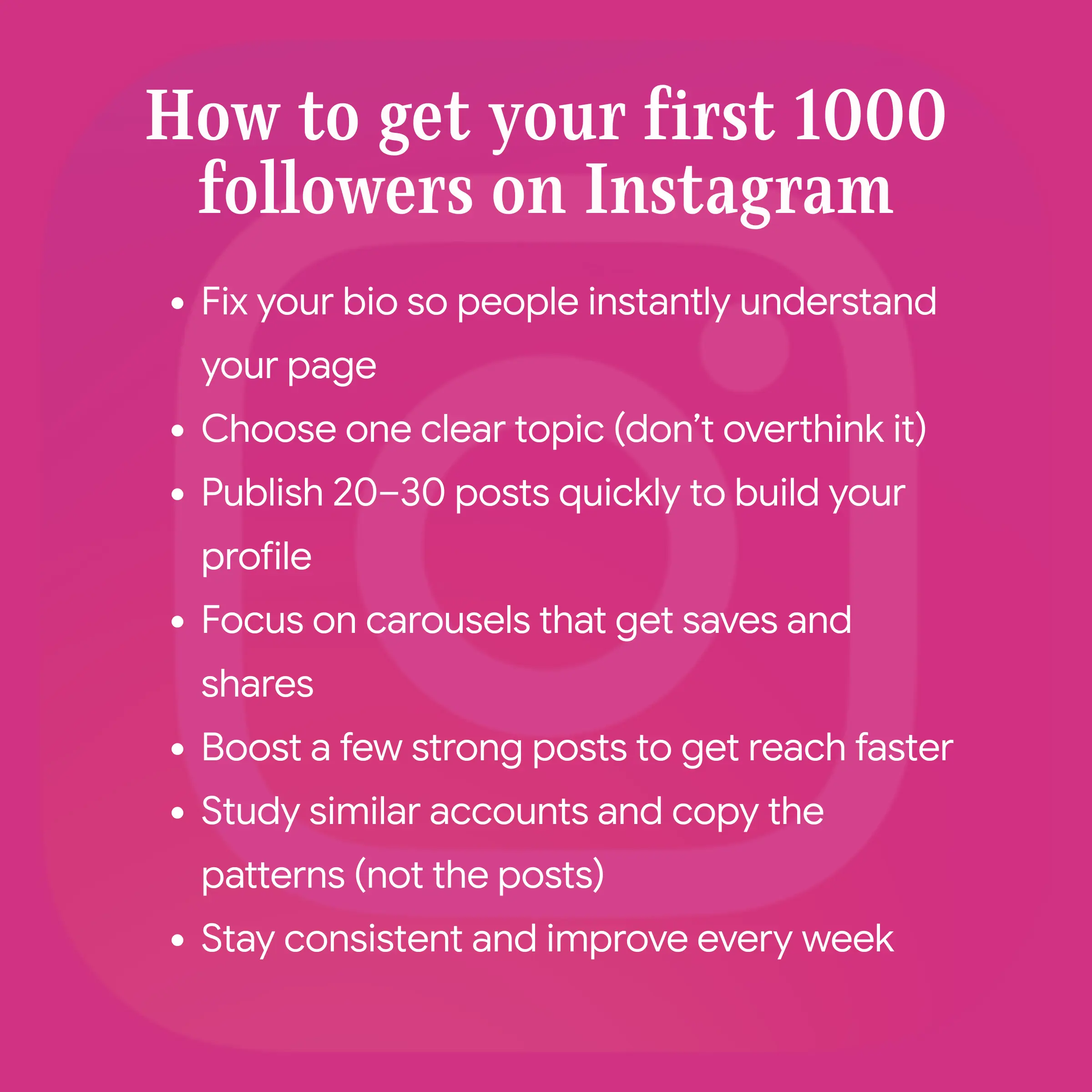
The Simple Checklist to Get Your First 1,000 Followers
If you want the shortest version of this strategy, here it is:
- Fix your bio so people instantly understand your page
- Choose one clear topic (don’t overthink it)
- Publish 20–30 posts quickly to build your profile
- Focus on carousels that get saves and shares
- Boost a few strong posts to get reach faster
- Study similar accounts and copy the patterns (not the posts)
- Stay consistent and improve every week
If you follow these steps, you’ll be surprised how quickly things can change. Even if your account is currently sitting at 0.
7 Steps to Your First 1000 Followers on Instagram
Step 1: Understand How The Instagram Algorithm Works (So You Don't Waste Time)
Before you start posting consistently, it helps to understand one simple truth about Instagram in 2026:
Instagram rewards content that people share.
Not just “likes,” not just “views,” and not just random engagement, but real sharing. The kind where someone sees your post and thinks, “This is useful, I’m sending it to a friend,” or “I want to save this for later.”
That’s because Instagram’s job is to keep people on the app, and the best way to do that is to surface content that creates conversations and gets passed around. So when your post gets shared through DMs or reposted to Stories, it’s a strong signal that your content is worth showing to more people.
Adam Mosseri (the head of Instagram) has said multiple times that shares and sends are one of the most important growth signals, especially when your content is being shown to people who don’t follow you yet.
What types of posts work best right now?
The two formats that consistently perform well for growth are:
Carousels and Reels
Reels are great for reach because Instagram uses them heavily for discovery. They can get you in front of new people quickly, especially when your hook is strong and the video keeps attention.
Carousels are powerful for a different reason. They keep people reading and swiping, which increases time spent on the post, and they naturally lead to more saves and shares. A good carousel feels like a mini guide someone can keep and revisit, and that’s exactly the type of content Instagram wants to promote.
Carousels are one of the easiest ways to grow without burnout because you can teach, explain, and share value without needing perfect lighting, confidence on camera, or editing skills.
Step 2: Find Your Tools (Grow Without Burning Out)
The fastest way to fail on Instagram is trying to do everything manually. Most people start with a burst of motivation, spend hours creating one post, then realize they can’t keep up with that pace. After a week or two, they run out of ideas, fall behind, and the account goes quiet.
That’s why choosing the right tools matter.
If you want to reach 1,000 followers quickly, you need a system that lets you create content fast, without feeling like Instagram has become a full-time job.
What most beginners use (and it works, but it’s slow)
A common setup looks like this:
- ChatGPT for post ideas, captions, and hooks
- Canva for designing the actual post
This works, but it usually turns into a long process because you’re constantly switching between tools, rewriting prompts, editing layouts, fixing spacing, and trying to make everything feel consistent.
And when you’re trying to post consistently, speed matters.
A faster option: use an AI Instagram Post Generator
If your goal is growth, you need to reduce friction as much as possible, and that’s why we built our AI Instagram Post Generator. Instead of juggling multiple tools, you can generate content that’s ready to post in one smooth workflow.
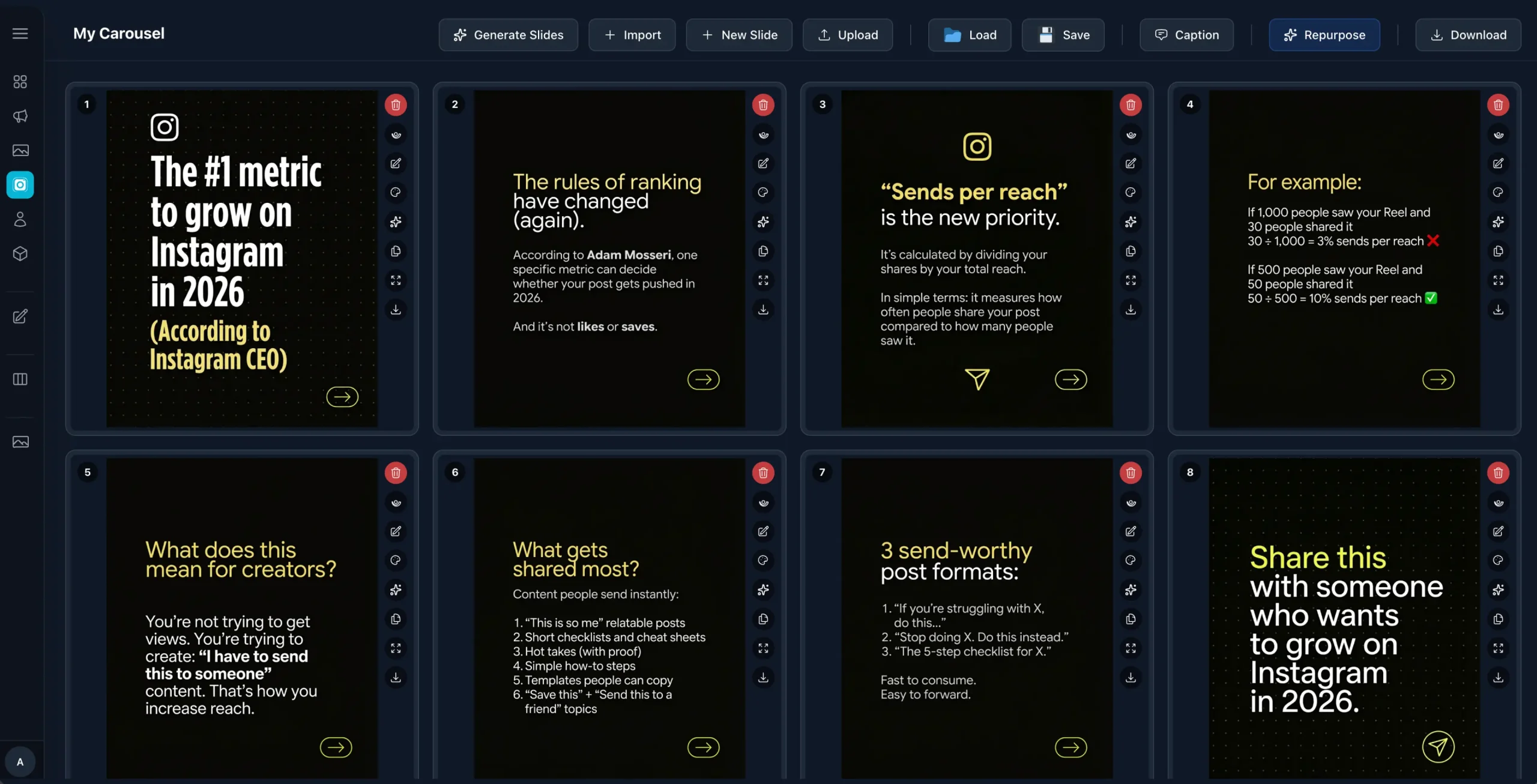
Here’s what that helps with:
You create content much faster - Instead of spending hours brainstorming and designing, you generate posts in minutes, which makes consistency realistic.
You don’t need design skills - The posts look clean and structured, even if you’ve never designed anything before.
You can clone viral carousels in minutes - This is the only Instagram tool that lets you import a carousel from a link, rewrite it with AI, and restyle it in one editor, ready to publish fast.
This is the tool I have used for creating all my content is it has been a game changer.
It removes the hardest part of Instagram growth, which is coming up with ideas and turning them into high-quality posts consistently. Instead of staring at a blank screen, you always have something ready to work with.
Step 3: Fix Your Bio (Before You Post Anything)
I know this part sounds boring, but it’s honestly one of the most important things you can do if you want to grow quickly.
Most beginners jump straight into posting and hope the algorithm does the rest. They focus on “what to post,” “what time to post,” or “how to go viral,” without realizing that even if they do get reach, their profile might not be set up to convert that attention into followers.
And that’s what your bio is really for.
Here’s why this matters
Instagram will often show your posts to people who don’t follow you, especially if you’re using carousels, reels, or content that gets shared. When that happens, you’ve got a few seconds to turn a casual viewer into a follower.
Someone sees your post, likes the topic, and clicks your profile because they want to know who you are and whether your page is worth following.
In that moment, your bio becomes your landing page.
People are not sitting there thinking, “Let me carefully study this account.” They are making a fast decision based on what they see at a glance.
If your bio doesn’t clearly explain what your page is about, who it’s for, and what they’ll gain from following you, most people will leave even if they enjoyed your post.
Your bio also helps with Instagram SEO
This is something most people ignore, but Instagram works like a search engine now. People search for topics directly inside Instagram, like:
- “Digital marketing tips”
- “Fitness coach”
- “Meal prep”
- “Real estate”
- “Travel hacks”
- “Study motivation”
And Instagram decides what accounts to show based on signals, including the keywords you use in your profile.
That’s why your Name field (the bold text at the top of your profile) is so important. It’s one of the fields Instagram uses for search, so instead of using something vague or clever, it’s usually better to include a keyword people would actually type.
For example:
- “Maria | Fitness Coach” is easier to find than “Maria”
- “John | Personal Finance Tips” is more searchable than “John’s Journey”
- “Digital Marketing + AI Tools” is clearer than “Growth & Success”
You don’t need to stuff it with keywords, but you do want it to be searchable.
A clear profile picture makes you look instantly legit
Another small detail that makes a big difference is your profile image.
If you’re a personal brand, use a clear close-up photo where your face is easy to recognize. If you’re building a business account, use a simple logo or icon that looks clean and professional even when it’s shown as a small circle in the feed.
This matters because your profile picture appears next to your content and your comments. It’s part of your “first impression.” A blurry photo, a random image, or a logo that’s hard to read makes people hesitate because the account doesn’t look established.
The goal is simple: make it instantly obvious that you’re a real person or a real brand.
A simple bio formula you can use
If you want a quick structure that works, use this:
Line 1: Who you help + what you help with
Line 2: What people will learn from you (your main topics)
Line 3: Proof, credibility, or a simple result (optional)
Line 4: A call to action (what to do next)
Once this is done, you’re ready to start posting with confidence because you’ve removed one of the biggest reasons beginners don’t convert views into followers.
Step 4: Decide Your Page Topic (And Don’t Make It Too Complicated)
This step is where most people get stuck. They overthink it and delay posting for weeks.
I kept it simple.
My expertise is in digital marketing, so it was the obvious topic for me to focus on.
Why it worked:
- It’s broad enough to attract a large audience
- It’s a topic people actively search for
- It fits naturally with what I do and sell (digital marketing courses)
What if you don’t have “expertise” yet?
You don’t need to be an expert to grow on Instagram. You just need one of these:
Option A: Teach what you know
This is best if you already have skills in something (fitness, marketing, design, cooking, skincare, etc.)
Option B: Share what you’re learning
This is perfect if you’re a beginner. You document your progress, share what you discover, and grow with your audience.
Examples:
- “Learning graphic design as a beginner”
- “My journey to get fit at 40”
- “Learning to cook for myself”
- “Building a small business from zero”
People love following progress.
How to choose a niche that grows fast
A simple way to pick the right topic is to combine: What you like + what people want + what you can post consistently
Here are niche examples that work well:
- Weight loss for busy parents
- Study tips for high school students
- Marketing for small business owners
- Simple meals for beginners
- Hairstyle ideas for curly hair
- Home workouts for beginners
- AI tips for content creators
The key is: make it easy for someone to say “this page is for me.”
Step 5: Publish Your First Posts
Once my bio was cleaned up and I knew what my page was going to be about, I moved to the next step, I started posting.
This part is where most people lose momentum, because they’ll upload two or three posts, wait for likes to come in, and when nothing “big” happens, they assume Instagram doesn’t work for them.
But when you’re starting from zero, you have to remember something important:
People don’t follow accounts that look unfinished.
Even if one of your posts shows up on their Explore page and they like it, they’ll often click your profile before following. And if they see an empty page with only a few random posts, the most common reaction is:
“This person probably isn’t active.”
So instead of posting a couple of times and hoping for results, I focused on building enough content so my profile looked real, active, and worth following.
In total, I published around 30 posts in the first few weeks, and most of them were carousels.
Not because carousels are the only format that works, but because they were the easiest way for me to share helpful content fast and keep people engaged.
Why carousels worked so well for me
Carousels are one of the best formats for growth, especially if you’re a beginner and you don’t want to be filming videos all day.
The reason is simple: they keep people on your content longer.
When someone starts swiping through a carousel, they’re spending more time engaging with your post compared to a single image. And that extra engagement sends strong signals to Instagram that your content is worth showing to more people.
Carousels also naturally encourage two things that matter a lot for reach:
- Saves, because people want to come back to the tips later
- Shares and sends, because carousels are easy to forward to a friend
Likes are nice, and they help with social proof, but saves and shares are what really push posts further. They’re the “this is valuable” signals that the algorithm pays attention to.
And the best part is that carousels work in almost any niche.
Whether you talk about marketing, fitness, cooking, studying, travel, fashion, or business, you can create carousel content that teaches something, breaks down a process, or gives people a checklist.
What I posted about in the beginning
At the start, I didn’t try to lock myself into one tiny micro-topic.
I see a lot of beginners do this, they feel like they need to choose the perfect content category before they post anything.
But the truth is, you don’t discover what your audience wants by thinking about it. You discover it by posting, testing, and paying attention to what performs best.
So I published content on different digital marketing topics to see what my audience responded to most. This gave me quick feedback and made it much easier to understand what direction to double down on.
The goal in the beginning is not perfection. The goal is momentum and data. You don’t need the perfect content strategy, you just need enough content to start learning what works.
I didn’t post daily (and that’s okay)
This surprises people because everyone says you “must post every day.”
But I didn’t.
I posted consistently, but not daily.
My focus was on creating strong posts, testing different topics, and keeping the process sustainable so I didn’t burn out after one week.
This is an important point, because burnout is one of the biggest reasons people quit Instagram.
They try to post daily, they run out of ideas, they get frustrated when the results don’t happen instantly, and then they disappear for weeks.
It’s better to post three to five times per week consistently than to post every day for one week and then vanish.
If you want to grow fast, posting more definitely helps, but posting smart matters more than posting nonstop.
A simple “first 30 posts” plan you can copy
If you’re staring at a blank page and thinking “I don’t even know what to post,” here’s a structure that works for almost any niche and gives you a strong content foundation quickly.
10 educational posts - These are posts that teach something useful, like tips, mistakes to avoid, or short explanations.
10 how-to posts - These posts break down a process step-by-step, like “how to do X” or “how to start Y.”
5 personal posts - This is where you share your story, your progress, or what you’re currently working on. These posts help people connect with you.
5 opinion posts - These are your hot takes, common myths, or things people in your niche are doing wrong.
This mix gives your profile variety, keeps content interesting, and helps you identify what performs best faster, because you’re testing different angles instead of repeating the same type of post over and over.
And once you know what your audience likes, you can focus more on the post types that bring the most reach, saves, and followers.
Step 6: Boost Some Posts (This Was the Fastest Accelerator)
This was the step that gave my account the biggest push in the shortest amount of time.
After I had a decent amount of content on my profile and I could see which posts were already getting a good response, I used Instagram’s Boost Post feature on a few of them.
And just to be clear, my goal wasn’t to “buy followers.” I wasn’t trying to cheat the system or inflate numbers.
What I wanted was much simpler:
- I wanted my content to reach people who don’t follow me yet, faster than organic reach alone would allow.
- Because when you’re starting from zero, one of the hardest parts is getting your first real exposure outside your small circle.
- Boosting helped me break through that early stage.
Why boosting works (when done correctly)
When you boost a post, Instagram shows it to more people who are likely to be interested in your topic. That means you’re not sitting there waiting days for the algorithm to slowly figure out who to push your content to.
You’re basically giving your post a head start. And once you increase reach, everything else becomes easier, because more reach creates more activity.
More people seeing your content leads to:
- more likes
- more comments
- more shares and sends
- more profile visits
- more followers
But the bigger benefit isn’t just the extra reach on the boosted post.
The real advantage is that boosted posts often create engagement signals that help your account as a whole.
If Instagram sees your content is getting saves, shares, comments, and profile visits, it starts treating your account like it’s worth pushing, even on posts you didn’t boost.
It’s like giving your account momentum, and momentum is what you need most when you’re new.
Boosting won’t fix weak content (this is important)
Boosting works best when you boost something that is already good.
If a post is confusing, poorly designed, or doesn’t deliver value, boosting it won’t suddenly make it perform well. It will just show a weak post to more people, which is a waste of money.
So the way I approached it was simple:
- Create a strong post that delivers real value
- Publish it and see how it performs organically
- Boost it to push it in front of more non-followers
That way, I was using boosting to amplify what already worked, instead of guessing.
And if you’ve never boosted before, don’t feel like you need a big budget. Start small, test a couple of posts, and use it as a learning tool.
Step 7: Study Related Accounts (This Saved Me Months of Guesswork)
Once I started posting, I didn’t just keep creating blindly. I studied accounts in my niche that were already doing well.
And I looked for patterns:
- what topics they post
- how often they post
- what formats get the most engagement
I copied the links of posts that were related to my topics and rewrite them in minutes using our AI Instagram Post Generator.
This is one of the easiest ways to grow fast.
You’re not copying. You're building on what's already works.
My Plan to Reach 5,000 Followers Next (And How You Can Copy It)
After hitting 1,000 followers, my next goal is 5,000. This is my plan for the next 2 months:
Publish consistently (at least 2 times per day)
Yes, this is a big jump. But once you know what works, posting more helps you scale faster.
If you’re a beginner, you can start smaller. Even 3–5 posts per week is enough to build momentum. The key is consistency.
Run paid campaigns for retargeting and lookalikes
This is one of the best ways to grow faster once you have activity on your account.
Here’s a simple explanation:
Retargeting ads: show ads to people who already engaged with your profile
Lookalike audience: show ads to new people similar to your engaged followers
This helps you grow with a more targeted audience instead of random reach.
Test new post types like reels and stories
Carousels got me my first 1,000. But reels can help you scale faster once you’re ready.
Stories help you build a stronger relationship with followers. So I’ll start testing both more seriously.
Become more active on Instagram
This is something I didn’t fully focus on in the first 3 weeks.
But engagement matters.
If you want faster growth:
- reply to comments
- comment on similar accounts
- answer DMs
- be present
The algorithm loves activity. And people follow people, not logos.