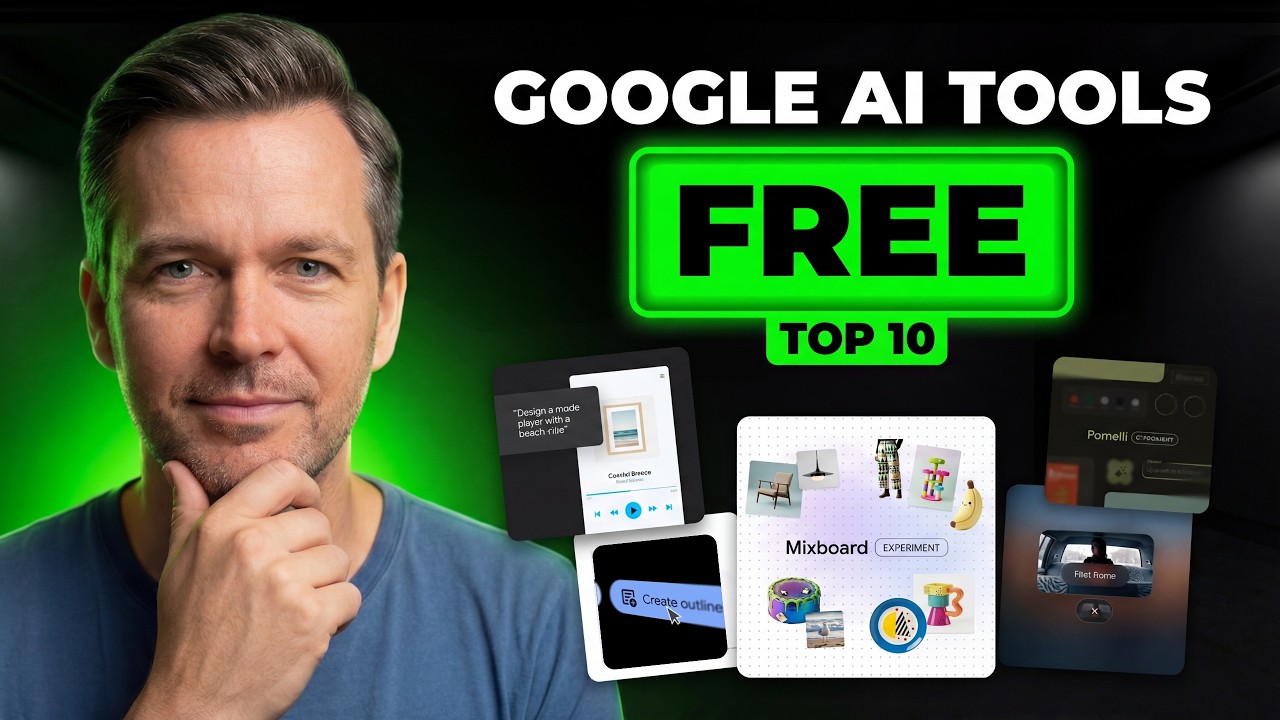
In this video, you will discover 10 overlooked features inside Google's free AI tools that most marketers are completely missing. From generating on-brand landing pages and animated ads to conducting deep competitive research and building infographics from your own documents, these hidden capabilities can save you hours of work every week without adding a single new tool to your stack.
Hidden Features Inside Google's Free AI Tools Every Marketer Should Know
Google has released a powerful lineup of free AI tools, but the most valuable capabilities are buried inside them, rarely mentioned in tutorials or reviews. This guide walks through each tool and the specific feature that gives marketers a serious competitive advantage.
1. Google Stitch: How to Maintain Brand Consistency Across All Designs
Google Stitch turns your text prompts into fully coded websites and user interfaces instantly. The problem most people run into is inconsistency. When you generate multiple landing pages or campaign assets, the styling changes every time, resulting in different colors, fonts, and buttons that make everything look completely off brand.
The solution is to build a Design System once and use it for every future project. This keeps every generated asset locked to your established brand look automatically.
How to Create a Design System in Google Stitch
- Enter your prompt to generate your initial set of designs
- Once they generate, select all the screens
- Click the Edit button and choose Design Systems
- Click Create New to customize and save your specific typography, color palette, and button styles
- The next time you generate a new landing page or app, select this saved system and Stitch automatically forces the new designs to match your brand look
2. Google Vids: Free Dynamic Caption Generator for Social Video
Google Vids is Google's AI video editor that runs entirely in your browser. You can create videos up to 10 minutes long, generate scripts with Gemini, add AI voiceovers, and even use AI avatars if you prefer not to appear on camera. The feature most people overlook, however, is that Google Vids also works as a completely free and unlimited caption generator.
If you are posting content on TikTok or Reels, dynamic captions are not optional. Most dedicated captioning tools charge monthly fees or add watermarks. Google Vids delivers the same result for free.
How to Generate Captions in Google Vids
- Upload your video to Google Vids
- Click Generate Captions and let the AI transcribe your audio with high accuracy
- Style the captions to match your brand fonts
- Export the video with captions baked directly into the file at no cost
3. Google Flow: Watermark Free Image Generation for Marketers
Google Flow is an AI filmmaking studio where you can generate cinematic scenes, characters, and B-roll footage while keeping everything visually consistent across an entire campaign using Google's latest models. New users receive 180 free credits to start creating immediately.
What most people miss is that Flow is also a watermark free image generator. Because Google Flow is built specifically for creators, the exports are clean, sharp, and ready to use as real marketing assets, often producing higher quality results than basic chatbot image outputs.
How to Generate Clean Marketing Images in Google Flow
- Open a project in Google Flow
- Go to the Images tab and type your prompt
- Use the built-in image edit screen to refine the result
- Export in different resolutions with no watermark added
4. Google Antigravity: Automate Your Entire Website Asset Deployment
Google Antigravity is an agent powered code editor. It looks like a developer tool but functions as a mission control for AI agents that can plan tasks, write code, and execute multi step workflows while you focus on strategy.
The marketing hack is using Google Antigravity to generate and deploy images directly into your projects in a single prompt. Normally, creating website assets is a painful loop: generate images in one tool, download them, resize and compress them, upload them, then update your site code. Antigravity handles that entire process automatically.
What Google Antigravity Can Automate for Marketers
- Tell it what images you need in plain language
- It generates the images and saves them directly into your project
- It then optimizes them for the web and wires them into your page code automatically
- The entire loop from brief to live asset is completed inside one session
5. NotebookLM: Turn Research Documents into Shareable Infographics
NotebookLM is Google's research assistant that works differently from standard AI chatbots because it is grounded entirely in the sources you provide. Drop in PDFs, Google Docs, or web pages, and it becomes an expert on that material, answering questions with citations back to your uploaded content.
The underrated marketing feature is the Infographic generator. Instead of producing another long written summary, NotebookLM can turn your sources into a clean, shareable visual that you would normally build in a design tool or hand off to a designer. Marketers use this to convert blog posts, case studies, and research reports into ready-to-publish visuals in minutes.
How to Create Infographics with NotebookLM
- Upload your sources to NotebookLM
- Go to Studio and choose Infographic
- Select your preferred orientation and level of detail
- Use the additional instructions option to guide the style, color, or focus of the graphic
- Export the final visual and use it across your content channels immediately
6. Google Pomelli: Create Animated Social Ads Without Manual Editing
Google Pomelli is Google's dedicated marketing automation tool. It scans your website to extract your existing colors, fonts, and tone of voice, then automatically generates on brand social posts and ads without requiring you to write complex prompts.
What most people miss is the ability to generate animated ads instantly. You do not need to touch a keyframe or open a separate video editor. Google Pomelli handles the entire process with a single click.
How to Create Animated Ads in Google Pomelli
- Generate a standard static post inside Pomelli
- Click the Animate button
- Pomelli analyzes the composition and automatically brings images to life or adds intelligent motion to your text elements
- Export immediately as an MP4, turning a flat image into a high retention video asset with zero manual keyframing
7. Google AI Studio: High Quality Text to Speech for Content Creators
Most people think of Google AI Studio as a developer playground, but it contains a surprisingly powerful text to speech feature that is a genuine advantage for content creators. You get direct access to Google's latest Gemini audio models, which often outperform what you would find in typical consumer voiceover tools, all without paying for another subscription.
The real advantage is the direction capability. Most text to speech tools simply read the words aloud. Gemini can follow instructions, so you can shape the tone, pacing, and emotion of the delivery as if you were directing a voice actor in a studio session.
How to Use Google AI Studio for Professional Voiceovers
- Open Google AI Studio, go to Playground, and select Text to Speech
- Choose the latest available audio model
- Select single speaker or multi speaker depending on your project format
- Before your script, add style directions such as tone, speed, and energy level
- Choose a realistic voice from the settings, generate the audio, and download it ready for your videos, ads, or podcast clips
8. Google Deep Research: Competitive Intelligence in Minutes
Google Deep Research is an AI research agent built into Google Gemini that acts like a personal analyst. You give it a complex question, it creates a multi step research plan, searches the web, evaluates sources, and compiles everything into a detailed report with full citations.
The marketing use case is competitive intelligence and content gap analysis. Instead of manually tracking competitors or reading through dozens of articles, you can ask something like: "What are the top three content strategies my competitors are using in the fitness app space, and what topics are they not covering?" It cross-references multiple sources and delivers a comprehensive report in minutes that would normally take hours of manual research.
What to Use Google Deep Research For
- Finding content opportunities and market gaps your competitors are missing
- Building data backed content strategies without hiring an analyst
- Identifying trending topics in your niche before they peak
- Researching complex industry questions with full source citations included
9. Google Trends: AI Powered Search Term Expansion
Google Trends recently received an AI upgrade that most marketers are completely missing. Instead of manually guessing what to research, Google now uses AI to help you expand a single idea into a full list of real search terms, including related keywords, comparable topics, and new angles you would not have thought to check on your own.
Use Google Trends to spot emerging topics early, plan seasonal content months in advance, and build a content calendar that matches what people are actually searching for right now.
How to Use the AI Features in Google Trends
- Open Google Trends and look for the Suggest search trends feature
- Type in your niche or topic
- Review the generated list of relevant search terms and connected topics
- Use the results as a ready-made research map for your next content plan
10. Google Mixboard: Turn a Brainstorm Into a Client Ready Presentation
Google Mixboard is an AI powered infinite canvas built for fast visual brainstorming. You can upload images and notes, generate new visuals using AI, remove backgrounds, or transform existing images using simple prompts. Everything stays in one workspace.
The pro tip is converting a messy brainstorm board directly into a structured, client ready presentation without any copy-pasting or manual reformatting. Google Mixboard can handle the entire conversion in minutes.
How to Convert a Brainstorm to a Presentation in Mixboard
- Lay out your ideas on the Mixboard canvas and group related items together
- Click Transform in the top corner and choose your preferred presentation style
- Mixboard reads what is on your board, organizes it into clear sections, and builds a structured slide deck you can present immediately
Start Using These Hidden Features Today
Google's free AI tools are far more powerful than most marketers realize. Whether you need to maintain brand consistency across hundreds of generated assets, produce professional voiceovers without a studio subscription, conduct deep competitive research in minutes, or transform a raw brainstorm into a polished presentation, these capabilities are already built in and available at no cost. The marketers who move fastest are the ones who look past the obvious features and build these workflows into their daily process. Pick one tool from this list, test its hidden feature this week, and start saving the hours you have been spending on tasks that no longer need to be manual.

7 Free Google Certifications for High Paying Jobs
Discover seven free Google certifications that can help you land high paying jobs. Learn about AI, Cloud, Analytics, and Digital Marketing career paths.

7 Best Digital Marketing Certifications Worth Taking
Discover the 7 best digital marketing certifications worth taking in 2026. Compare costs, duration, and skills to find the right program for your career goals.

7 Certifications That Beat a Degree in 2026
Discover 7 high value certifications that beat a traditional degree in 2026, plus insider strategies to build a portfolio and land high paying jobs.

7 Best Google AI Certifications Ranked for 2026
Discover the 7 best Google AI certifications from beginner to advanced. See what each covers, who it's for, and the high paying jobs each one can unlock.