


To get your first 10,000 Facebook followers, set up and complete your Facebook Page, invite your friends to follow it, post content people want to share (especially Reels), take part in groups in your niche, promote the Page everywhere you already have an audience, and use follower ads to speed things up. The 10 steps below are the ones we used to grow a Page from zero to more than 10,000 followers.
Facebook is still the largest social network: Meta says it has more than 2 billion people using it every day. That makes it a great place to promote a product or service, find new customers, or build a loyal readership.
One thing has changed since we first wrote this case study. Since August 2025, people can no longer "like" a Facebook Page; they can only follow it. They can still like, comment on and share your posts. So everything below is about growing followers.
Why do Facebook Page followers matter?
It signals popularity and trust – A Page with 100,000 followers looks more established than a Page with 1,000. Follower count is social proof: new visitors are more likely to trust a business that many people already follow.
More followers, more reach – The more followers you have, the more people can see your posts in their Feed and possibly visit your website. Keep in mind that only a small share of your followers will see any single post organically. Facebook shows people what it thinks they will engage with, so posts that get early likes, comments and shares reach more of your followers, and more people who don't follow you yet.
A bigger audience for your ads – Followers, and people who engage with your Page, become audiences you can reach again with ads.
How to go from 0 to 10,000 Facebook followers
Now that you know why followers matter, let's see step-by-step how to go from 0 to 10,000.

Note: These are the steps we followed to grow the Facebook Page of our fitness blog, which grew organically to more than 130,000 followers.
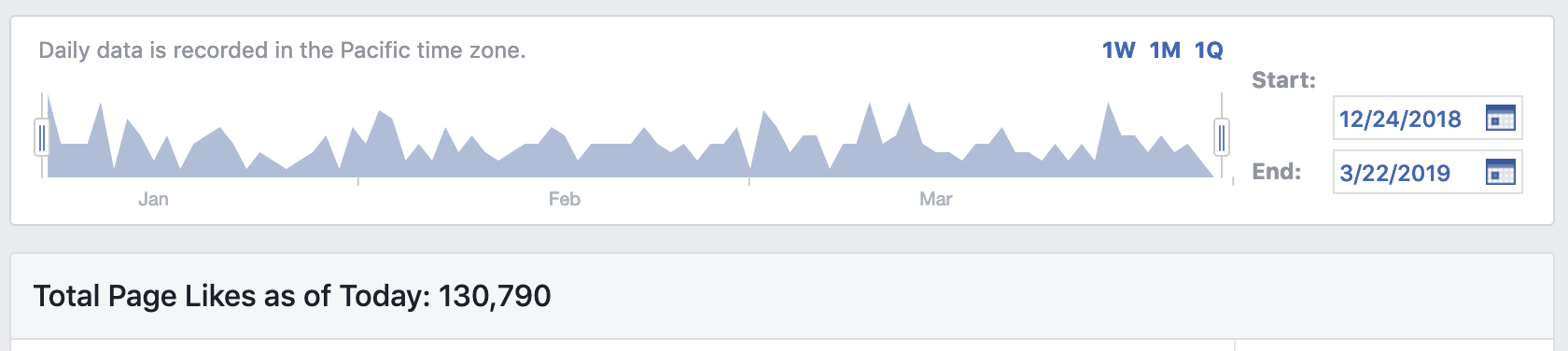
Step 1: Create a Facebook business Page
It may sound obvious, but for beginners to social media it is worth saying: a personal Facebook profile is different from a Facebook Page.
If you want to share holiday photos with friends, you need a personal profile.
If you want followers for your website or business, you need a Facebook Page. So, the first step is to create a Facebook business Page, and the second step is to make sure it is complete.
Step 2: Complete and optimize your Facebook Page
Meta's own advice for growing a Page starts with the basics, and a complete Page converts more visitors into followers:
- Categories: choose up to three that describe your business, starting with the most specific one.
- Profile picture and cover: a square logo and a cover photo or video that shows what you do.
- Profile information: your website, a clear description, and your services or menu.
- An action button: such as Send Message, Book Now or Shop Now.
- Recommendations: turn them on so customers can leave reviews, which also helps your Page show up in searches.
- Location and hours: if you have a physical business, keep them accurate.
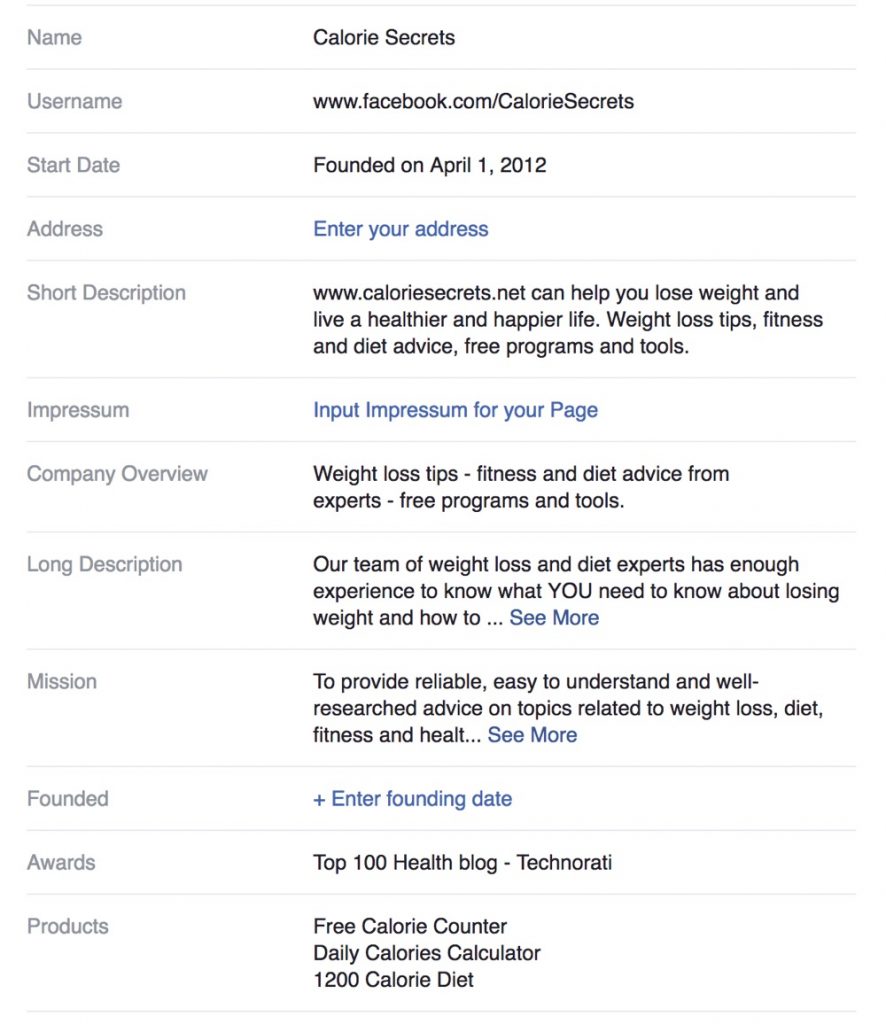
The quality of the content you post on your Page will also determine success or failure. A complete Page makes it easier to turn visitors, and people who see your ads, into followers.
Step 3: Invite your friends and use your personal profile
Your personal profile is the fastest way to get your first followers.
Invite friends to follow your Page. From your profile, go to your Page, open the options menu and choose Invite friends. Meta lets you invite up to 200 friends to follow your Page, so start with the people most interested in your topic.
Share your Page's posts to your profile. Friends are more likely to react to and comment on a post you share yourself. That early engagement tells Facebook the post is worth showing to more people, including your Page's followers and people who don't follow it yet.
Also ask friends and early followers to share your Page with anyone who might be interested. Personal recommendations are still one of the best ways to grow a new Page.
Step 4: Add your Facebook Page to your website
Your website visitors are already interested in what you do, so give them an easy way to follow you on Facebook:
- Add a Facebook icon in your header or footer that links to your Page.
- Embed your Page with Meta's Page Plugin, which shows your latest posts and lets visitors follow and share your Page without leaving your site.
- Mention your Page at the end of your most popular articles.
Note that Meta retired the old website Like button and Comments plugin in February 2026. If your site still has them, they no longer show, so replace them with the Page Plugin or a simple link.
Step 5: Follow these rules to increase post engagement
So far, you have a complete Page, your first followers from your personal network, and a way for website visitors to find you.
The next step is to post content that keeps followers engaged and, over time, turns them into website visitors and customers.
#1 - Share relevant content
Share content your followers expect to see. If your Page is about social media, share content about social media and not about sports or anything else you might like.
#2 - Keep it business
People follow your Page for updates about your business and niche, not your social life. If you want to get social, use your personal profile.
#3 - Don't be too promotional
Sharing promotional content all the time will drive followers away. When you have an offer that benefits your followers, share it, but don't overdo it.
Try to post interesting, shareable content related to your niche, even if it doesn't come directly from your website. Keep a balance between promotional posts and content your followers want to read.
Step 6: Share useful content, not just links
In our own tests, posts with a short list or summary in the text got more reactions than posts that only shared a link.
When you share a post from your website, Facebook shows a preview with the title and image. You can post it as it is:
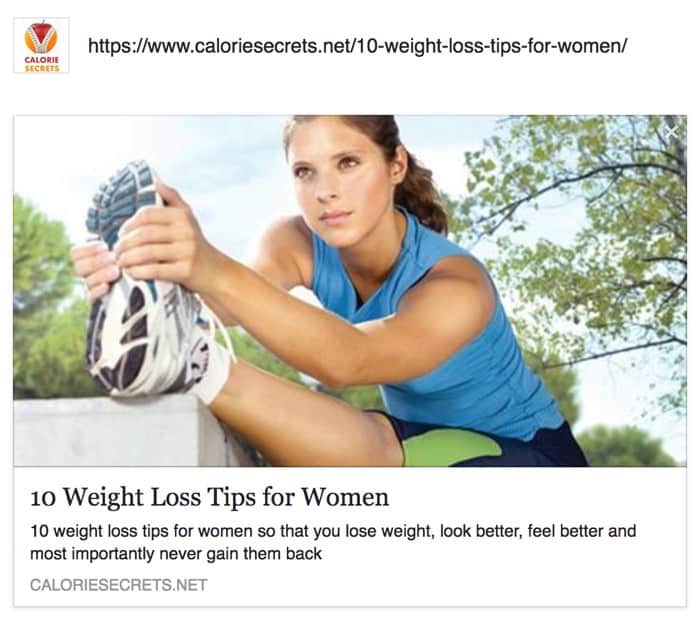
Or you can add value in the post itself, for example with the key points as a list:
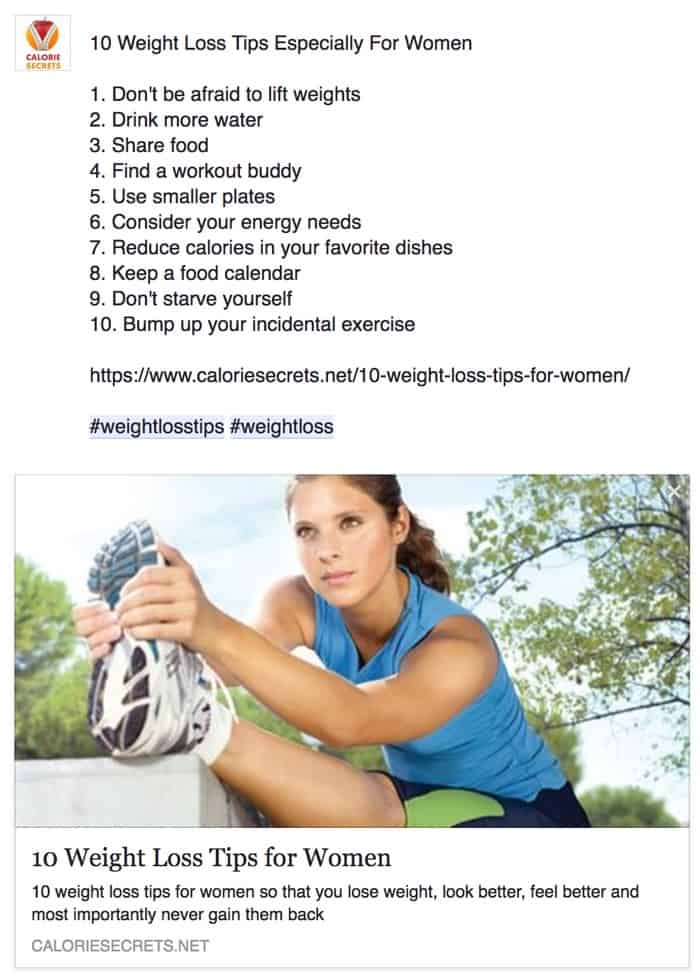
The second version gives people something useful without leaving their Feed, so they are more likely to react and share it. Your website visits may not increase from that one post, but its engagement will, and engaged posts reach more people.
Step 7: Post Reels, videos and images
The most popular Pages share far more than text and links. They post images, short videos, carousels and infographics.
Short videos matter most for growth. Facebook shows Reels to people who don't follow you yet, which makes them the best free way to reach new people. Keep them short, put the point in the first few seconds, and end with a reason to follow your Page.
Look at what performs best in your Page's insights, then make more of it. Posting when your audience is online, which your insights also show, helps each post get early engagement.
Step 8: Give people a reason to follow
Why should someone follow your Page? Give them reasons:
Consistent, useful updates
This is the best incentive you can offer. Before posting anything, make sure it provides value. When you do this consistently, followers share your posts and bring in new people.
Run a promotion within Meta's rules
Giveaways and contests can bring a burst of new followers. Meta's Pages, Groups and Events Policies set the rules: your promotion must follow the law, must not require or reward people for sharing, reposting or tagging others, and must make clear that Meta doesn't sponsor it. Ask people to comment or answer a question to enter instead.
Offer something exclusive
Post things on your Page that people can't get elsewhere, such as early access to offers, behind-the-scenes content or live Q&A sessions, and say so in your Page description.
Step 9: Promote your Page outside Facebook and in groups
When you create your Page, don't expect it to get thousands of followers on its own. You need to promote it.
Here are the ideas that worked for us, updated for today:
Take part in Facebook groups
Join groups in your niche, answer questions and share useful advice. Meta also lets you post in some groups as your Page, which puts your Page in front of an interested audience. Follow each group's rules; most ban self-promotion.
Promote on your other social networks
If you have followers on Instagram, YouTube, LinkedIn, TikTok or Pinterest, periodically ask them to follow you on Facebook too, and explain what they will get there.
Promote in your newsletter
If you email your readers, ask them to follow your Page. Don't just add an icon below your signature; ask politely and give them a reason.
Step 10: Use ads to grow faster
Ads are the fastest way to grow your followers, but they are not free. Meta offers two ways to do it:
- Engagement ads with your Facebook Page as the conversion location, which Meta optimizes to get people to follow your Page.
- Profile visit ads, under the Traffic objective, which send people to your Page with a Visit Page button so they can follow it.
You can also boost your best-performing posts to reach people who don't follow you yet.
The process is straightforward. You choose your objective, select your audience (country, age, other demographics and interests), and set a daily budget and duration.
The cost depends on your country, audience and content, so the best way to find out if ads are worth it is a small test. Spend $10 to $20 a day for at least a week, then decide whether the cost per new follower is worth paying.
We had good results with follower ads for our own sites and for clients, and we used short campaigns every month to keep the Page growing.
With Facebook ads you don't buy followers, you pay for people to see your ad. If what you advertise is interesting, more people will follow, so spend time on the message and the image or video you use.
Frequently Asked Questions
How can I get 10,000 followers on Facebook fast and free?
There is no safe shortcut. The fastest free methods are inviting your friends to follow your Page, posting Reels that reach people who don't follow you, taking part in groups in your niche, and promoting your Page on your website, newsletter and other social accounts. Apps that promise free followers deliver fake or inactive accounts, which don't engage and can get your Page penalized.
How do I get my first 1,000 followers on a Facebook Page?
Start with your own network: invite friends to follow (up to 200 at a time), share your Page's posts to your profile, and ask early followers to share the Page. Then post consistently and use a small follower ad campaign to reach people in your target audience.
What is the difference between Facebook Page likes and followers?
Since August 2025, Facebook Pages only have followers. People can no longer like a Page, but they can still like, comment on and share the posts on it. Followers see your posts in their Feed.
How much is a Facebook Page with 10,000 followers worth?
A Page is worth what its followers do: an engaged audience that visits your website, joins your email list and buys is valuable, while a large but inactive following is not. That is why it is worth growing followers who are genuinely interested in your topic.
Conclusion
Having a solid number of followers on your Facebook Page helps with credibility and gives your posts and ads a head start.
Start with a complete Page and your own network, post content worth sharing, especially short videos, and promote your Page wherever you already have an audience. Ads are the quickest way to grow once the basics are in place.
Do this consistently with a good product or service, and you can grow well past 10,000 followers, as we did with our fitness blog's Page. For the bigger picture, read our Facebook marketing guide and our tips to increase your Facebook organic reach.


