


Choosing a name for your YouTube channel is the first step in building a successful YouTube presence.
In this post, you’ll learn how to choose a channel name that stands out, get 150+ name ideas by niche, change your channel name if you already have one, and understand how your name, handle and URL work together.
What Is A Channel Name?
A YouTube channel name is the official name you choose to represent your brand on YouTube. It is shown on your channel page, YouTube search results, Google Search results, and below your videos.
Choosing a great name for your YouTube channel is simple. Pick a name that is representative of your brand, easy to remember, unique, and catchy.
Best Practices
Follow these practices when choosing a name for your YouTube channel.
- Pick a name that represents your brand
- Use the same name across all your social media profiles
- Your name should be unique, short, and memorable
- Choose a name that adheres to YouTube community guidelines
- Select a name that is easy to pronounce, and avoid using numbers
- Match the name to your style
- Leave room to grow
1. Pick a name that represents your brand
Your channel name should be representative of your brand. This is the most important factor to consider. Your brand can be a company name, your own personal name, your ‘stage name’, or something specific to your niche.
Let’s see some examples of each.

Having their brand name as their YouTube channel name is enough for known brands.
For example, Adidas, whose YouTube channel name is the same as its brand name.

If you want to build your personal brand on Youtube, you can use your first name and surname as your channel name.
Here is an example from a famous tech Youtuber, Marques Brownlee.

If you want to use a stage name instead (i.e, not your real name), you can easily do so. Here is an example from The Everyday Dad.

If your YouTube channel is about a specific topic, you can choose a name that represents the topic of your videos.
For example, Relax My Dog - Relaxing Music for Dogs YouTube channel is all about videos for relaxing your dog and this is represented accurately in the channel name.
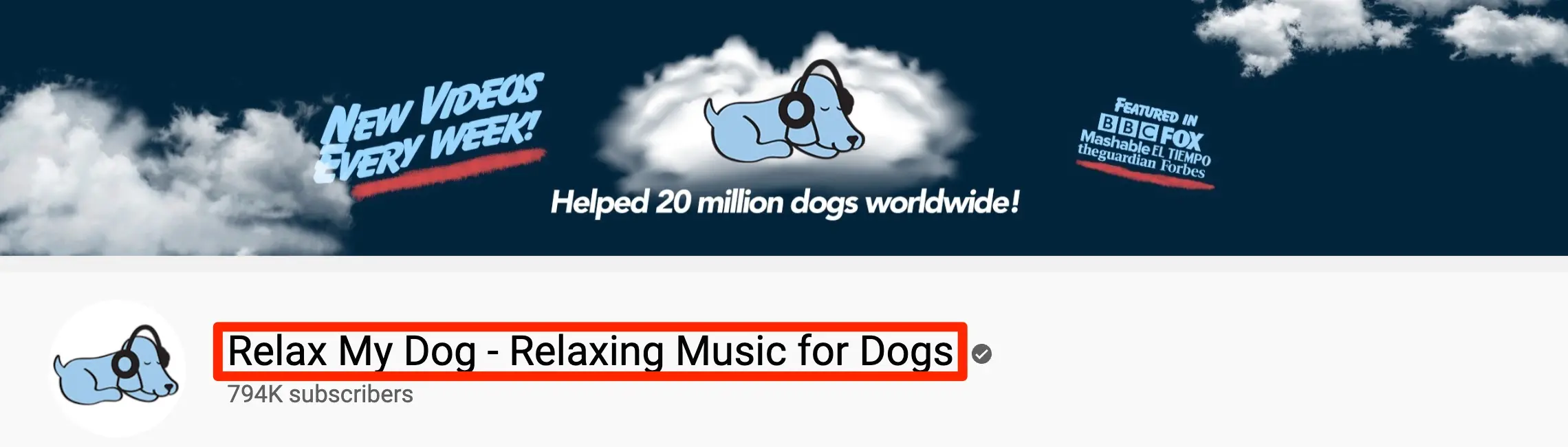
Notice how the channel name includes additional information to specify exactly what kind of content you are expected to find in this channel.
2. Use the same name across all your social media profiles
The second tip for you is social media consistency. Using the same name across all your social media handles and websites is always a good practice.
So, before choosing a name for your YouTube channel, make sure it is available on the major social media networks: Facebook, X (Twitter), Instagram, and TikTok.
If your chosen name is available on YouTube but already taken on other networks, it’s better to come up with something available on all channels to avoid confusing your brand with other brands or people.
Even if you don’t plan on expanding your presence on the web, it is highly recommended that you secure a domain name that is the same as your YouTube channel name. This way, you’ll protect your brand from fakers and spammers.
You can use a domain name checker to check availability, register a domain name, and then create a YouTube channel and other social media profiles.
3. Your name should be unique, short, and memorable
As mentioned above, choosing a unique name is very important. Uniqueness will make it easier for users to find your channel when searching on Google or YouTube, and it’s an essential element in building brand awareness for your channel.
The best way to check if your chosen name is unique is to thoroughly search YouTube and Google before making a decision.
Besides having a unique name, it is equally important to choose something short (3 words max) and easy to remember.
If you decide not to use your own name and go with a brand name, combining your channel’s topic with catchy words can help make your channel name memorable.
Here are some great examples of catchy YouTube channel names to get some inspiration:
- 5-Minute Crafts
- The Everyday Dad
- Unbox Therapy
- Be Inspired
- Body Hub
- Silicon Valley Girl
- Motivation Core
4. Choose a name that adheres to YouTube community guidelines
YouTube has a set of community guidelines covering everything happening on YouTube (content, users, comments, etc.), including channel names.
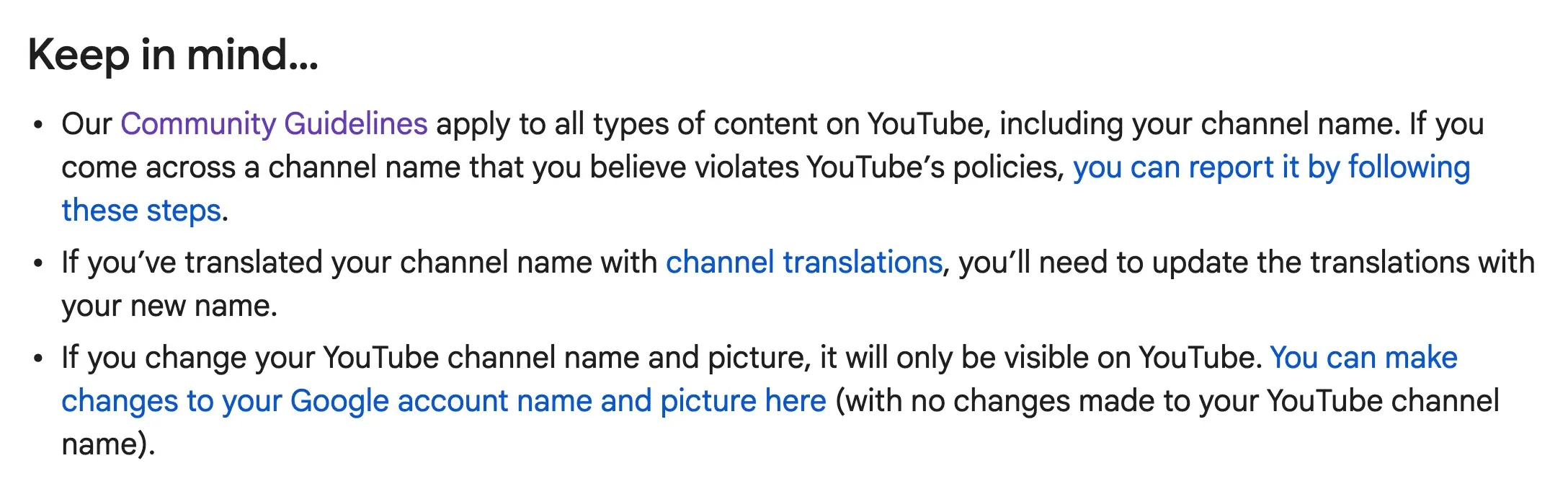
To avoid any issues, do not use someone else’s brand name in your channel name, and avoid using offensive words.
5. Select a name that is easy to pronounce and avoid using numbers
Last but not least, choose a name that is easy to pronounce and spell. As your channel grows, other YouTubers may reference it in their videos, and you want something easy to say or mention in writing.
Also, avoid using numbers. In most cases, using numbers as part of a YouTube channel name makes it look spammy, autogenerated, and hard to remember.
6. Match the name to your style
Your name sets expectations before anyone watches a video. Decide what style fits your content and audience:
- Personal: your own name, if you are the face of the channel (like Marques Brownlee).
- Descriptive: says exactly what the channel is about (like Relax My Dog).
- Brandable: a catchy made-up or combined word that's easy to remember (like Unbox Therapy).
- Fun or quirky: works well for entertainment, comedy and gaming channels.
7. Leave room to grow
Avoid a name so narrow that you can't expand later. A channel called "iPhone 16 Tips" is stuck when the next model comes out, while "Phone Tips Daily" or your own name can grow with your content. Changing your name later is possible, but it can confuse your audience and costs you recognition.
Free YouTube Name Generator
A quick way to find YouTube names is to use AI to generate suggestions based on your channel's theme and purpose.
One tool you can use is our Free AI YouTube Name Generator.
You can get ideas by simply describing your channel and clicking the "Generate YouTube Names" button.
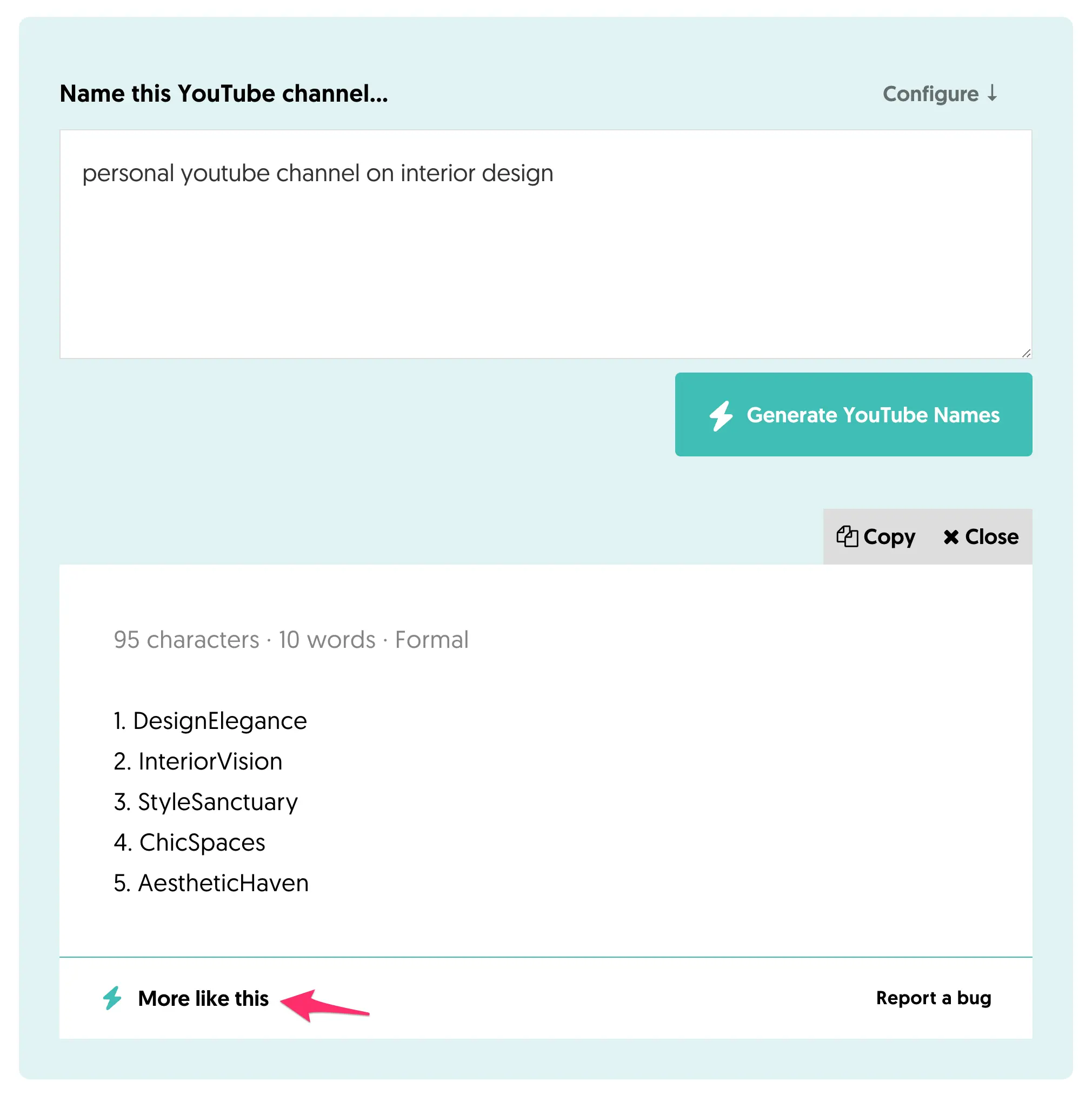
To get more ideas, click the "More like this" button.
Our YouTube name generator is programmed to produce unique, catchy, easy-to-remember names for different kinds of channels.
YouTube Channel Name Ideas
Another way to find ideas for naming your YouTube channel is to use a YouTube search.
Go to YouTube and start searching for anything that comes to mind. Take note of how other people name their channels. What channel names attract your attention, and why? Try to use the same patterns when deciding on a name.
For more ideas, you can also view this list of the most popular YouTube channels.
If you want inspiration, here are 150 ideas for channel names in different categories. Use them as starting points: some may already be taken, so check that the name and the matching @handle are free on YouTube and your other social media platforms before you decide. For ideas based on your own channel, use the YouTube name generator above.
Fashion & Beauty Channel Names
- TrendSpot
- ChicVibes
- StyleScope
- GlossyGlam
- BeautyBuzz
- HauteLooks
- FashionFlick
- GlowUp
- GlamEdge
- StyleCraft
Travel & Adventure Channel Names
- WanderLust
- GlobeTrails
- VoyageVibe
- JetSetLife
- TrekTales
- RoamRider
- TravelChase
- ExploreQuest
- TrailBliss
- DriftAway
Fitness & Health Channel Names
- FitPulse
- LiftLife
- VitalMoves
- CorePower
- PeakFit
- FlexFuel
- PowerStride
- ThriveStrong
- ZenFlex
- FitVibe
Technology & Gadgets Channel Names
- TechTrek
- GearGrid
- ByteBoost
- GadgetGrind
- CodeWave
- FutureFix
- DigiSphere
- PixelPush
- TechZest
- GearVibes
Food & Cooking Channel Names
- FlavorQuest
- CookCraze
- SpiceTrail
- TastyBytes
- FeastTime
- SavorChef
- YumFusion
- PlatePerfection
- SnackChase
- DishDive
Gaming & E-sports Channel Names
- GameRush
- PlayPulse
- LevelBoost
- XPZone
- PixelWar
- SkillStrike
- GameTide
- PowerPlayz
- FragFrenzy
- QuestMode
Education & Learning Channel Names
- LearnWave
- EduQuest
- BrightMinds
- ScholarNest
- BrainBoost
- SkillSync
- StudyFlow
- KnowledgeHub
- TeachTrek
- MindSprint
DIY & Crafts Channel Names
- CraftHaven
- DIYMagic
- HandsOnLife
- CraftyNest
- MakerMind
- CreateVibe
- BuildBliss
- StitchStory
- CraftJoy
- CraftyCove
Music & Instrumental Channel Names
- TuneTide
- MelodyFlow
- SoundPulse
- JamVibe
- RhythmNest
- BeatWave
- SonicHaze
- NoteCraft
- ChordWave
- HarmonyHype
Vlogs & Lifestyle Channel Names
- LifeVibes
- DailyPulse
- FreshJourney
- LivingGlow
- VibeTales
- BlissDays
- BoldRoutine
- UrbanBreeze
- PureVibes
- LiveItUp
Finance & Investing Channel Names
- WealthTrack
- InvestPulse
- MoneyMinds
- CashFlowz
- ProfitTrail
- WealthyPath
- SmartFunds
- MarketMoves
- FinanceFix
- ValueVibe
Movies & TV Reviews Channel Names
- ScreenBuzz
- FilmPulse
- FlickWatch
- ReelTalks
- MovieVibe
- ShowScope
- StreamSpot
- FilmFanatic
- CineChase
- WatchZone
Art & Design Channel Names
- ArtTrek
- CreateFlow
- DesignNest
- CraftCanvas
- SketchStory
- VisualVibe
- ArtHaven
- BrushBeat
- InspireInk
- PaintPulse
Parenting & Family Channel Names
- FamilyGlow
- ParentPulse
- JoyNest
- LifeWithKids
- TinyTales
- ParentTrail
- LittleMoments
- FamilyJoy
- KidVibes
- NurtureNest
Science & Innovation Channel Names
- FutureMind
- TechQuest
- SciSpark
- InnovateNow
- QuantumTrek
- LabPulse
- BrightLabs
- ScienceFlow
- BioBoost
- SmartTech
How to Change Your YouTube Channel Name?
Changing or renaming your YouTube channel name is easy. Follow these steps:
- Sign in to YouTube Studio.
- From the left menu, select Customization, then Profile.
- Enter your new channel name.
- Click PUBLISH to save your changes.

Keep these rules in mind:
- You can change your channel name twice within a 14-day period.
- Changing your name removes your verification badge. Channels need 100,000 subscribers to apply for verification, so you'll have to apply again.
- If you added translations of your channel name, delete them before you update the name.
YouTube Channel Name vs. Handle vs. URL
Your channel has three identifiers, and it helps to keep them consistent:
- Channel name: the display name shown on your channel page, in search results and under your videos. It doesn't have to be unique.
- Handle: a unique identifier that starts with @ (for example, @adidas). It must be between 3 and 30 characters, and people use it to mention you and find your channel.
- URL: your channel address. Every channel has a URL with its channel ID, like youtube.com/channel/UCUb26GfZqw6S0RhNYTqd2ag, and your handle also gives you a short URL, like youtube.com/@adidas.
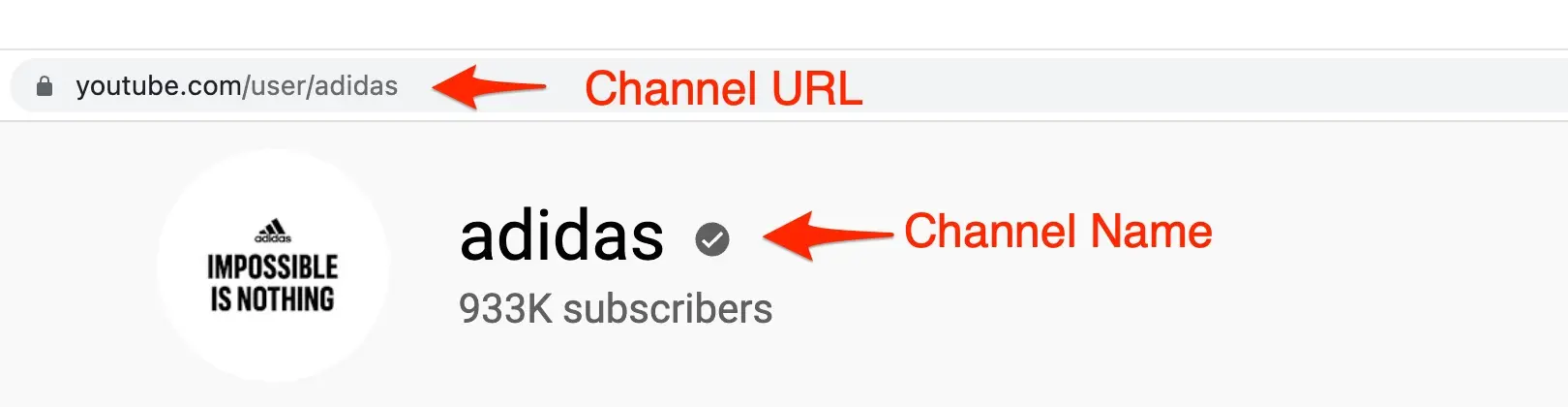
YouTube replaced custom URLs with handles: old custom URLs now redirect to your handle-based URL. For consistency, choose a handle that matches your channel name, as Adidas does with @adidas.
To change your handle, go to YouTube Studio, select Customization, then Profile, and edit it under Handle. Like your name, you can change your handle twice within a 14-day period.
FAQ
How can I create a unique YouTube channel name?
Combine your topic with a catchy word or your own name, keep it to two or three words, and search YouTube and Google to make sure no one else uses it. Then check that the matching @handle and social media usernames are free.
Can two YouTube channels have the same name?
Yes. Channel names don't have to be unique, but handles do. That's why it's worth choosing a distinctive name and securing a handle that matches it.
Can I change my YouTube channel name later?
Yes. You can change it in YouTube Studio under Customization, then Profile, twice within a 14-day period. If your channel is verified, changing the name removes the verification badge.
What should I do after choosing a name?
Secure the matching handle and social media profiles, then create your YouTube channel. To grow it, read our guides to YouTube keyword research, YouTube marketing and how to make money on YouTube.


