


- What is Claude Code (and why beginners can use it)
- Claude Code vs the regular Claude chat
- Claude Code Tutorial For Beginners
- Where else Claude Code runs
- Why one workspace beats starting from scratch
- Take Claude Code further as you grow
- Tips to get better results as a beginner
- Frequently Asked Questions
- Next steps


Most people think Claude Code is only for programmers typing commands into a scary black screen. It is not.
There is a no code version built right into the Claude desktop app, and you never touch a command line.
Here is how to set it up from scratch and put it to work for your business, even if you have never written a line of code.
What is Claude Code (and why beginners can use it)
Claude Code is a workspace inside the Claude desktop app. You open it from a tab at the top of the app called Code.
Instead of one quick chat, it gives Claude a real folder on your computer to work in. Claude can build finished files for you and keep them all in one place.
That is the big shift. You are not copying and pasting answers anymore. You are getting done work, saved and organized, in a space you return to again and again.
The name throws people off. "Code" makes it sound like you need to be a developer. You do not. You talk to it in plain English, the same way you would brief a freelancer, and it does the building.

If you are just starting to learn AI for your business, this is one of the friendliest ways to begin. There is nothing technical to memorize.
Claude Code vs the regular Claude chat
The regular Claude chat is great for quick questions, brainstorming, or writing something you copy and paste somewhere else.
Claude Code is what you want when you would rather Claude produce finished work and keep all of it together.
Instead of starting a fresh chat every time and explaining who you are all over again, you build one ongoing workspace. It remembers your brand and grows with your business.
The regular chat is for quick answers. Claude Code is for finished work you keep coming back to.
That is the real difference, and it is why this setup is so much more useful for actual work.
Claude Code Tutorial For Beginners
- Download and install the app
- Open the Code tab and pick a folder
- Create one folder for your business
- Install the Frontend Design plugin
- Build your brand guide
- Build your first landing page
- Turn old posts into carousels
1. Download and install the app
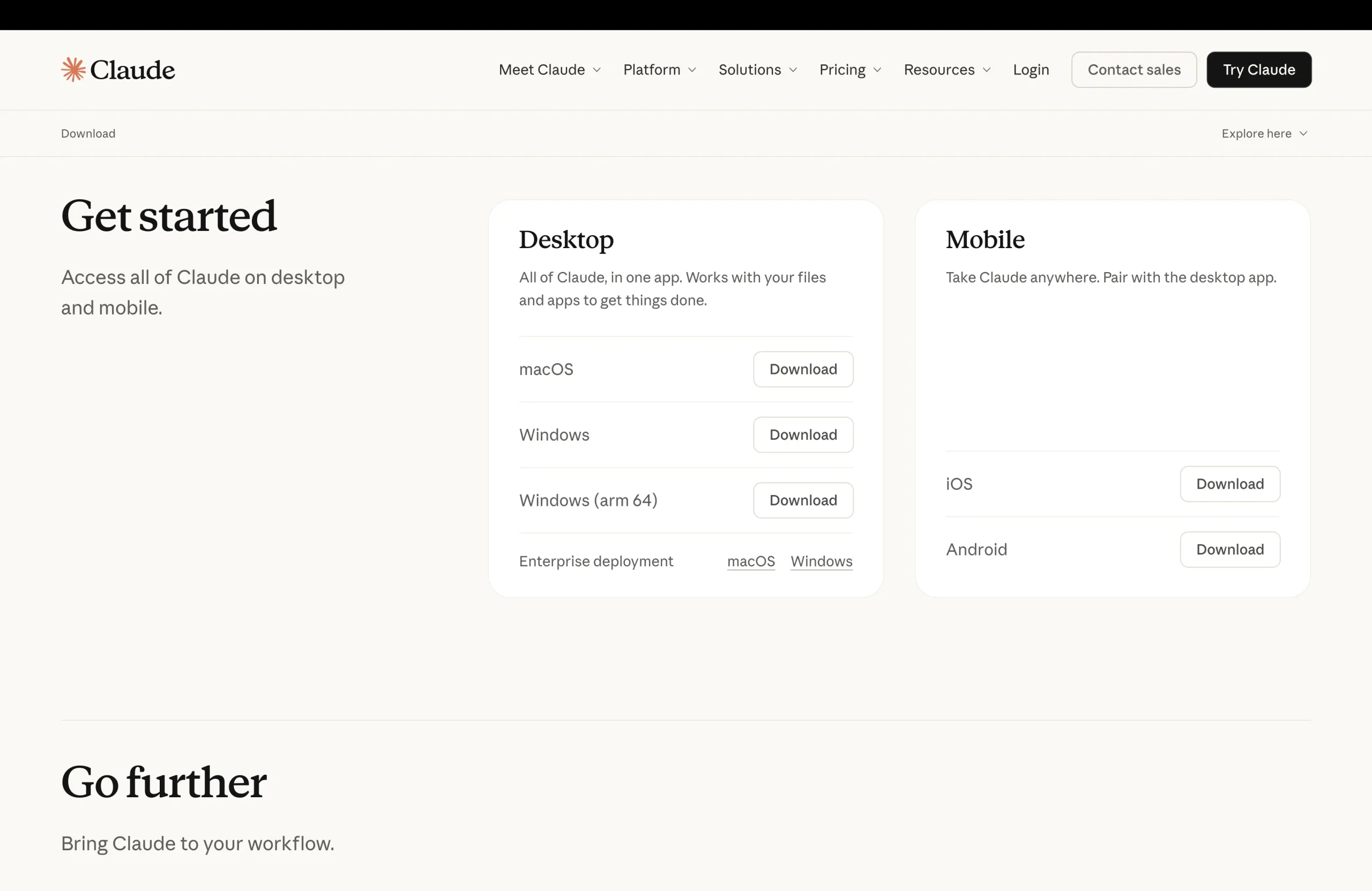
Go to claude.com/download and grab the app for Mac or Windows. Install it like any normal program, open it up, and sign in with your Anthropic account.
One thing to know up front. This is not on the free plan. You will need at least Claude Pro, which is around twenty dollars a month.
Your Claude Code usage shares the same limits as the rest of your Claude plan, so a long building session counts toward the same allowance as your chats. The limits reset over time, and heavier users can move to a Max plan.
If you already pay for Claude to help with your writing, you have everything you need already.
2. Open the Code tab and pick a folder
Once you are in, look at the top of the app. You will see a few tabs. Click the one that says Code.
It will ask where you want to work. Pick Local, then click select folder. This is where the real strategy starts, so pay close attention to the next step.
3. Create one folder for your business
Make one new folder on your desktop for your business and give it a clear name, something like "my brand".
This folder is your home base. Every landing page, every social post, everything you create from now on lives in here.
Think of it like a digital office for your marketing. Later you can ask Claude to keep landing pages in one place and social posts in another, and it will organize the whole folder for you.
One clean folder is the single best habit you can build, because it keeps your work, your brand, and your history in one place.
Point Claude at this folder and you are ready to set up the good stuff.
4. Install the Frontend Design plugin
Before you create anything, install one plugin. This is the secret to making your designs look professional.
By default, AI tends to produce a very recognizable look. The same boring fonts, the same purple gradients, the same layout everyone has seen a thousand times.
There is a free, official plugin from Anthropic called Frontend Design that fixes exactly this. It teaches Claude to pick distinctive fonts, intentional colors, and proper layouts.
To install it, click the plus button next to where you type your message, choose Plugins, and search the library. Search for Frontend Design and click install. That is it.
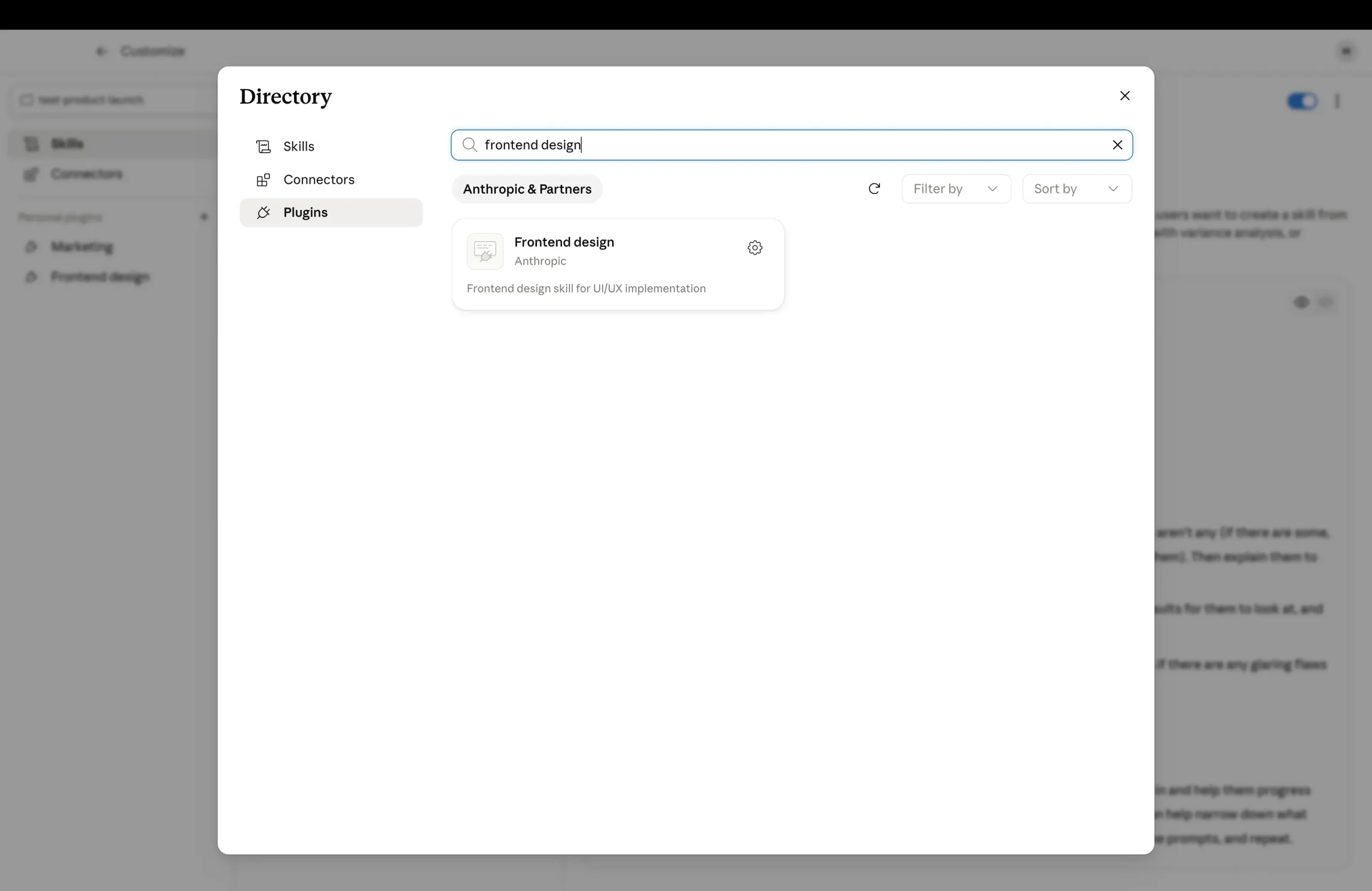
From now on, anything visual Claude builds in this workspace comes out looking polished. This one step is the difference between a page you would be embarrassed to share and one you would happily put your name on.
5. Build your brand guide
Now the part that makes everything sound like you. You are going to give Claude a brand guide, a single file it reads every time you work together.
Point Claude at your folder and ask it to create a brand guide file and interview you one question at a time.
Tell it to ask about what your business does, who your ideal customer is, the problems you solve, your tone of voice, words you love, words you never use, your brand colors, and a few competitors you want to stand apart from.
Then tell it to save everything into a file called brand guide so it can use it on every future task.
Claude walks you through the questions one at a time. You answer in plain English, like you are talking to a new team member, and it saves everything into your folder.
Why does this matter so much? Because it is the difference between fighting the AI every single time to sound right, and getting on brand work by default. The guide does the remembering for you.
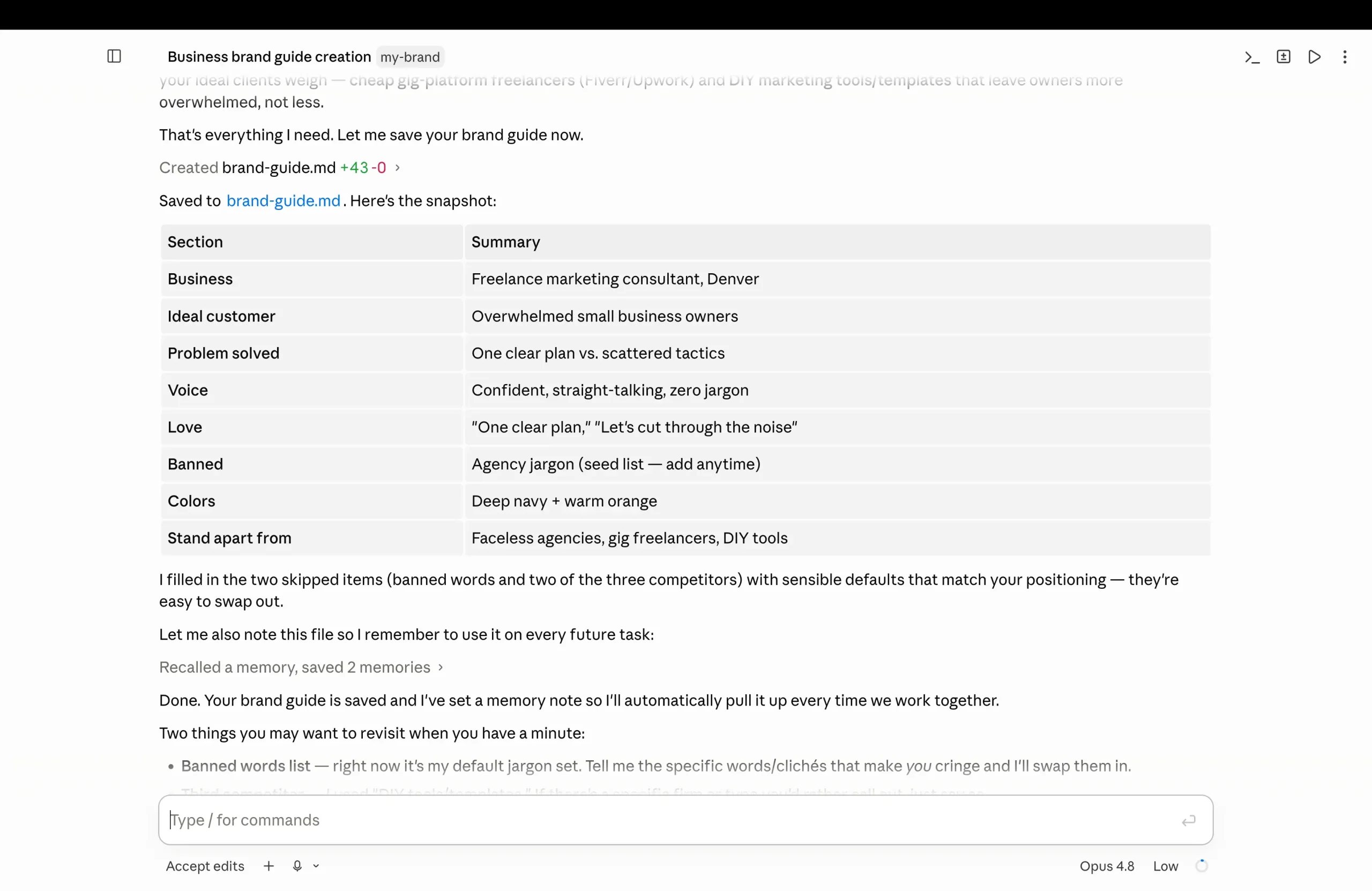
The more honest and specific you are here, the better everything downstream becomes. From this point on, Claude reads that guide automatically at the start of every task.
You set your voice once and never have to explain it again. That is how you keep your brand marketing consistent across everything you make.
6. Build your first landing page
Let me make this real with an example. Say you are a freelance marketing consultant based in Denver.
In your brand guide, you tell Claude your voice is confident and straight talking with zero jargon. Your ideal customers are small business owners who feel overwhelmed by marketing. Your colors are deep navy and a warm orange.
Now Claude knows exactly who you are and who you are talking to. With your folder selected, ask it to build a clean, modern, one page landing page that turns visitors into booked calls.
A good habit before any bigger build: ask Claude to plan first. Tell it to outline the page and ask you any questions before it builds anything, or switch on Plan Mode, which makes Claude map out the work and wait for your approval. You fix the plan in a minute instead of fixing a finished page.
Be specific about the parts you want. A strong headline that names who you help and the exact result you get them. A short section that names the frustration your customers feel.
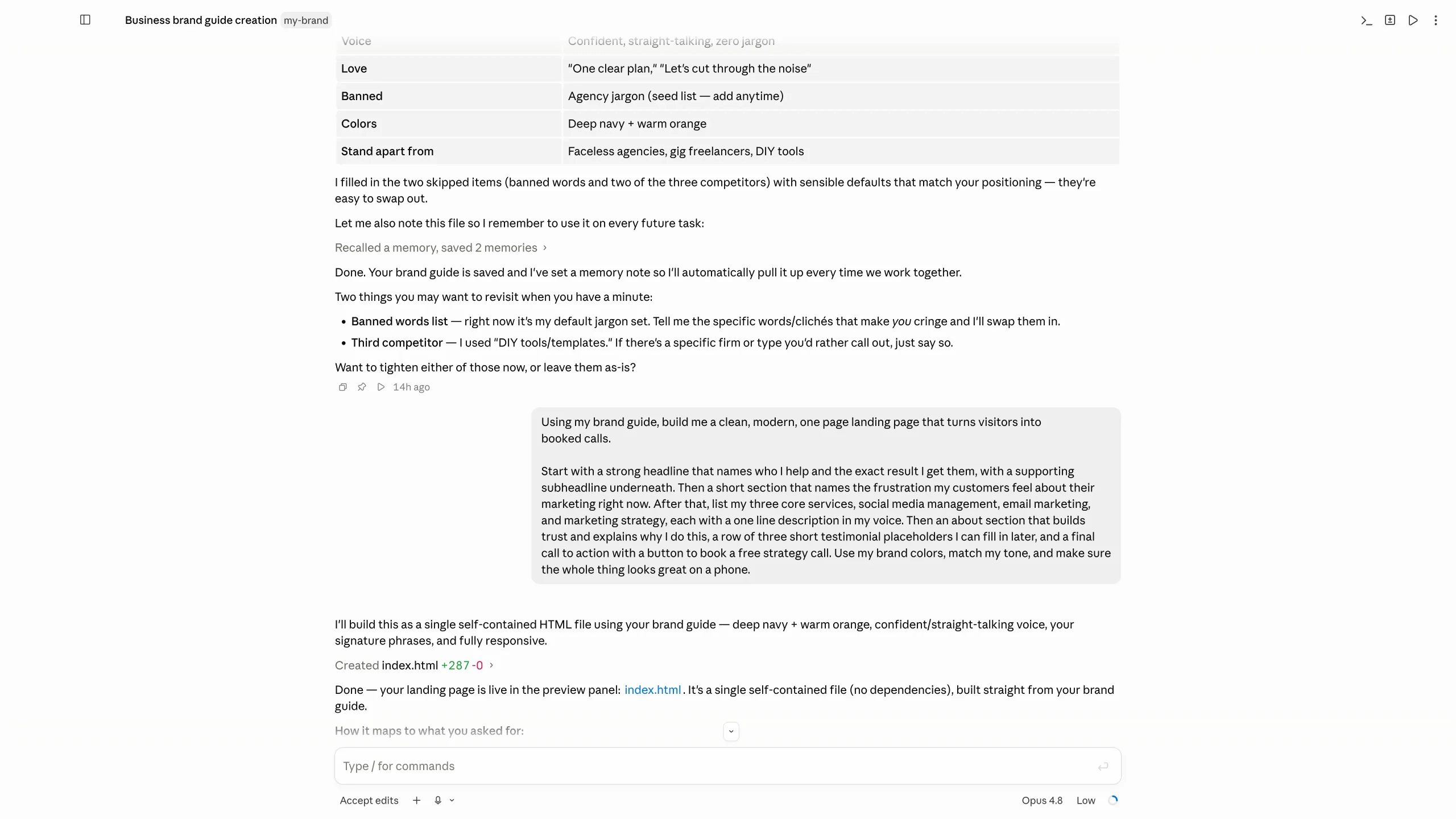
Then your three core services, each with a one line description in your voice. An about section that builds trust. A row of testimonial placeholders. A final call to action with a button to book a free call.
Claude builds the actual page, the headline, the sections, the buttons, all of it. Because it has both your brand guide and the design plugin working together, the words sound like you and the design follows real landing page best practices.
There is a preview button right in the app, so you see your live page instantly. Then you refine it out loud, the same way you would talk to a designer.
Say things like "make the headline punchier and lead with the result" or "change the main button to my orange and make it say book my free call". It rewrites and shows you the updated version each time.
In a few minutes, you have a finished, professional landing page. You never wrote a single line of code or paid a designer a cent.
7. Turn old posts into carousels
You almost certainly have good content already sitting on Instagram or LinkedIn. Let us get far more out of it instead of starting from a blank page.
Take one of your best posts, the caption and the main points, and paste it straight into Claude. Then ask it to turn the post into a seven slide carousel in your brand voice.
Tell it that slide one is a scroll stopping hook that calls out your ideal customer and their problem. Slides two through six each deliver one clear, useful tip with a short bold headline. Slide seven is a call to action inviting them to book a call.
Claude writes every slide in your tone, keeps each one focused on a single idea so it is easy to read on a phone, and builds the slides so you can preview and save each one ready to post.
Want the same thing for the other platform? Just ask for a more professional version of the same carousel for LinkedIn, with slightly longer copy and the same structure.
In one sitting, you have covered two platforms from a single idea. Because it all pulls from the same brand guide and design plugin, every slide matches your landing page perfectly.
That visual consistency is exactly what makes a small business look bigger and more put together than it actually is. It is a simple win for your social media marketing.
Where else Claude Code runs
This tutorial uses the Code tab in the Claude desktop app because it is the easiest place for non-developers to start. Claude Code also runs in other places, and your account works in all of them:
- The desktop app, as in this guide, with a visual interface and live previews.
- The terminal, the original way to use it and the one most developers prefer.
- Code editors such as VS Code and JetBrains, through official extensions.
- The web, for running tasks in the cloud from your browser.
You don't need any of the others to follow this guide. They are worth knowing about if you later want to go deeper.
Why one workspace beats starting from scratch
Here is why this whole setup is worth the few minutes it took. That folder you built is now a real workspace you keep coming back to, not a one time experiment.
Your brand guide sits at the top. Your design plugin makes everything look sharp. Your past work is right there for Claude to reference.
So the next time you need a sales email, a blog post, a client proposal, or another batch of carousels, it all comes out consistent with almost no effort from you.
You are not starting from zero ever again. You are building a content engine that already knows your business.
This is the opposite of how most people use AI, one throwaway chat at a time. The more you use this single project, the faster and more on brand everything you produce becomes.
Take Claude Code further as you grow
Once you are comfortable, you can take this much further. There is also an official Marketing plugin from Anthropic you install the exact same way, through that plus button and the Plugins library.
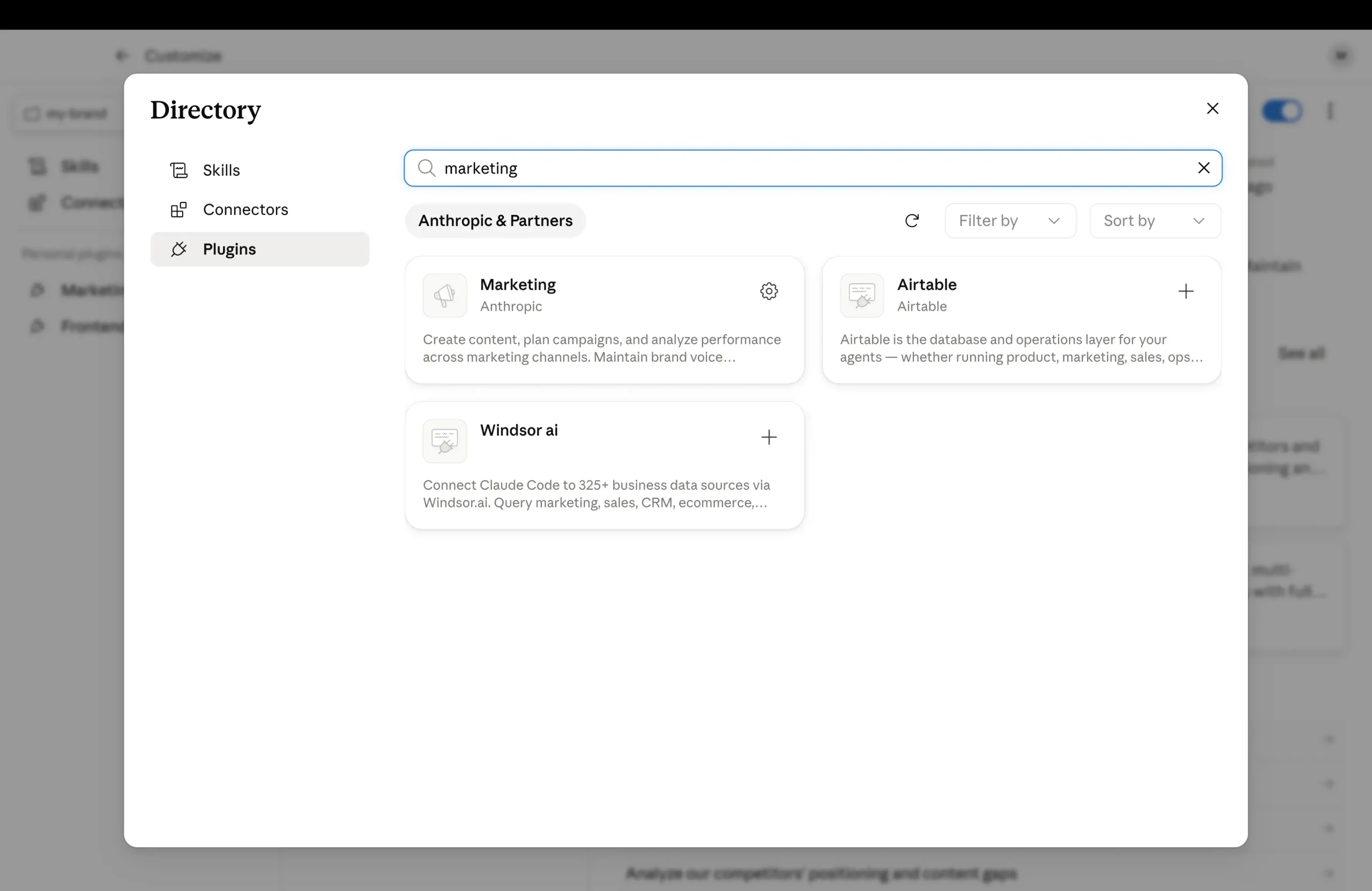
Once it is in, you can ask for things like a full email welcome sequence for new leads, a quick SEO check on your landing page, or a whole month of content ideas. It follows proven marketing structures while still writing in your brand voice.
To keep things tidy, every so often just tell Claude to organize the folder, putting landing pages in one place, social posts in another, and emails in a third. It handles the cleanup so your digital office stays neat no matter how much you create.
If you want to sharpen the words themselves, our guide to content writing pairs well with this workflow.
Tips to get better results as a beginner
A few small habits make a big difference once you start. None of them are technical.
Be specific in your requests. The more detail you give about the result you want, the closer the first draft lands. Vague in, vague out.
Refine out loud instead of redoing. If something is off, just tell Claude what to change in one short sentence. It is faster than rewriting your whole prompt.
Keep working in the same folder. Every time you do, Claude has more of your past work and brand to pull from, so results get sharper over time.
And keep your brand guide honest. If your business changes, update the file. That one file shapes everything else you make.
Frequently Asked Questions
Is Claude Code easy to learn?
Yes, if you start in the desktop app. You describe what you want in plain English, and Claude builds it in a folder on your computer. The terminal version has a steeper learning curve, but you don't need it to create landing pages, documents or social posts.
Is Claude Code worth it for beginners?
It is worth it if you want finished work, not just answers: pages, documents and content saved in one workspace that remembers your brand. It needs a paid Claude plan, so it makes most sense if you use it regularly for real business tasks.
What is the best free Claude Code tutorial?
Anthropic's own Claude Code 101 course is free and covers setup, the core workflow and good habits in about 90 minutes. We list it with the rest of Anthropic's free courses in our guide to Claude Code 101 and the other free Claude courses.
Next steps
So that is the whole system. You download the app, sign in, open the Code tab, create one folder, install the Frontend Design plugin, and set up your brand guide.
After that, a professional landing page or a full batch of matching carousels is just a sentence or two away.
Pick one of the two tutorials above and build it today while it is fresh. If you want to go deeper on the marketing side, the Content Creator Course walks you through creating content that actually converts.
You can also explore the full Reliablesoft Academy when you are ready to build the rest of your marketing skills.