


"Noreferrer noopener" are HTML attributes that can be added to outgoing links. What do these tags do, and how can they impact your SEO efforts?
In this post, I will explain the difference between noreferrer and noopener tags, whether you still need them today, how they differ from the nofollow tag, and the impact on SEO when each one is used.
Let's start with some definitions.
What is rel="noreferrer"?
The rel="noreferrer" tag is a special HTML attribute that can be added to a link tag (<a>). It prevents passing the referrer information to the target website by removing the referral info from the HTTP header.
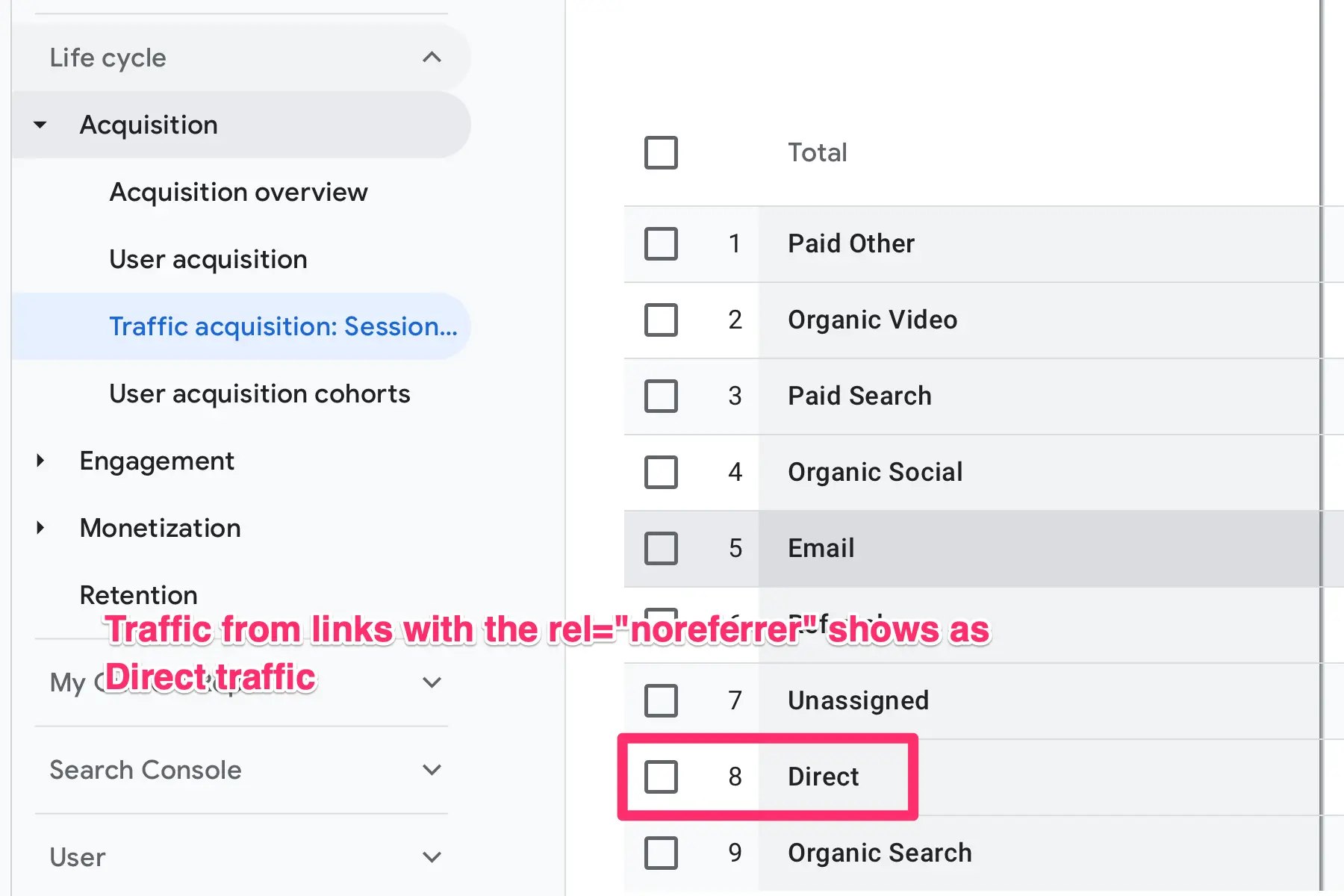
This means that in Google Analytics, traffic from links with the rel="noreferrer" attribute will show as Direct Traffic instead of Referral.
According to MDN, a noreferrer link also behaves as if rel="noopener" were set, so you don't need both for security.
This is how the noreferrer attribute looks in HTML View:

<a href="https://www.example.com" rel="noreferrer">Link to Example.com</a>
Here is an example to understand this better:
Let's say that you link from website A to Website B without the "noreferrer" tag.
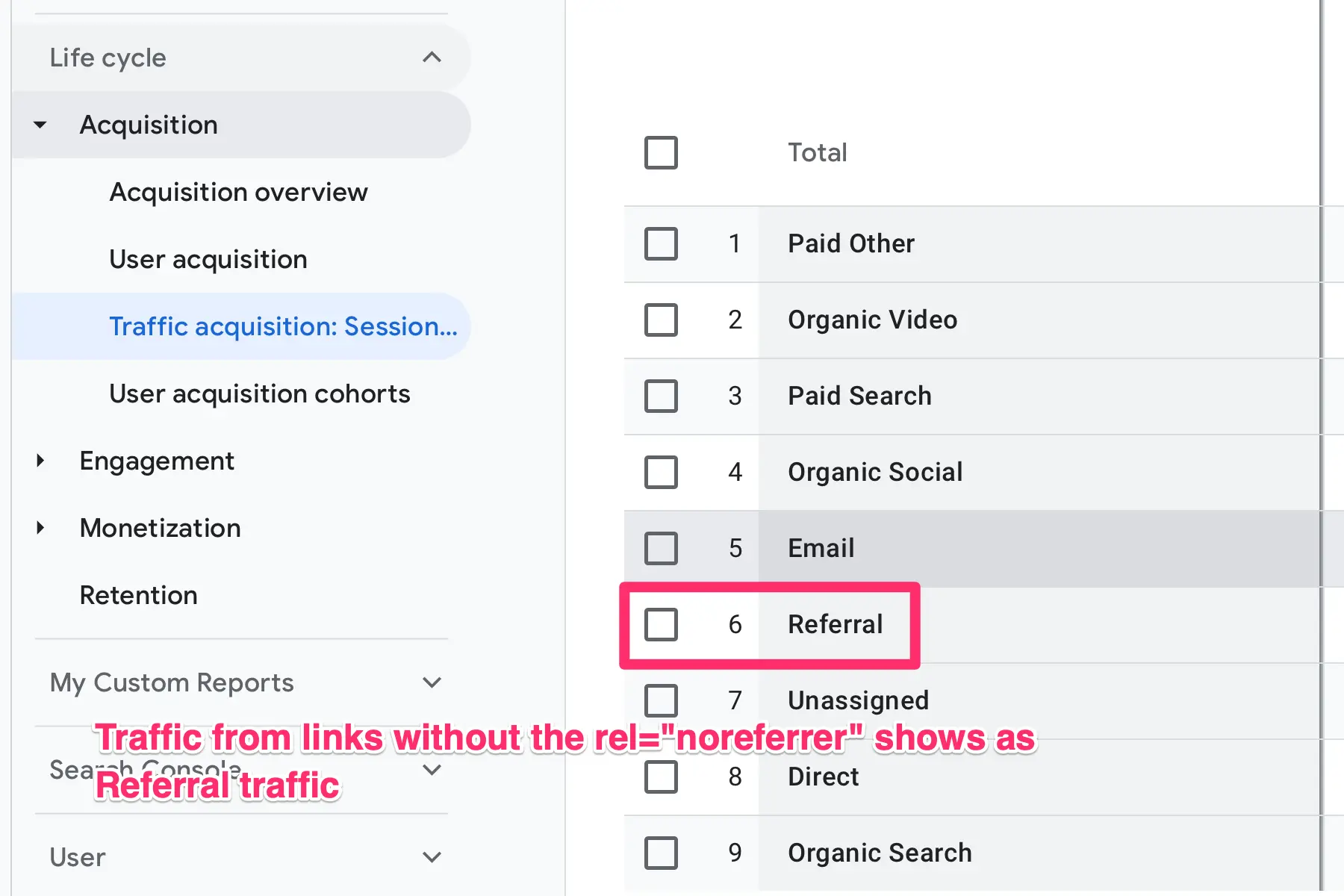
When the owner of website B views the 'TRAFFIC ACQUISITION' report in Google Analytics, he can see traffic coming from Website A under the 'REFERRAL' section.
When you link from Website A to Website B using the "noreferrer" tag, any traffic going from Website A to Website B will show as DIRECT traffic in Google Analytics (and not referral).
When to use rel="noreferrer"?
Use the rel="noreferrer" attribute on outgoing links when you don't want other sites to know that the visit came from your page. The most common reasons are privacy and security:
- Links from private pages, like a members area or a web app, where the page address itself should not be shared.
- Links from URLs that contain sensitive information, such as tokens or personal data in the query string.
- Sites that simply prefer not to reveal where their visitors go.
Keep in mind that browsers already limit what they share. Since a 2020 change to the standard, the default referrer policy in modern browsers is strict-origin-when-cross-origin: when a visitor clicks a link to another website, the browser sends only your domain (for example, https://www.example.com/), not the full URL of the page. For most websites, that is private enough, and noreferrer is not needed.
Definitely do not use the rel="noreferrer" attribute on internal links, it can mess up your Google Analytics reports.
rel="noreferrer" and SEO
Adding the noreferrer tag to your links does not directly impact SEO. You can safely use it without worrying about anything.
But it does have an indirect effect on your link-building and promotion efforts, and the reason is the following:
One way to get the attention of other webmasters is to link to their sites. Many site owners regularly check their Google Analytics reports, especially the 'Referral traffic'.
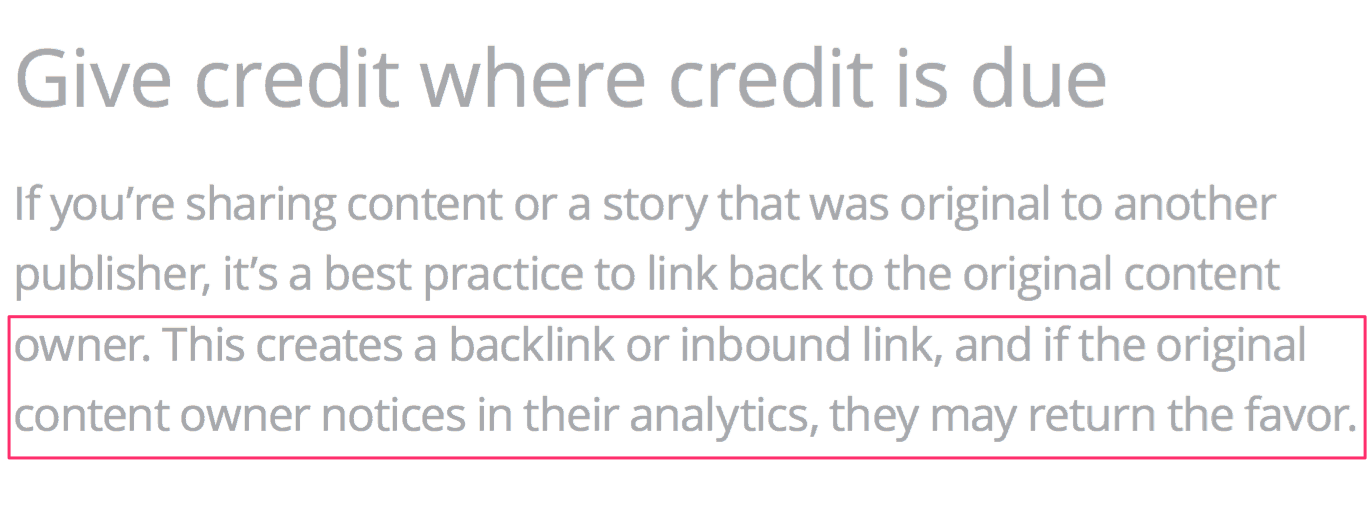
When they see traffic from a website, they will probably check it out, share the page on social media, follow it, or even return the favor by linking back.
This is good for SEO, and in fact, Google recommends it as a valid way to get links from other websites (see below the relevant quote from a Google document).
When you have the noreferrer tag attached to your links, nothing from the above will happen because traffic from your website will not show as 'Referral' in Google Analytics, so the other webmasters will not know that you have linked to them.
You might think, 'Why even talk about this? I will not add it to my links, and that's the end of the story.'
This issue became popular because, for a while, WordPress added the 'noreferrer' tag by default to all outgoing links that were set to open in a 'new tab.' That is no longer the case, as you'll see below.
Noreferrer and WordPress
If you use WordPress, here is what happens today when you add an external link and set it to open in a new tab (target="_blank"): WordPress adds rel="noopener" to the link, and nothing else.
<a href="https://www.externalsite.com/" target="_blank" rel="noopener">my external link</a>
It wasn't always like this. WordPress 5.1 (2019) started adding rel="noopener noreferrer" to new-tab links, to protect sites against tabnabbing and other phishing attacks. At the time, the noreferrer part was needed because some browsers didn't support noopener yet.
Because noreferrer hid referral traffic from the sites you linked to, WordPress removed it in version 5.6 (December 2020). The WordPress core ticket explains that noreferrer "does have nasty side effects: it breaks cross-site analytics", and that it was no longer needed once all major browsers supported noopener.
What this means for you:
- Links added since WordPress 5.6 only get rel="noopener", so the sites you link to see your traffic as referral traffic.
- Older posts may still contain rel="noopener noreferrer" on links added between 2019 and 2020. WordPress doesn't remove it automatically. If you want those sites to see your referral traffic, edit the links and delete the word noreferrer from the rel attribute.
- You can open external links in a new tab without worrying about noreferrer.
Noreferrer and Affiliate links
Noreferrer has no impact on affiliate links. The reason is that most affiliate programs do not rely on 'referral traffic' to award a conversion but on the affiliate ID, which is included in the link. For example:
<a href="https://www.merchant.com/?affiliate_id=123" rel="noreferrer">Buy Now</a>
So, you have nothing to worry about.
The Difference Between Nofollow and Noreferrer
When you add rel="nofollow" to an external link, you tell search engines that you'd rather they not associate your site with the linked page, or crawl it from your site (see Google's documentation). Since 2019, Google treats nofollow as a hint rather than a strict rule. A link without nofollow is often called a dofollow link.
The difference between nofollow and noreferrer is that noreferrer stops the browser from telling the other site where the visitor came from, but search engines treat the link like any other link. With nofollow, the other site still sees the visit as referral traffic, but search engines are asked not to count the link.
So, they are not the same things. Use nofollow on links that you don't trust, and use noreferrer if you don't want the other site to know that you have linked to them.
What is rel="noopener"?
rel="noopener" is an HTML attribute that can be added to external links. It prevents the newly opened page from gaining any kind of access to the original page through the browser (the window.opener object).
Here is an example of a link with the rel="noopener" tag:
<a href="https://www.example.com" rel="noopener">Link to Example.com</a>
WordPress adds this automatically to all external links that open in a new tab for security reasons, and it is fine to keep it.
Today, you don't strictly need to add it yourself. According to MDN, setting target="_blank" on a link now gives it the same behavior as rel="noopener" in modern browsers. Adding it by hand only protects visitors on very old browsers.
Rel="noopener" and SEO
Noopener has zero impact on your SEO, so you can safely use it to enhance your website's security.
Is rel="noopener noreferrer" Still Needed?
For most websites, no, but it doesn't hurt either:
- noopener: modern browsers apply it automatically to every link that opens in a new tab. Keeping it is harmless and protects visitors on older browsers.
- noreferrer: only use it when you deliberately want to hide where your visitors came from. Otherwise, leave it out, so the sites you link to can see your referral traffic.
- nofollow: a different attribute with a different purpose. Use it (or sponsored and ugc) when you don't want to vouch for a link.
None of them affects how Google ranks your own pages.
Key Learnings
Dealing with HTML tags and attributes confuses many, but that shouldn't be the case with noreferrer and noopener.
None of them can negatively impact your SEO. Use them without fear.
If you are on WordPress, only noopener is added automatically to external links that open in a new tab (since WordPress 5.6).
The noopener protects your page from being accessed by the page it opens (through the browser session). Modern browsers now apply it automatically to new-tab links.
The noreferrer protects referral information from being passed to the target website, which hides referral traffic in Google Analytics.
If you want other websites to see traffic from your website as 'Referral traffic', don't add noreferrer to your links, and remove it from older posts where WordPress added it before version 5.6.
Nofollow is not the same as noreferrer. When the rel="nofollow" is added to a link, it asks search engines not to count that link for SEO purposes. A noreferrer link is treated like a normal link by search engines.


