


You can advertise on Google for free in 7 ways: create a Google Business Profile, optimize your Google Maps listing, rank in organic search with SEO, add your products to Google Shopping free listings, claim a Google Ads promotional credit, apply for a Google Ad Grant if you are a nonprofit, and get listed on directories that already rank on Google.
When people hear 'advertising' and 'Google' in the same sentence, they think of Google Ads. But paid ads are only one part of the page. Everything below the ad block, the local map pack, the Shopping results and the business listings is space you can occupy without paying Google anything.
In this guide, you'll learn how each free method works, who it suits best, and how long it takes before you see results.
How to Promote My Business On Google For Free
These are the 7 most effective free Google advertising methods:
- Create a Free Google Business Profile
- Optimize Your Google Maps Listing
- Get Free Traffic From Google Search
- Use Google Shopping Free Listings
- Claim a Google Ads Promotional Credit
- Apply for a Google Ad Grant (Nonprofits)
- Get Listed on Directories That Rank on Google
1. Create a Free Google Business Profile
The fastest way to get free advertising on Google is to create a Google Business Profile. It is a free service from Google that puts your business on Google Search and Google Maps, and it is the only method on this list that can start working the same week you set it up.
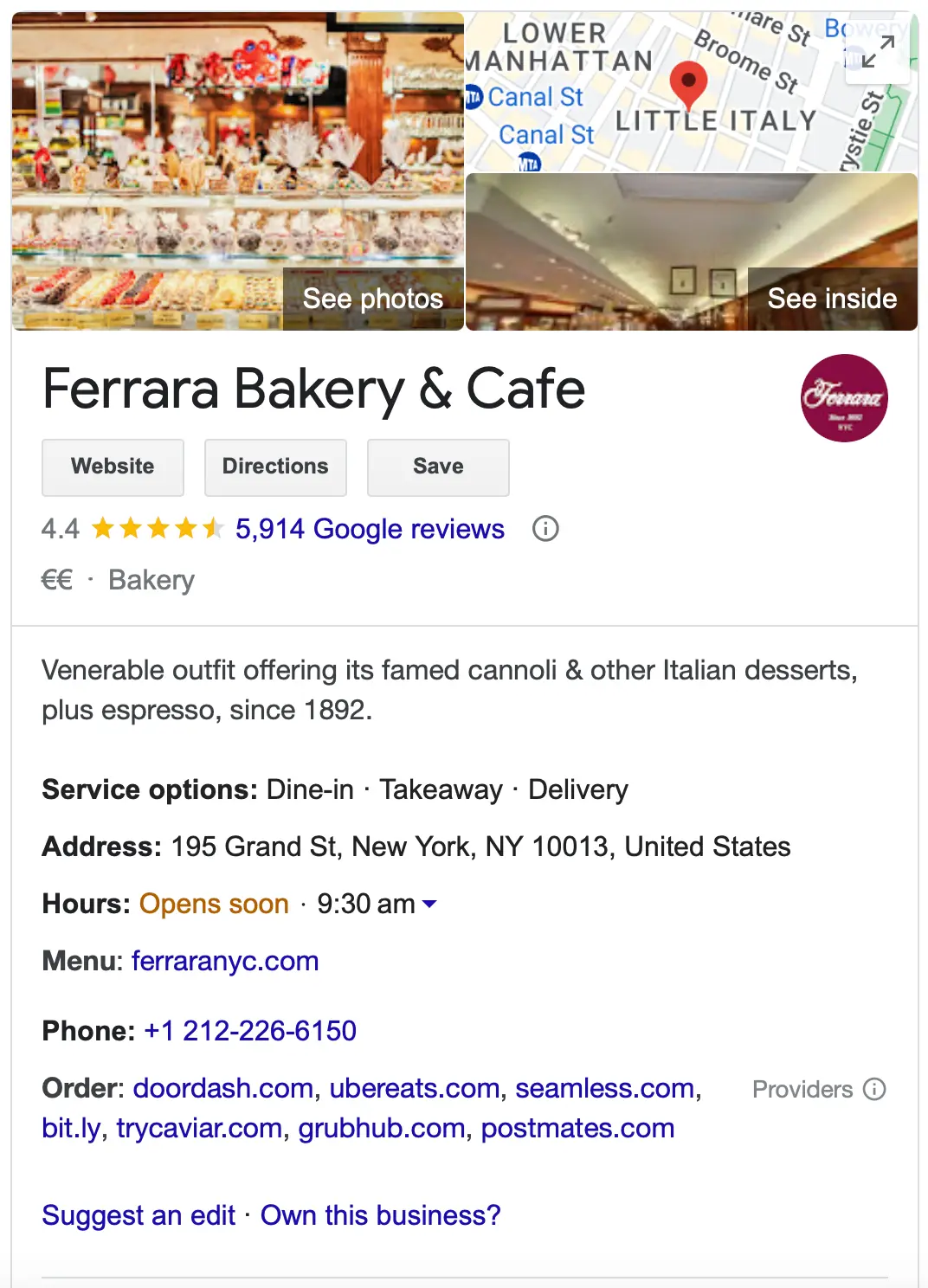
Creating a free business listing on Google takes four steps:
- Go to Google Business Profile and sign in with a Google account.
- Search for your business name to check whether a listing already exists. If it does, claim it instead of creating a duplicate.
- Add your business category, address or service area, phone number, website and opening hours.
- Verify your business. Google will ask for a postcard, phone call, email or video verification depending on your business type.
Once your profile is live and verified, you can:

- Appear when people search for your business name on Google.
- Show up in the local results for searches related to your products and your area.
- Add business information, photos and opening hours so customers get what they need without leaving Google.
- Respond to customer reviews.
- Publish posts about offers, events and new products.
- Receive and reply to customer messages.
For example, when you search for 'Italian restaurants in NYC', below the ads and above the 'normal' listings, you get the local search results.
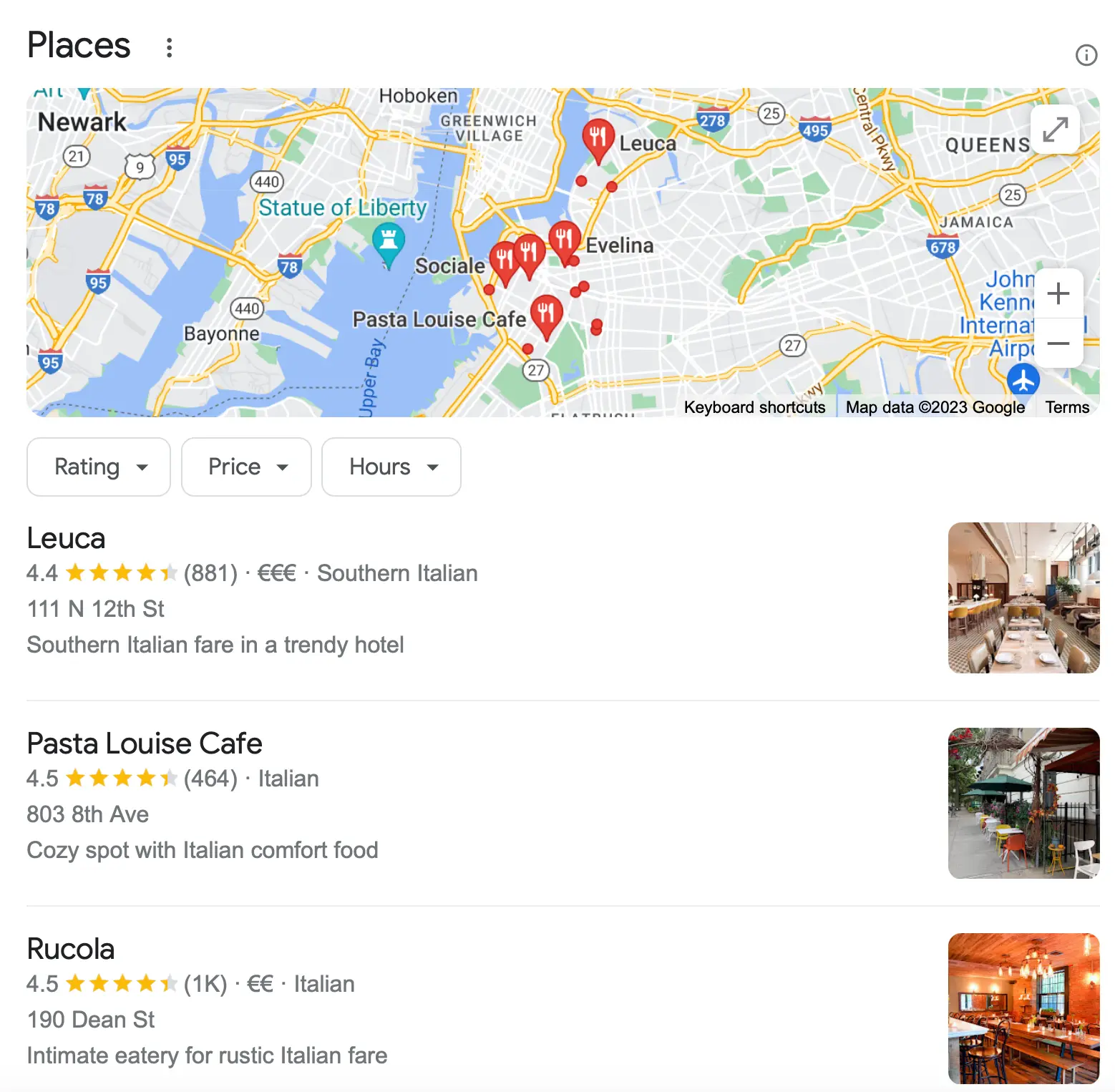
Businesses that appear in this list get more traffic than the rest of the pages. Optimizing your business to appear for location-aware searches is known as Local SEO. Opening the profile is only the starting point, and you need several other changes to 'win' a top position in the local results.
The most important are:
- Ensure all information in your Google Business Profile is accurate and up to date.
- Add real photos of your business, your team and your products.
- Ensure your NAP details (name, address, phone number) are visible on your homepage and in the correct format.
- Add a Google map to the Contact Us page.
- Use structured data markup and the proper schema to give Google more information about your local business.
- Pursue brand mentions and links from the local press.
- Ask customers for reviews and reply to every one of them.
Use Google Posts to advertise offers for free
One feature most businesses ignore is Google Posts. From your profile dashboard you can publish short updates with an image, a description and a button such as 'Order online', 'Book' or 'Learn more'. These posts show on your business listing in Search and Maps at no cost.
Posts work well for seasonal offers, events, product launches and announcements. They are the closest thing to a free display ad that Google offers, and because most competitors never publish any, the bar is low.
For a complete list of techniques you can use to promote your business in the Google local results, go through our local SEO guide.
2. Optimize Your Google Maps Listing
Google Maps is another Google property you can use for free promotion. In the digital marketing industry this is known as Google Maps Marketing.
Google Maps listings show inside the search results, as part of the local pack explained above, and to anyone browsing the Maps tab or the Maps app.
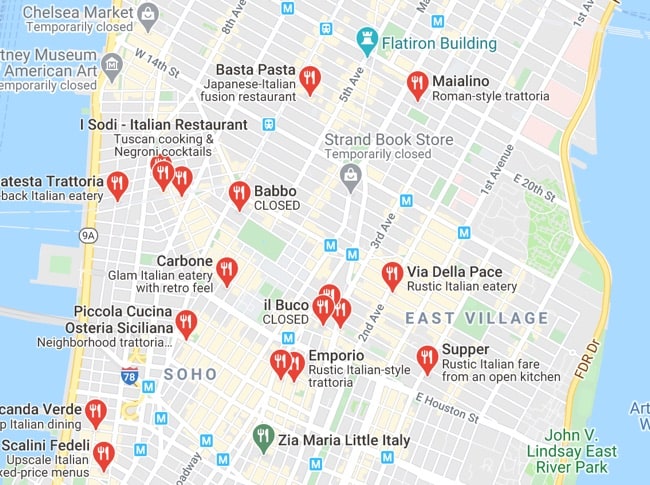
To add your business to Google Maps, you need a verified Google Business Profile. The listing and the map pin are the same record, so once your profile is verified your business appears on Maps automatically.
To rank well on Maps, make sure that:
- You have provided a valid, correctly formatted address on your profile.
- Your business is verified with Google.
- The same address appears on your website.
- You have chosen the most specific primary category available, then added secondary categories.
- Your opening hours, including holiday hours, are accurate.
- You have a steady flow of recent reviews rather than a burst of old ones.
- Your website is mobile-friendly, since most Google Maps searches happen on mobile.
Proximity to the searcher is the strongest ranking factor on Maps, so a service-area business will not outrank a nearby competitor for every search. What you can control is relevance and prominence, and both come from a complete profile and genuine reviews.
3. Get Free Traffic From Google Search
Another efficient way to get free exposure on Google is to rank high in the organic search results for keywords besides your brand name.
If you have a website, Google will already show it when people search for your brand or your URL. That is useful, but it only reaches people who know you. To get customers who don't, you need to appear in the top positions for search terms related to your products or services.
The way to do this is through Search Engine Optimization, or SEO.
Free and Paid Ads on Google
When you search on Google, you get a mix of paid and free listings. The layout changes depending on the query, your location, your device and the result types involved, but the basic structure holds.
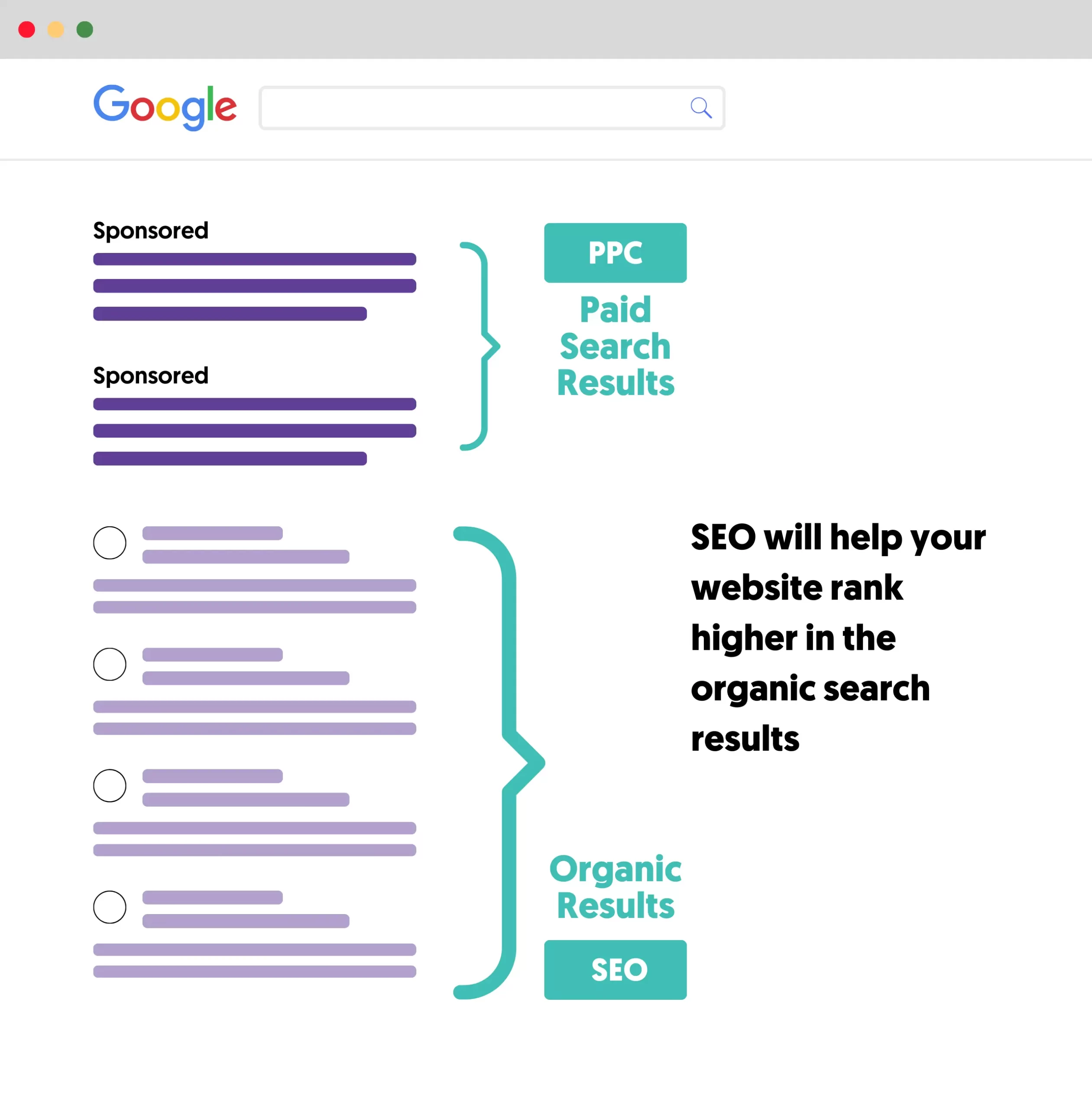
Besides the ads at the top, the rest of the listings are free. The catch is that organic results sit lower on the page and get far fewer clicks than the top positions, and studies consistently show that most organic traffic goes to the first five results.
So if you want to use organic search as free advertising, your website has to be genuinely well optimized rather than simply present.
What the process involves
Getting found on Google breaks down into three stages:
- Technical foundations. Make sure Google can crawl, render and index your pages without problems. This is technical SEO, and it covers site speed, mobile usability, HTTPS, sitemaps and crawl errors.
- Keywords and content. Research the terms your customers actually type, then create pages that answer them and signal clearly what they are about. This is on-page SEO, and the essentials are optimized page titles, meta descriptions, image ALT text and a sensible heading structure.
- Authority. Hundreds of sites are competing for the same rankings and most have already done stages 1 and 2. What separates the winners is better content, faster and more secure pages, backlinks from other websites, and a brand with a real reputation online.
Businesses that work consistently on stages 2 and 3 eventually earn their share of Google traffic without paying for ads.
The honest downside is speed. SEO does not work overnight, and it can take months before a new site sees meaningful organic traffic. It is the highest-value method on this list and the slowest, which is why it pairs well with a Google Business Profile that starts working immediately.
Resources to Learn More About SEO
- The Complete Digital Marketing Course - Our digital marketing course includes everything you need to learn about SEO and other digital marketing techniques. You'll learn how to get more traffic from Google and other sources (like social networks) without paying for advertising.
- How to Learn SEO - a learning plan for beginners to get into Search Engine Optimization.
- What Is SEO - a plain-English explanation of how search engine optimization works.
4. Use Google Shopping Free Listings
If you sell products online, you can list them on Google without paying for Shopping ads. Free product listings cost nothing per impression or per click, and you do not need a Google Ads account to use them.
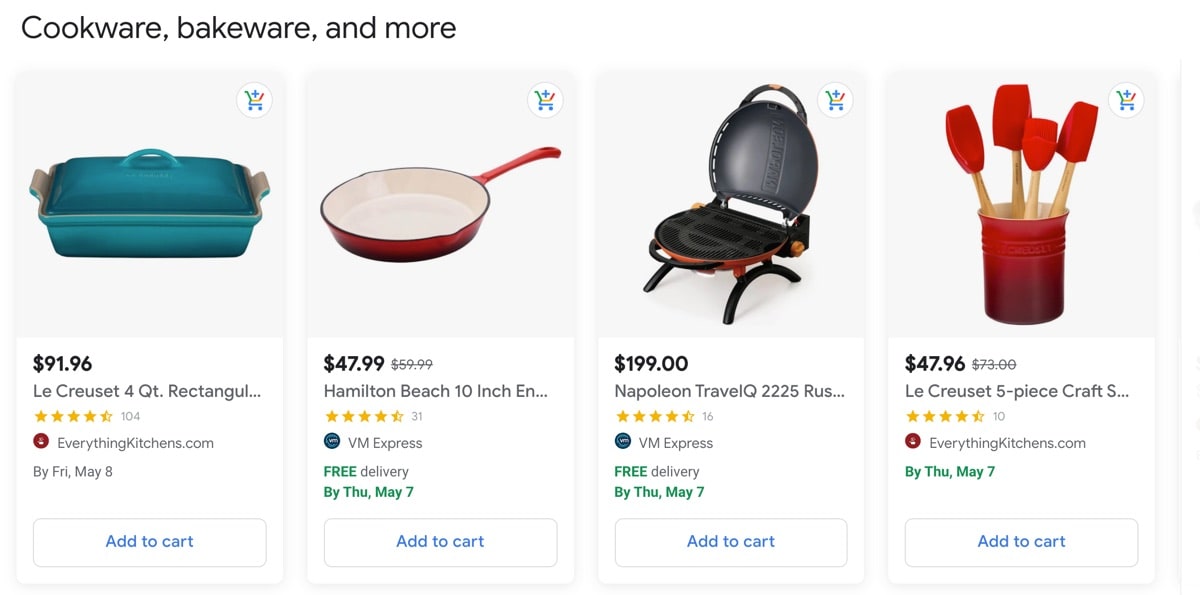
Free listings are not limited to the Shopping tab. Approved products can appear across Google Search, Google Images, Google Lens, YouTube, Google Maps and the storefront section of your Business Profile. That reach is the reason this method is worth the setup effort even for small catalogs.
To get your products listed, you need to:
- Create a Google Merchant Center account and verify your website.
- Add your products through a product feed, a direct website crawl or an ecommerce platform integration.
- Check that free listings are enabled in your account and that your product data passes Google's review.
If you use a known ecommerce platform like WooCommerce, Shopify or BigCommerce, the integration handles the feed for you and syncs your catalog automatically.
Free listings are ranked algorithmically on product data quality, relevance and merchant trust signals. In practice that means complete titles, accurate GTINs, real product images, correct pricing and stock status, and a website that does not generate policy warnings. Paid Shopping ads still appear alongside free listings, so this method complements paid search rather than replacing it.
5. Claim a Google Ads Promotional Credit
Google Ads is the platform for running paid ads on Google Search, YouTube, Gmail and the rest of the Google network. The platform itself is not free, but new advertisers can earn promotional credit that covers part of their first campaigns.
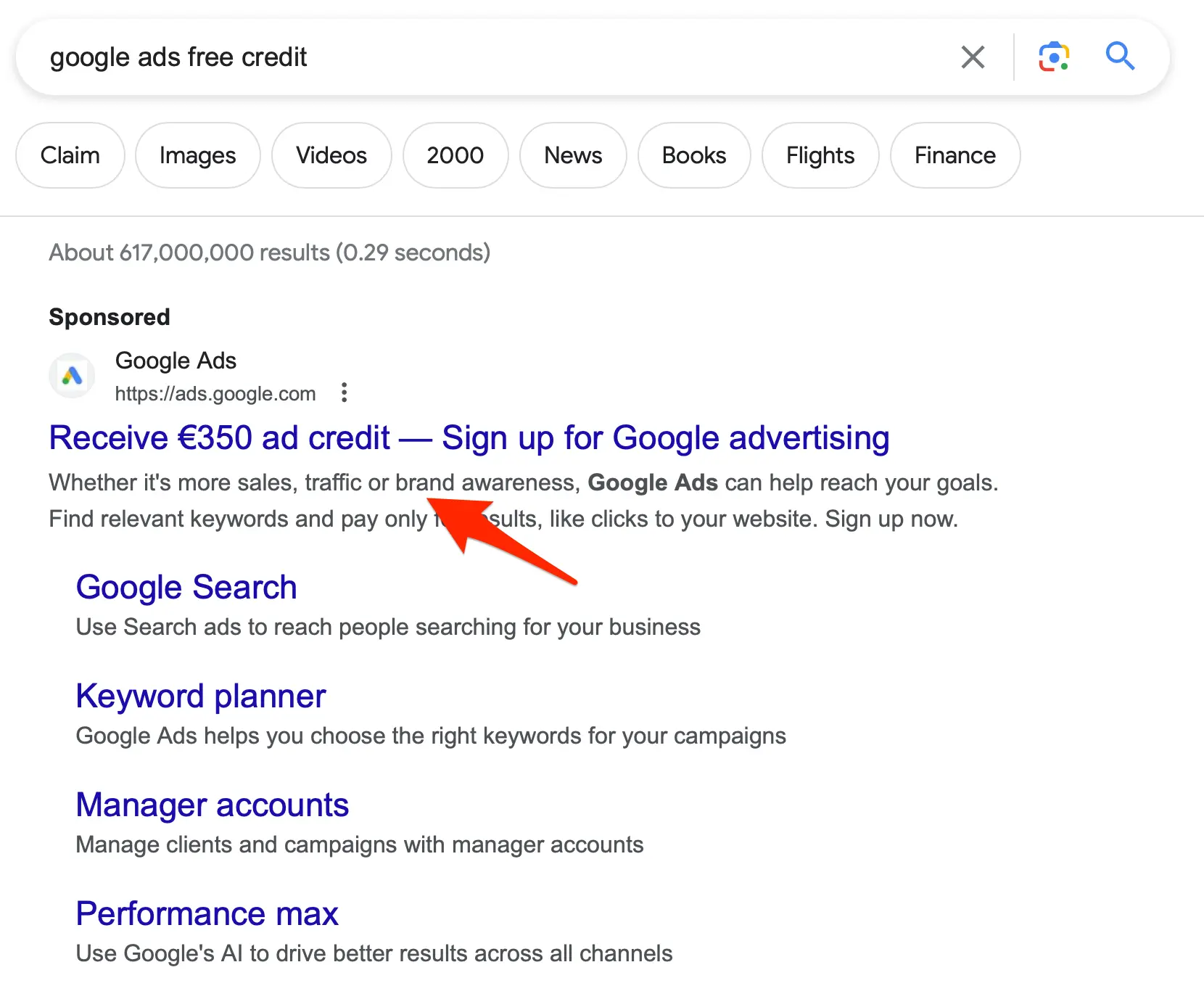
It is worth being clear about how these offers actually work, because they are often described as 'free ads' when they are really matched credit. A typical offer asks you to spend a set amount, for example $500, and then gives you up to the same amount back as credit.
Google's rules for new advertiser promotions are specific:
- Your account must be less than 14 days old at the time you redeem the code.
- You need a valid payment method on the account.
- You must not have advertised with Google Ads before under a different account for the same business.
- The credit arrives after a verification period of up to 35 days once you hit the spend requirement.
- Credit applies to future ad spend only. It cannot cover the spend requirement itself or costs you accrued earlier.
To redeem a code, sign in to Google Ads, open the tools menu, go to Billing and then Promotions, add the code and submit it.
Besides Google's own offer, promotional codes are commonly bundled with web hosting plans, website builders and ecommerce platforms, and official Google Partners agencies can sometimes issue credit to new advertisers they onboard.
Treat the credit as a discount on a test budget rather than free advertising. If your campaigns are not set up properly, a matched credit only doubles the speed at which you learn that.
6. Apply for a Google Ad Grant (Nonprofits)
This is the only genuinely free Google Ads on the list. Through Google Ad Grants, qualifying nonprofits receive up to $10,000 per month in search ads on Google.com at no cost, with no spend requirement and no matching.
To be eligible, your organization must hold valid charity status in your country and have a functioning website. Google excludes three categories outright:
- Governmental entities and organizations.
- Hospitals and healthcare organizations, although their charitable arms and foundations can apply.
- Schools, academic institutions and universities, although their philanthropic arms can apply.
The grant comes with ongoing compliance rules, and accounts that ignore them get deactivated:
- Maintain a click-through rate of at least 5% each month. Two consecutive months below that threshold triggers a temporary deactivation.
- Avoid single-word keywords and overly generic terms, and pause any keyword with a quality score of 1 or 2.
- Run at least 2 ad groups per campaign and add at least 2 sitelink assets.
- Set up conversion tracking and record at least one conversion per month.
- Complete the annual program survey.
There is also a $2 maximum cost-per-click bid on grant accounts, which lifts when you use a Smart Bidding strategy such as Maximize Conversions. That exception matters, because a $2 cap makes competitive keywords unreachable in most sectors.
A Google Ad Grant is worth real money, but it is not passive. Budget for someone to manage the account monthly, or the 5% CTR rule will eventually catch you out.
7. Get Listed on Directories That Rank on Google
You do not always need your own page to rank. Established directories already hold strong positions for local and commercial searches, and a listing on one puts you in front of the same audience for free.
The directories worth claiming depend on your industry:
- General and local: Yelp, Yellow Pages, Bing Places, Apple Business Connect, your local chamber of commerce.
- Hospitality and travel: Tripadvisor, OpenTable, Booking.com.
- Home services: Angi, Houzz, Thumbtack.
- Professional services: Clutch, G2, Trustpilot, industry association directories.
Consistency is what makes this work. Use exactly the same business name, address and phone number on every listing, because Google reads those citations as corroboration when it decides how much to trust your Business Profile. Inconsistent details do more harm than a missing listing.
Claim the profiles that are relevant to your business and skip the low-quality directories that exist only to sell links. A handful of authoritative listings beats fifty thin ones.
Free vs Paid Google Advertising: Which Should You Use?
Free methods and Google Ads solve different problems. Paid ads buy you visibility today and stop the moment you stop paying. Free methods take longer to build but keep working without a budget.
Here is how the two compare:
| Factor | Free advertising on Google | Google Ads (paid) |
|---|---|---|
| Cost | $0, plus your time | Pay per click, no minimum spend |
| Time to first results | Days for a Business Profile, months for SEO | Hours |
| Traffic when you stop | Continues | Stops immediately |
| Control over targeting | Limited | Precise (keyword, location, device, audience) |
| Position on the page | Below the ads | Top of the page |
| Best for | Local businesses, long-term growth, tight budgets | Launches, promotions, testing demand quickly |
| Main risk | Slow, and rankings can change | Wasted spend on a poorly built campaign |
Most businesses should not choose one. Set up the free methods first, because they cost nothing and a Google Business Profile can bring calls within days. Then use paid ads to cover the searches where you cannot rank organically, or where you need results before SEO has time to work.
If you want to understand the paid side before spending anything, read our guide on how Google Ads works and our analysis of whether Google Ads are worth it.
Frequently Asked Questions
Is Google Ads free?
No. Google Ads is a pay-per-click platform, so you are charged every time someone clicks your ad. There is no monthly fee and no minimum spend, but running ads always costs money. The two exceptions are new advertiser promotional credits, which require you to spend first, and Google Ad Grants, which gives qualifying nonprofits up to $10,000 per month at no cost.
How can I advertise on Google for free?
Create a Google Business Profile, optimize your Google Maps listing, rank organically through SEO, add products to Google Shopping free listings, claim a Google Ads promotional credit, apply for a Google Ad Grant if you are a nonprofit, and get listed on directories that already rank. A Google Business Profile is the fastest to set up and the only one that can produce results within days.
Is a Google Business Profile free?
Yes. Creating, verifying and managing a Google Business Profile costs nothing, including posts, photos, messaging and review replies. Google does not charge for the listing or for the position it earns in the local results.
How long does it take to get free traffic from Google?
It depends on the method. A verified Google Business Profile can appear in local results within days. Google Shopping free listings go live once your product data is approved, usually within a few days. Organic search traffic from SEO typically takes several months, and competitive topics can take a year or more.
Can I really get free Google Ads credit?
New advertisers can earn promotional credit, but it is matched rather than free. A typical offer requires you to spend a set amount before Google issues up to the same amount back. Your account must be less than 14 days old when you redeem the code, and the credit arrives after a verification period of up to 35 days.
Do Google Shopping free listings work without running ads?
Yes. Free listings are independent of Google Ads and need only a Merchant Center account with approved product data. They are ranked on product data quality, relevance and merchant trust rather than on bids, so complete and accurate feeds matter more than budget.
Key Learnings
Google offers several ways to advertise your business without paying for ads, and the right mix depends on what kind of business you run.
If you have a local business, start with a Google Business Profile. It is free, it is the fastest method on this list, and it feeds both the local results and Google Maps. Verify the business, keep the details accurate, publish posts and collect reviews consistently.
If you run an online store, create a Merchant Center account and submit your product feed. Your products then become eligible for free listings across Shopping, Search, Images, Lens, YouTube and Maps.
If you are a nonprofit, apply for a Google Ad Grant. Up to $10,000 per month in free search ads is the largest single opportunity here, provided you can meet the compliance rules.
For everyone else, SEO is the method with the highest ceiling. It takes months rather than days, but it is the only one that keeps delivering traffic long after the work is done. Start with the free methods that pay off immediately, then let SEO compound in the background.


