



What Is A Search Term?
A search term (also called a search query) is the exact word or phrase a person types or speaks into a search engine. It can be a single word, a long phrase, or a full question. Search engines such as Google interpret the search term to understand what the person wants and return the most relevant results.
Search terms are not limited to Google. People enter search terms on Bing, YouTube, Amazon, and inside AI assistants too, and every time they do, the words they use reveal what they are looking for.
For example:
A single-word search term: [reliablesoft] - The person wants to find the Reliablesoft website or more information about it.
A search phrase: [how to tie a tie] - The person is looking for instructions on how to tie a tie.
A specific search query: [buy white running shoes men] - The intent is very specific. The person wants to buy white running shoes for men.
You will find more examples, grouped by intent, further down.

What Is The Difference Between a Search Term And a Keyword?
If you are familiar with the SEO basics, you might ask, “Are search terms the same as keywords?”. People often use the two words interchangeably, but in digital marketing there is a clear difference:
- A search term is what a person actually types into the search box.
- A keyword is the word or phrase that a marketer or website owner chooses to target, in an SEO strategy or a Google Ads campaign.
| Search term | Keyword | |
|---|---|---|
| Who chooses it | The person searching | The marketer or advertiser |
| Example | best waterproof running shoes for women 2026 | waterproof running shoes |
| Where you see it | Google Search Console, the Google Ads search terms report | Your keyword research, content plan, or Google Ads campaign |
| Can you control it? | No | Yes |
One keyword can match many different search terms. If you target the keyword “waterproof running shoes”, your page or ad could appear for hundreds of search terms, from “waterproof trail running shoes” to “running shoes that don’t get wet”.
That’s because search engines no longer match words literally. Google uses machine learning to understand the meaning behind a search term and to show results that answer it, even when the page or ad doesn’t contain the exact words. Google Ads makes the same point: the search terms that trigger your ads “might be different from your keyword list”, depending on your match types.
Related reading: How search engines work
Search Term Examples
The best way to understand search terms is to group them by the intent behind them. Here are some examples:
| Intent | What the person wants | Example search terms |
|---|---|---|
| Informational | To learn something or answer a question | what are search terms, how to tie a tie, why is the sky blue |
| Navigational | To reach a specific website or page | reliablesoft, youtube login, gmail |
| Commercial | To compare options before buying | best running shoes for flat feet, semrush vs ahrefs, iphone 17 review |
| Transactional | To buy or take an action now | buy white running shoes men, netflix subscription, download zoom |
| Local | To find something nearby | pizza near me, dentist open now, plumber in austin |
Search terms also differ by length. Short search terms like “shoes” are broad and hard to rank for, while longer ones like “waterproof running shoes for wide feet” are more specific, less competitive, and usually closer to a purchase. These are known as long-tail keywords.
Why Are Search Terms Important For Search Engine Marketing?
All search engine marketing is built on search terms. Knowing the exact words people use helps you create content and ads that match what they want.
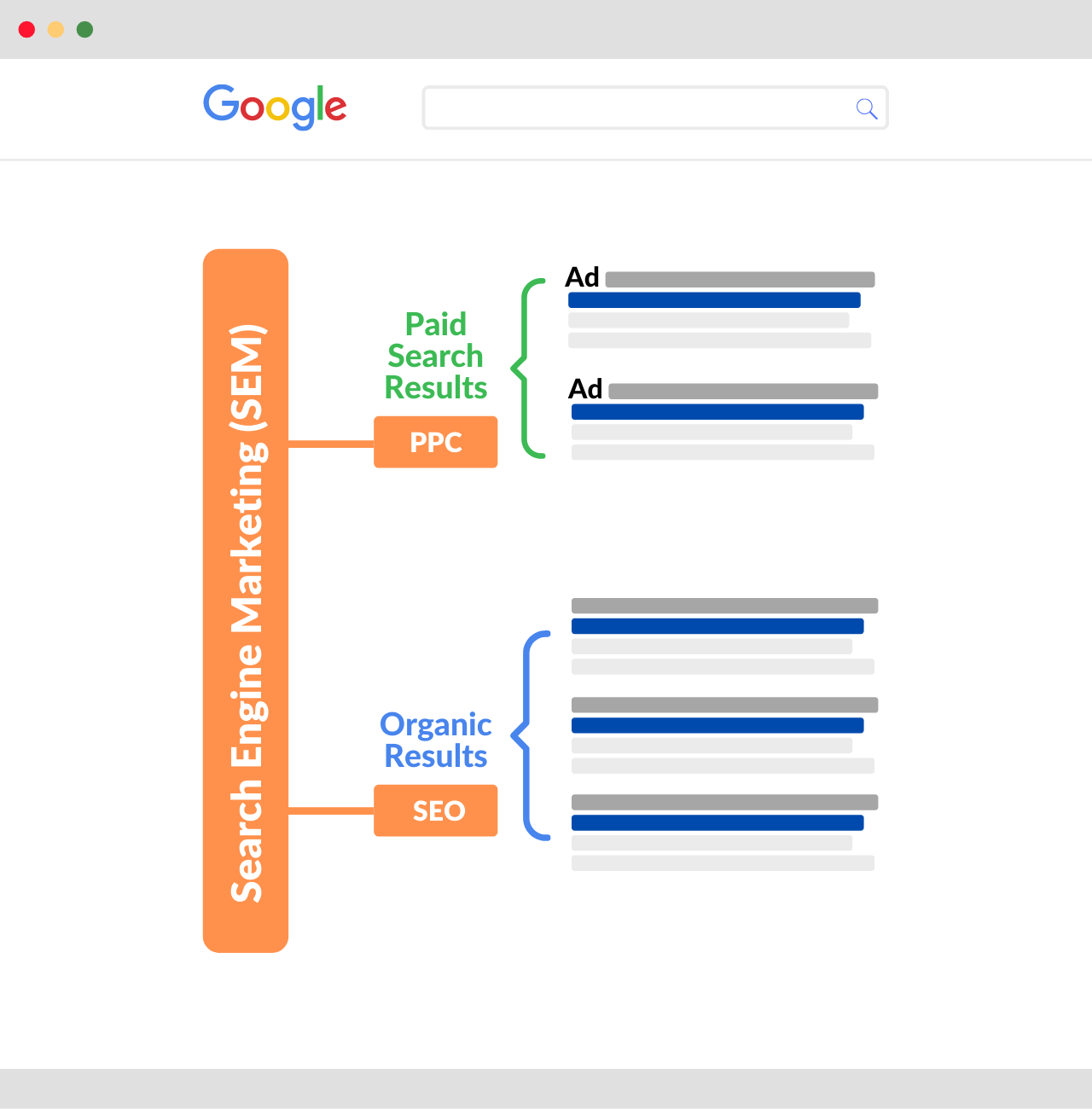
When someone searches on Google, the most popular search engine, the results fall into two main categories: paid results (Google Ads) and organic results (also known as SEO results).
Search Engine Advertising
The ads shown on Google are chosen based on the search term entered in the search box.
As an advertiser, you first find out which search terms people use for your products and services. This process is called keyword research. You then add those keywords to Google Ads and choose a match type, which controls how closely a search term has to match your keyword for your ad to show.
Once your campaign is running, the search terms report shows you what people actually searched, so you can add the good ones as keywords and block the irrelevant ones.
Search Engine Optimization
With search engine optimization (or SEO), you optimize your website and content so that it appears in the organic results for the search terms your audience uses.
One of the most important ranking factors is how relevant your content is to the search term. This means your content should cover the topic people are searching for and use their language, including in the page title, headings, and body. This is known as on-page SEO.
Related Reading: The different types of SEO
How To See Your Search Terms
You can see the exact search terms people use to find your website or ads in two free Google tools.
For SEO: Google Search Console
Google Search Console shows the search terms your website appears for in Google’s organic results. Go to Performance > Search results and open the Queries tab to see each search term with its clicks, impressions, click-through rate, and average position.
It’s the best way to find search terms you already rank for but haven’t targeted yet. If you haven’t set it up, follow our guide to adding your website to Google Search Console.
For paid ads: the Google Ads search terms report
In Google Ads, the search terms report lists the searches that triggered your ads. For each search term, you can see the keyword and match type that triggered it, along with clicks, costs, and conversions.
Use it to:
- Add search terms that convert as new keywords
- Add irrelevant search terms as negative keywords, so you stop paying for them
- Check whether your match types are too broad or too narrow
Google Ads also offers search terms insights, which group your search terms into themes so you can spot trends quickly.
How Do I Find Search Terms?
There are trillions of searches on Google every year, and according to Google, 15% of the searches it sees every day are new. So there are always new search terms to discover.
Several free tools can help you find the search terms your audience uses.
Google Search

When you start typing a search term on Google, it gives you instant suggestions based on what others search for.
Within the Google search results, you can also see the ‘People Also Ask’ section and ‘Related searches’.
This is the easiest and fastest way to find search terms related to your topic.

Google Trends is a free tool by Google that lets you enter a search term and see how its popularity changes over time, along with related searches.
You also get information on trending and popular searches grouped by year, country, and topic. See our guide on how to find trending topics for more ways to use it.
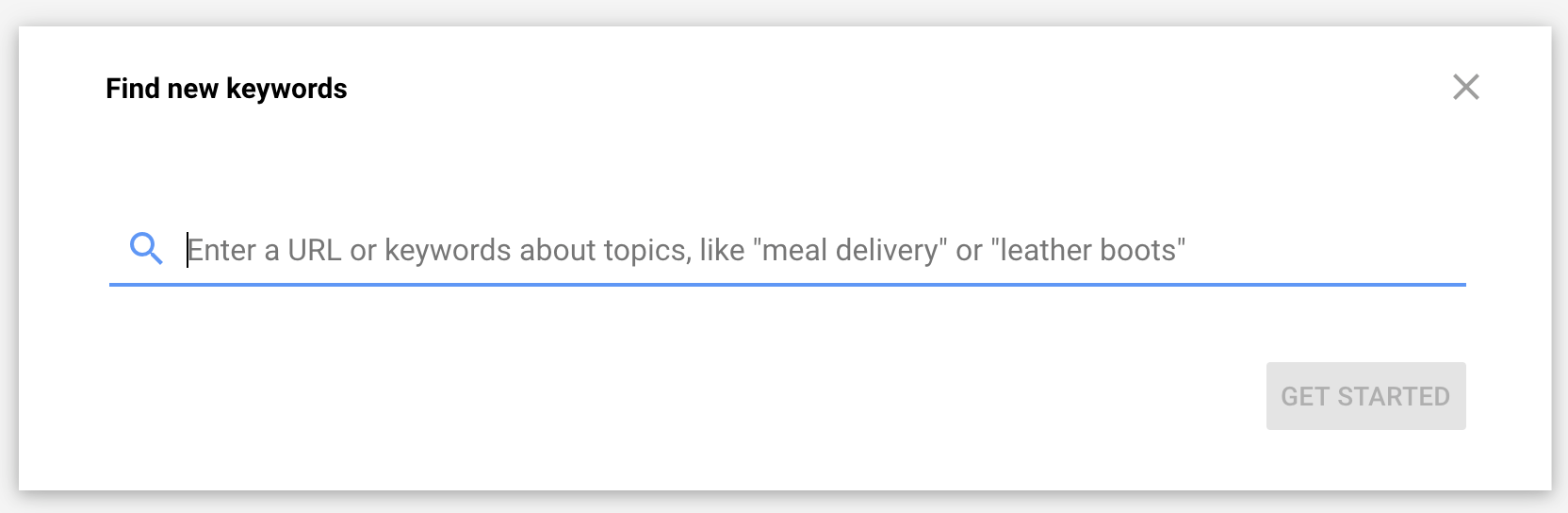
Google Keyword Planner is a free tool inside Google Ads that lets you enter a search term and see related keywords.
You can see the monthly search volume, the level of competition, and estimated bid ranges for each keyword.
Key Learnings
A search term, or search query, is the exact word or phrase people type or speak into a search engine.
A keyword is what you choose to target. One keyword can match many different search terms, because search engines understand the meaning behind a search, not just the words.
You can see the search terms people use to find you in Google Search Console (for SEO) and in the Google Ads search terms report (for paid ads).
Matching your content and ads to the language people actually use is important, but it’s not the only factor. Search engines also consider the quality of your content, its usefulness, and many other signals when deciding which results to show.


