
How do you start an online business from home with no money? Is it even possible? The short answer is yes, as long as you pick the right business model. Many successful online businesses started with little more than a laptop, an internet connection, and a skill someone was willing to pay for.
To start an online business, you choose a business model, find a niche, test that people will pay before you spend money, handle the legal basics, set up a website and a way to get paid, and then market it. The steps below walk you through each stage.
I started my first online business without knowing anything about entrepreneurship or how to run an internet business. Over the years I’ve had successes and failures, and I turned what worked into a framework that beginners can follow to improve their chances of success on the first try.
How to Start an Online Business From Home
- Choose a business model
- Find your niche
- Validate your idea before you spend money
- Analyze your competitors
- Identify your target audience
- Handle the legal basics
- Choose a brand name and register a domain
- Set up your website
- Set up payments and delivery
- Market your business
- Get professional help when you grow
1. Choose a business model
The first thing to decide is what kind of online business to start. The model you choose decides how you will make money online, how much it costs to start, and how quickly you can get your first sale.
The most popular types of online businesses are:
- Services and freelancing: writing, design, web development, digital marketing, virtual assistance, bookkeeping.
- Consulting and coaching: business, career, fitness, or personal development coaching delivered by video call.
- Selling digital products: ebooks, templates, online courses, printables, stock photos.
- Affiliate marketing: recommending other companies’ products and earning a commission on each sale (see how to start affiliate marketing with no money).
- Content businesses: niche blogs, YouTube channels, and newsletters that make money from ads, sponsors, and affiliate links.
- eCommerce: selling physical products in your own store or on marketplaces like Amazon and Etsy, or through dropshipping and print-on-demand.
- Software as a Service (SaaS): online tools that customers pay for with a monthly subscription.
Which online businesses can you start with no money?
If you have no budget, start with a business where your time and skills are the product. Services, freelancing, coaching, and affiliate marketing need almost no upfront investment: you can find your first clients on social media, freelance marketplaces, or through people you already know, and build a website later. Digital products and content businesses can also start for free, but they take longer to earn money.
eCommerce and SaaS usually need money upfront for stock, tools, or development.
What is the best online business for beginners?
For most beginners, the best online business is a service based on a skill they already have. It has the lowest costs and risk, you get paid from the first client, and what you learn about your customers helps you create products later. It is also the type of business least likely to fail because of money, since there is little to lose if it doesn’t work out.
The most common ways to make money from an online business are:
Selling your own products (physical or digital) - Selling directly to customers on your own website or through a marketplace like Amazon, Etsy, or Udemy.
Selling services - Getting paid per project, per hour, or with a monthly retainer.
Advertising revenue - Showing ads on your website or YouTube channel through a platform like Google AdSense, or selling sponsorships directly.
Dropshipping - Selling physical products in your own store, while a supplier stores and ships them to your customers. You keep the difference between your price and the supplier’s price.
Affiliate marketing - Sending customers to another company’s website and earning a commission when they buy.
Subscriptions - Charging customers a monthly or yearly fee for a service, a tool, or a membership.
Resources to learn more
- How to make money with a blog
- How to make money with affiliate marketing
- AI side hustles that actually work
2. Find your niche
Once you know the type of business, the next step is to find your niche: the specific topic, audience, or problem your business will focus on.
This is often the hardest step because nobody can tell you in advance if an idea will work. That uncertainty is part of every business, and it shouldn’t hold you back. The next step shows you how to test an idea cheaply before you commit to it.

You don’t need a unique idea to succeed online. You can take an existing idea and do it better, serve a specific group of people better, or combine two ideas in a new way.
These questions will help you find your niche:
What are you passionate about? - A topic, hobby, or activity you enjoy will keep you going through the slow first months, and it shows in the quality of your work.
What are you good at? - Think about the skills people already ask you for help with. If you can help others solve a problem, learn something, or save time, you can build a business around it.
Are you an expert? - If you have training, qualifications, or years of experience in a field, you already have an advantage over the many “so-called experts” online.
Can you spot a gap in the market? - Have you looked for a product, service, or resource and not found a good one? Gaps like these are some of the best business ideas.
3. Validate your idea before you spend money
Validating an idea means finding evidence that people want it and will pay for it, before you spend money building it.
Test demand for free
The fastest test is to try to sell before you build:
- Offer your service to a few people in your network or in online groups and forums where your audience spends time.
- Describe the product in a post or a simple landing page and see how many people ask for it or join a waiting list.
- Pre-sell a digital product or course, and only create it if enough people buy. Here is how we make and sell online courses.
If nobody is interested at this stage, you have saved yourself months of work. If people are, you already have your first customers.
Search Google and social media
Search Google for keywords related to your idea, including broader and related terms. Look at the websites that come up: what content they have, whether they sell their own products or show ads, and whether you could offer something better.
Do the same on YouTube, Instagram, TikTok, Pinterest, and Reddit. Look at what kind of content gets the most engagement, and what people complain about or keep asking for in the comments.
Do keyword research

Keyword research tells you how many people search for a topic on Google and other search engines each month. If almost nobody searches for your topic, it is a sign that demand is low, or that you need to describe your idea in the words your customers use.
Know Google’s rules for your topic
Organic traffic from search engines is one of the most valuable sources of customers, so check how Google treats your topic.
For topics that can affect people’s health, money, or safety, such as medical advice, fitness, nutrition, or finance, Google holds websites to a much higher standard of expertise and trust. If you don’t have real qualifications or experience in these areas, it will be much harder to rank. Google’s Search Quality Rater Guidelines explain in detail what it looks for.
Search Amazon and other marketplaces

If you plan to open an online store, search Amazon to see what others sell, and check Amazon’s best sellers for popular products in each category.
Other marketplaces are just as useful:
Udemy - If you want to create an online course, see how many courses exist on your topic, how many students they have, and what reviewers say is missing.
CodeCanyon - If you want to create a software product, check whether similar products exist and how many sales they have.
Flippa - Flippa is a marketplace for buying and selling online businesses. Sellers share their traffic and revenue, which tells you what kinds of businesses make money.

Check affiliate networks
Even if you don’t plan to do affiliate marketing, affiliate networks show you which products sell, at what price, and how many companies compete. Try ClickBank for digital products, Awin (which now includes ShareASale) for physical and digital products, and Rakuten Advertising for well-known brands.
4. Analyze your competitors
Your competitors are the businesses already selling something similar to what you want to sell. Learning from them shows you what works, what customers expect, and where you can do better.
For example, let’s say you want to sell custom-made parrot cages online. You have found enough demand and room for a better product. Next, you want to know how much traffic your competitors get, which channels bring them customers, and how much they spend on advertising.
You can use these tools:
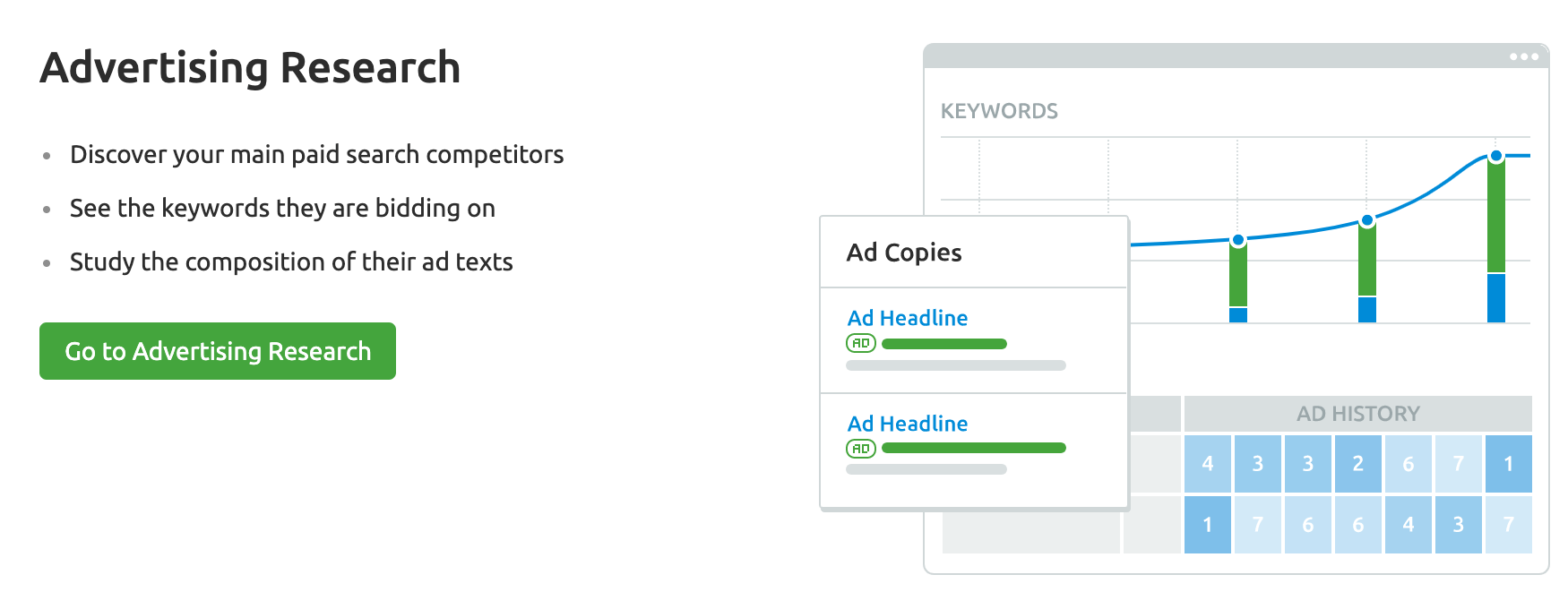
Semrush - Shows how much traffic your competitors get from Google, which keywords they rank for, and what they spend on Google Ads. It is a paid tool with a 7-day free trial.
Meta Ad Library - A free tool that shows the ads your competitors are running on Facebook and Instagram.
Also read your competitors’ customer reviews. The complaints in their reviews are a list of things your business can do better.
5. Identify your target audience
Before you build anything, write down who your customers are. The answers will shape your brand, your website, your prices, and where you promote your business.
Try to answer these questions:
- Who is most likely to buy from you?
- What problem are they trying to solve, and what have they already tried?
- How old are they, where do they live, and what language do they speak?
- How much are they able and willing to pay?
- Which social networks, websites, forums, and groups do they use?
- Who do they follow and trust online?
You won’t have perfect answers before you start, and that’s fine. Use what you learned from validating your idea and analyzing your competitors to create a first version of your buyer persona, and improve it as real customers arrive. Once you have customers, you can ask them directly through surveys and conversations.
Before moving on, make sure that:
- You have chosen your niche and tested that people want what you offer.
- You know how your business will make money.
- You have a first outline of your target audience.
- You know who your main competitors are and how they market themselves.
6. Handle the legal basics
An online business is still a business, so it has the same legal and tax obligations as any other. The rules depend on your country and state, so check your local requirements. In the United States, the Small Business Administration (SBA) recommends these steps:
Choose a business structure - The most common options are a sole proprietorship, a limited liability company (LLC), and a corporation. Your structure affects how much tax you pay, the paperwork you need to file, and whether your personal assets are protected if something goes wrong. Many people start as a sole proprietor and form an LLC once the business grows.
Register your business - Depending on your structure and location, you may need to register your business name with your state. State filing fees vary.
Get a tax ID number - In the US, you can get an Employer Identification Number (EIN) from the IRS in minutes, and it’s free. Apply directly on the IRS website and never pay a third party for one.
Check licenses and permits - Some types of businesses and some locations need a license or permit, even when you work from home.
Open a business bank account - Keep your business money separate from your personal money. It makes bookkeeping and taxes much easier, and for an LLC or corporation, mixing business and personal money can put your personal liability protection at risk.
Keep records for taxes - Track your income and expenses from day one, and learn whether you need to collect sales tax on what you sell.
7. Choose a brand name and register a domain
Now for the exciting part: choosing a name for your brand and registering your domain name.
Things to consider when choosing a brand name and domain name:
- Find something catchy that people will remember.
- Keep it as short as possible.
- Make sure it’s easy to read, say, and type.
- Consider adding a keyword relevant to your niche (for example, teachable.com or healthline.com).
- Avoid hyphens and numbers, which are hard to say out loud.
Before you register it, check that:
No other company uses the same name - Search for the name on Google. If another company already uses it, choose something else to avoid confusion and legal problems.
The name is available on social media - Make sure you can get the same handle on the social networks your audience uses.
The .com is available - If another company already owns the .com, avoid registering the same name with a different extension. It will confuse customers and search engines.
You don’t need a country-specific domain - Only use a local domain like .co.uk if your business will only serve that country.
How to register a domain name for your business

To register a domain, create an account with a domain registrar or a hosting company, search for your name, and pay the yearly fee. Many hosting companies include a free domain for the first year. For example, you can register a domain name with Bluehost when you sign up for hosting.
8. Set up your website
Your website is where customers learn about your business and buy from you. If you are starting with no money, you can take your first orders through social media or a freelance marketplace, but a website of your own is what makes your business look professional and lets people find you on Google.
For an online store selling physical products, you have two main options:
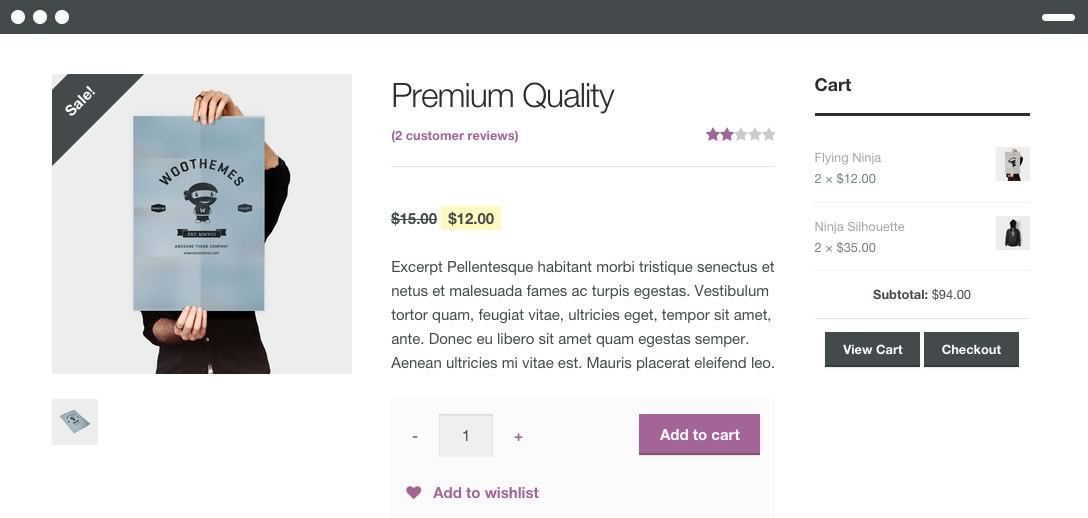
A hosted store builder like Shopify - The fastest way to launch. Hosting, security, and payments are included, and you pay a monthly subscription. See Shopify’s current pricing for the plans.
WordPress with WooCommerce - A self-hosted website that gives you full control and flexibility, with lower monthly costs. It takes a little more work to set up and maintain.
For other types of businesses, such as services, coaching, digital products, blogs, and affiliate websites, WordPress is a flexible and affordable choice.
Whichever platform you choose, make sure your website has:
- A clear homepage that says what you offer and who it is for
- An about page that builds trust
- Easy-to-find contact details
- Pages for your products or services, with clear prices
Resources to learn more
How to make a website - A step-by-step guide to setting up a WordPress website for beginners.
9. Set up payments and delivery
Before you launch, decide how customers will pay you and how they will receive what they buy.
Payments - Store builders like Shopify include payments. On WordPress, you can add a payment provider such as Stripe or PayPal. For services, you can send invoices through your accounting software or payment provider. Every provider charges a small fee per transaction, so include it in your prices.
Delivery - How you deliver depends on your business model:
- Digital products: delivered automatically by email or download after payment.
- Services and coaching: delivered by video call, email, or shared files.
- Physical products: you ship them yourself, use a dropshipping supplier, or use print-on-demand, where products are printed and shipped only after a customer orders.
Test the whole process yourself before launch: place an order, pay, and make sure the confirmation and the product arrive as expected. Then read our tips on how to get your first sale fast.
10. Market your business
Coming up with an idea and setting up a website is one thing. Getting traffic and customers is a different story, and this is where digital marketing comes in. It is the process of using online channels to grow your business.

The most important digital marketing channels are:
- Website Marketing
- Search Engine Marketing
- Social Media Marketing
- Email Marketing
- Content Marketing
- Video Marketing
You don’t have to become a digital marketing specialist, but as the business owner you need to know how these channels work. Even if you outsource your marketing later, you will know what to ask for and how to judge the results.
If you are starting with no money, begin with the channels that cost time rather than money: SEO, content, social media, and email. Add paid ads once you know your offer sells.
Search engine optimization (SEO)
Search engine optimization is how you increase the visibility of your website on Google and other search engines, and it brings you customers who are already searching for what you sell. SEO takes time: a new website can take months to rank, so start early.
SEO has three main types: technical SEO, on-page SEO, and off-page SEO. You need to work on all three for the best results.

To get started, follow our SEO guide and the step-by-step SEO checklist. If you want to go deeper, here is how to become an SEO expert.
Content marketing

Every marketing channel runs on content: blog posts, product pages, videos, social media posts, emails, and ads. A simple content plan that lists what you will publish, where, and when is enough to start. What matters most is publishing regularly instead of getting stuck in planning. AI tools can help you research, outline, and draft faster, but add your own experience and check every fact. To learn more, see our list of the best content marketing courses.
Social media
Create business pages with the same name, logo, and description on the networks your audience uses, and claim your name on the others so no one else takes it. Post regularly: potential customers often check your social media before they buy, and empty pages look abandoned. Focus your effort on one or two networks where your audience is most active.

Email marketing
Email is still one of the most effective sales channels, and your email list is an audience you own. Give people a reason to sign up, such as a free guide, checklist, or discount, and put your sign-up form where visitors can see it on both desktop and mobile. Then send useful emails regularly, not only sales messages.
Conversion optimization
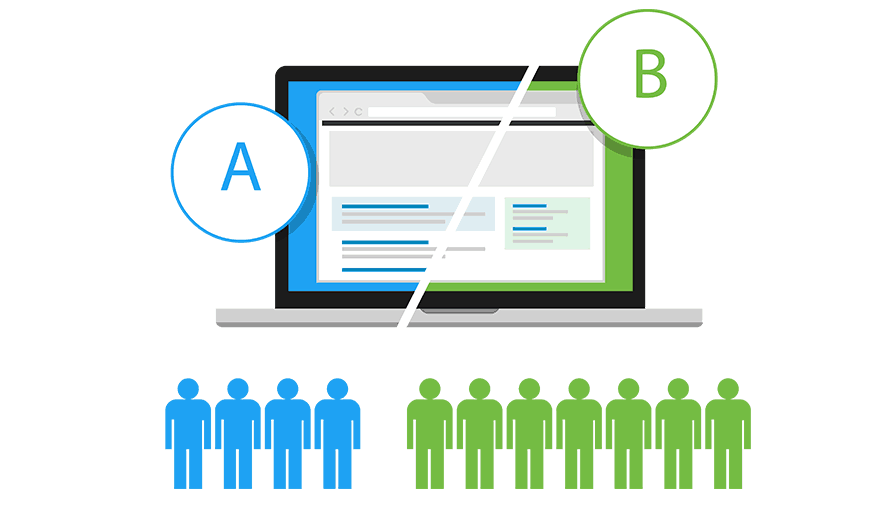
Conversion optimization means getting more of your existing visitors to buy, so each customer costs you less. Consider this example:
Company A spends $20 on 10 visits, and 2 people buy a $40 product. Each customer costs $10, and revenue is $80, so the profit after ad costs is $60.
Company B spends the same $20 on 10 visits, but because it has optimized its website, 5 people buy. Each customer costs $4, and revenue is $200, so the profit after ad costs is $180.
With the same traffic, Company B makes three times the profit. Test changes to your landing pages, product pages, checkout, and mobile pages with A/B testing, one change at a time, and keep what works.
Paid ads
Paid ads on Google, Microsoft Advertising, Facebook, Instagram, and YouTube bring traffic immediately, but you pay for every click or view. Start with a small test budget on one channel, and only increase your spending while the campaigns make a profit. Ads work best once you know your offer converts and your prices leave enough margin to pay for them.
Resources to learn more about digital marketing
- Digital marketing checklist - The complete digital marketing checklist for online businesses.
- How to learn digital marketing at home - How to learn digital marketing at home and for free.
- Best digital marketing courses - The best online courses to teach yourself digital marketing.
11. Get professional help when you grow
You can start an online business alone, but as it grows you will need help. Depending on your budget, you have three options:
Hire freelancers - You can find freelancers for almost any task on websites like Upwork and PeoplePerHour.
Hire consultants - An experienced consultant can help you create a strategy that you then carry out yourself or with freelancers.
Hire a digital marketing agency - A full-service digital marketing agency (like ours) can handle everything from planning to implementation, so you don’t have to hire and manage people yourself.
Rates range from a few dollars an hour to hundreds of dollars an hour. What matters most is finding people who can show measurable results, not just promises.
Is an Online Business For You?
Now that you know what it takes to start and promote an online business, you can decide whether it’s right for you. Some things to consider:
You will spend a lot of time in front of a screen. For some people that’s fine. If you prefer to work outdoors or on your feet, it may not suit you.
Working from home can be lonely. Video calls don’t fully replace working with people face to face. If you need that, plan for coworking spaces, meetups, or events.
Competition is high. Anyone can start an online business, so you won’t be alone in your niche. The businesses that succeed are the ones that serve a specific audience better than anyone else.
It takes time. Most online businesses take months, not weeks, to make steady money.
Still, running your own business is a great experience, and if you follow the steps in order, nothing stops you from building a profitable online business.
How Much Does It Cost To Start an Online Business From Home?
The cost can range from almost nothing to thousands of dollars. It depends on the type of business you start:
- Services, freelancing, and coaching: close to zero. You can start with the computer and internet connection you already have and add a website later.
- Legal basics: an EIN is free from the IRS. Registering an LLC costs a state filing fee, which varies by state.
- Domain name: a yearly fee, and many hosting companies include a free domain for the first year.
- WordPress hosting: Bluehost’s entry plan costs $3.99 per month at the introductory price, renewing at $9.99 per month (September 2026), and includes a free domain for the first year.
- WordPress theme: there are good free themes, and premium themes are a one-off cost.
- Hosted online store: Shopify and similar builders charge a monthly subscription plus transaction fees.
- eCommerce stock: the biggest cost for a physical product business, unless you use dropshipping or print-on-demand.
So you can start an online business with no money if you sell a service or your skills, and with a small budget for most other models.
How Much Money Can You Make With An Online Business?
Anything from zero to millions of dollars a year. It depends on your business model, your products, your prices, your profit margins, and how well you market your business.
Some examples for inspiration:
- On some of my websites, I use AdSense to make money.
- On this website, I make money by selling my online SEO courses and digital marketing services.
- Yoast makes money by selling WordPress plugins and online courses.
- Pat Flynn makes money through affiliate marketing, online courses, and his community.
- Many of my clients make money by selling physical products through their online stores.
The possibilities to make money with an online business are endless.
Key Learnings
Starting an online business is possible even if you know nothing about business or entrepreneurship. You don’t need a degree, but you do need to be willing to learn and work hard.
The recipe is the same for every kind of online business:
- Choose a business model and a niche
- Test your idea before you spend money
- Handle the legal basics
- Set up a website and a way to get paid
- Market your business to get traffic and customers
Each step reduces your risk, but nobody can tell you in advance if your idea will work. Rather than spending your time wondering, start testing your ideas.
Maybe you won’t succeed the first time, and that’s fine. Most people fail with their first website, but the ones who succeed are the ones who try again.
It took me a couple of years to make my first dollar online, but you can follow the plan in this guide and start your online business on the right foot from day one.